AI tool · 10 credits · Refunded if it fails

Image to Prompt Generator

Upload a picture and the AI writes the prompt that would recreate it: subject, setting, camera angle, light, colours, style and mood, ready to paste into an image or video generator.

  • InputJPG, PNG or WEBP, 15 MB
  • You getFull prompt · Short version · Style tags
  • Prompt forAn image or a video generator

Set it up

Prompt for
Estimated10 credits
Ways to pay less
  • One flat price of 10 credits per image, for an image or a video prompt.
  • Each job returns three things, the full prompt, the short version and the tags, so you don't need a second run for a shorter prompt.

Need something else? More Photo & Image tools or all 54 tools

What is an image to prompt generator?

An image to prompt generator is a tool that looks at a picture and writes the text prompt an AI generator would need to make something like it. Here you upload one JPG, PNG or WEBP up to 15 MB and get three things back: a dense prompt of about 60 to 110 words, a short 10 to 15 word version, and 6 to 10 comma-separated style tags. Choose a video generator and the prompt also describes natural motion. Each image costs 10 credits.

Example
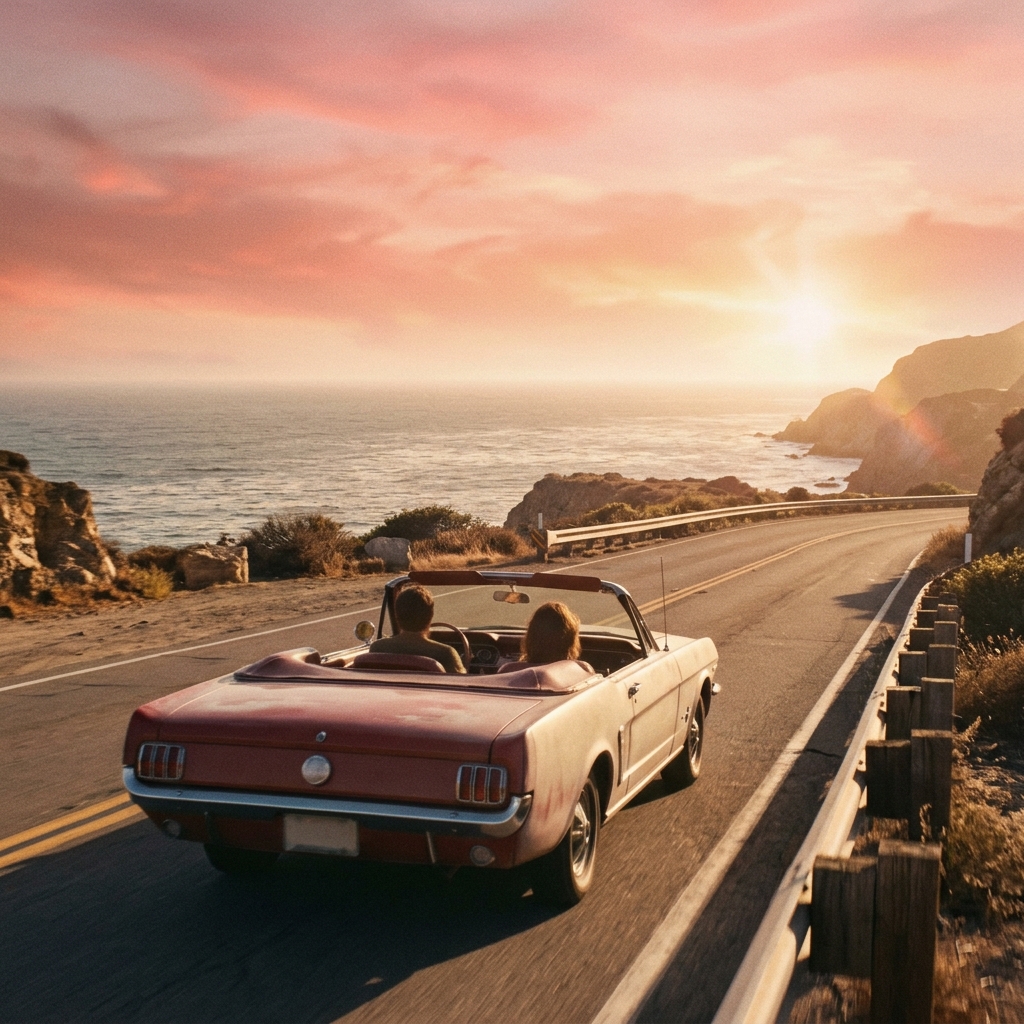
Read back as: "A couple driving a vintage convertible along a coastal highway at golden hour sunset."Prompt + short + tags
Read back as: "A couple driving a vintage convertible along a coastal highway at golden hour sunset."

How to use Image to Prompt in 3 steps

  1. Upload an image

    Sign in and upload the picture you want a prompt for: a photo, an illustration, a screenshot of AI art. JPG, PNG or WEBP up to 15 MB.

  2. Choose where the prompt goes

    Pick An image generator or A video generator, so the image to prompt result fits the tool you'll paste it into.

  3. Get the prompt

    Press Get the prompt. The full prompt, short version and tags appear with a Copy button and are saved in My Videos.

What Image to Prompt does

A full, detailed prompt

One dense paragraph of about 60 to 110 words that covers the subject, setting, composition and camera angle, lighting, colours, style or medium, and mood. It reads like a prompt someone wrote carefully, not a list of labels.

A short version

A 10 to 15 word line for generators and fields that work better with brief prompts, or as a starting point you build on yourself.

Style tags

6 to 10 comma-separated tags for the look, such as lighting, medium and mood, handy for mixing the style of one image into a prompt of your own.

For images or for video

Choose An image generator to recreate a still. Choose A video generator and the prompt describes the picture as the first frame of a short clip, with a sentence on natural motion.

No names, just descriptions

The prompt doesn't name real people, brands or artists. It describes what they look like instead, so the prompt works as a description of the image itself.

Copy in one tap

The text appears next to your image with a Copy button, and stays in My Videos so you can come back to it later.

Comparison

Why use Image to Prompt instead of writing the prompt yourself?

Describing an image well enough for a generator takes practice and a vocabulary for light, framing and style. Here the AI writes it from the picture.

FeatureImage to PromptWriting the prompt yourself
What's coveredSubject, setting, framing, light, colours, style and moodWhatever you notice and know how to name
VersionsA full prompt, a short version and style tagsOne prompt, rewritten by hand for each length
Video promptsFirst frame plus a sentence on motionWork out the motion wording yourself
NamesPeople, brands and artists described, not namedEasy to lean on names instead of describing
OutputText with a Copy button, saved in My VideosA note you keep somewhere yourself
PriceOne flat 10 credits per imageNo cost, but time and trial and error

What you can make with it

Recreate a look you like in your own image

You saved a moody photo of a rainy street at night and want an AI image with the same atmosphere, but your own subject.

  • Upload the photo and choose An image generator.
  • Copy the full prompt, then swap the subject for yours, like "a cyclist with a yellow raincoat" instead of the people walking.
  • Keep the lighting, colour and mood sentences: they carry most of the look.
  • Paste the style tags at the end of other prompts to give a whole series the same feel.

Turn a still into a video prompt

You have an AI image of a lighthouse at sunset and want a short clip that starts from it.

  • Upload the image and choose A video generator.
  • The prompt describes the scene as the first frame and adds a line on motion, like waves rolling in.
  • Edit the motion sentence if you want something different: a slow push-in, birds crossing the sky.
  • Use the same image as the starting frame in Photo to Video along with the prompt.

Learn how a good prompt is built

You're new to AI image tools and your prompts come out flat. You want to see how a detailed one reads.

  • Upload a few pictures you admire in different styles: a portrait, a landscape, a flat illustration.
  • Compare how each prompt names the camera angle, the light source and the medium.
  • Notice the order: subject first, then setting, framing, light, colour and mood.
  • Use the short version to see which few words carry the most weight.

Who it's for

AI art makers

Reverse-engineer the look of an image you like and reuse it with your own subjects.

Video creators

Get a first-frame prompt with motion for image-to-video and text-to-video generators.

Designers and marketers

Turn a mood board photo into a written brief, so a campaign's visuals stay in one style.

Prompt learners

See how detailed prompts describe framing, light and style, and pick up the habit yourself.

Tips for the best result

  • Use a clear, full-size image. A tiny or blurry picture gives a vaguer prompt.
  • Pick the right target. A video prompt adds motion, which you don't want when you only need a still.
  • Treat the prompt as a draft: change the subject, keep the light and style, and you get your own image in the same look.
  • Real people, brands and artists are described, not named. Don't add their names back in if you want to stay on safe ground.
  • Generators differ. If a long prompt is ignored in parts, try the short version with the style tags.
  • Want to change the picture itself instead of describing it? Try AI Photo Style or Object Remover.

Frequently asked questions

How do I get a prompt from an image?

Upload the image, choose An image generator or A video generator and press Get the prompt. The prompt appears with a Copy button and is saved in My Videos.

How much does image to prompt cost?

10 credits per image.

What do I get back?

Text, not an image: a detailed prompt of about 60 to 110 words, a short 10 to 15 word version, and 6 to 10 style tags.

Can I use the prompt in any AI image generator?

Yes. It's plain English text you can paste into most image and video generators. Results vary between generators, so expect a similar image, not an exact copy.

Will the generated image look exactly like the original?

No. The prompt describes the image closely, but a generator makes a new picture from it, so details will differ.

Can it write prompts for video?

Yes. Choose A video generator and the prompt treats your image as the first frame and adds a sentence on natural motion.

Does it name the people or the artist in the picture?

No. Real people, brands and artists are described rather than named.

Which file types can I upload?

JPG, PNG and WEBP, up to 15 MB.

Do I need an account?

Yes. Sign in with Google or email; each job costs credits from your balance, and the result is saved in My Videos.

What if a job fails?

If a job can't finish, the credits it used go back to your balance automatically.

More AI Video Tools

All 54 tools →

Ready to try Image to Prompt?

Get a detailed AI prompt from any image, to recreate or remix it. 10 credits, and the result is saved in My Videos.

Get the prompt