AI tool · from 213 credits · Refunded if it fails

Photo to Video

Upload one photo or a picture of a drawing, choose how it should move, and the AI turns it into a short video clip. Pick a ready-made motion or write the movement you want in your own words.

  • Length5 or 10 seconds
  • Quality480p or 720p
  • InputJPG, PNG or WEBP, 15 MB
  • SoundSilent MP4

Set it up

Try an example
Length
Quality
Estimated425 credits
Ways to pay less
  • 480p costs half of 720p: a 5-second clip is 213 credits at 480p and 425 at 720p.
  • The price is per second, so 5 seconds costs half of 10: at 720p that's 425 credits instead of 850.
  • Try a new motion at 480p for 5 seconds first, then spend on 720p or 10 seconds only for the version you keep.

Need something else? More AI Video tools or all 43 tools

What is a photo to video AI tool?

A photo to video AI tool is a tool that animates a still image, so the people, animals or objects in it move and the camera drifts as if the moment had been filmed. Here you upload one JPG, PNG or WEBP up to 15 MB, pick one of five motions or describe your own, and choose 5 or 10 seconds at 480p or 720p. The silent MP4 is saved in My Videos. Prices start at 213 credits.

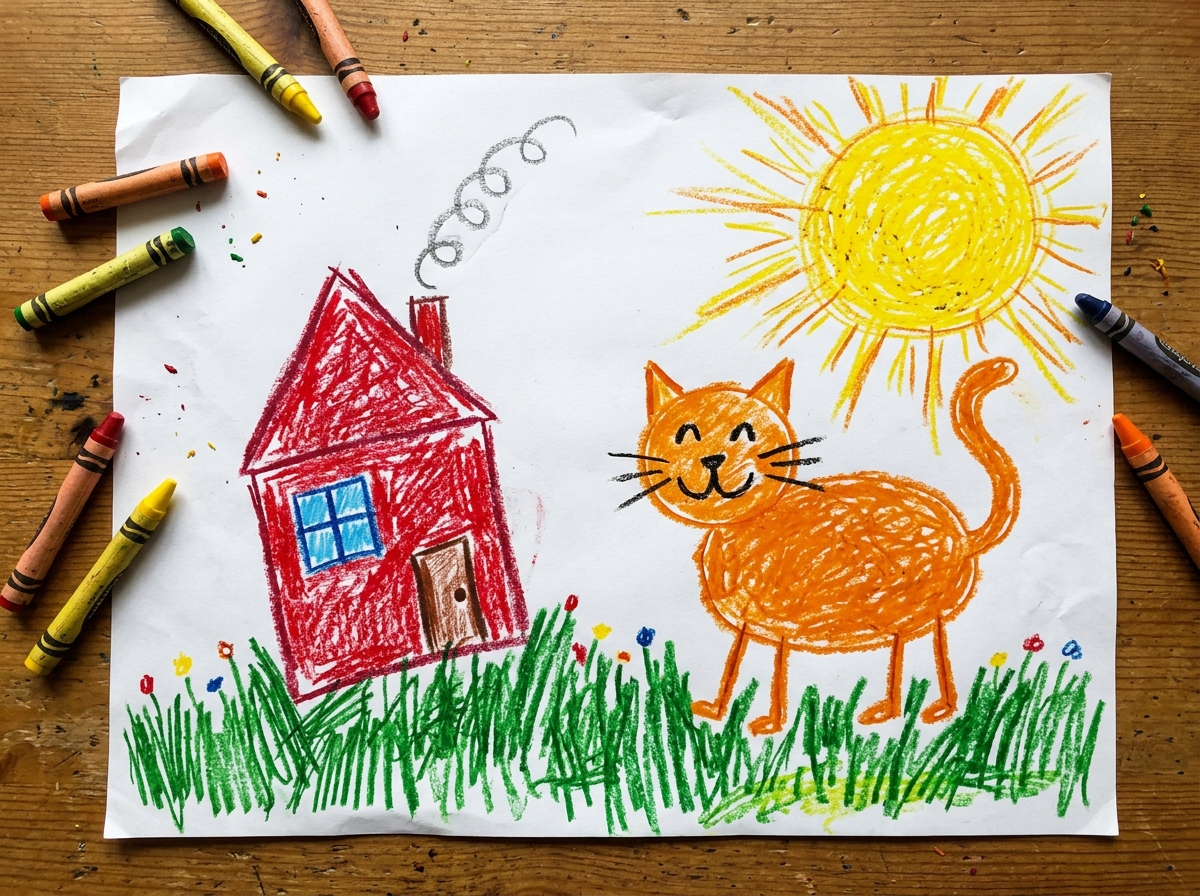
Before
After
Bring a drawing to life5 s
A child's crayon drawing brought to life in 5 seconds.

Start from an example

How to use Photo to Video in 3 steps

  1. Upload a photo or drawing

    Sign in and upload one JPG, PNG or WEBP up to 15 MB. For a drawing on paper, take a straight, well-lit photo of it from above.

  2. Choose how it moves

    Pick a motion from the menu, or choose My own description and write what should happen. Then choose 5 or 10 seconds and 480p or 720p; the price shows on the button.

  3. Turn the photo into a video

    Press Animate photo. The AI animates your image and the MP4 is saved in My Videos, ready to download or share.

What Photo to Video does

Five ready-made motions

Gentle natural motion adds soft breathing and a slow push-in. Smile and wave makes a person smile at the camera and wave. Wind in hair and clothes adds a breeze. Cinematic camera move circles the subject with depth. Bring a drawing to life makes characters bounce and play.

Drawings keep their look

The drawing motion tells the AI to keep the exact crayon, marker or pencil lines and colours and to animate in a cheerful, simple way, so a child's dinosaur moves like a cartoon instead of turning into a realistic animal.

Describe your own motion

Choose My own description and write up to 400 characters, such as 'the dog runs toward the camera and jumps'. The AI is also told to keep the people and scene from your photo.

Shape follows your photo

The clip takes the shape of the image you upload, so a portrait phone photo becomes a vertical video for Reels and Stories, and a landscape photo stays wide.

Pick length and quality

5 or 10 seconds, at 480p or 720p. You pay per second, and 480p costs half of 720p, so a quick test clip is cheap and the final one can be sharp.

Comparison

Why use Photo to Video instead of animating a photo by hand?

Making a still image move by hand means masking, layering and keyframing in an animation app. Here you pick the motion and the AI makes the clip.

FeaturePhoto to VideoAnimating a photo by hand
SetupUpload one photo or drawing in the browserCut the subject into layers in an animation app
MotionFive ready-made motions or your own descriptionSet keyframes and paths for every moving part
DrawingsA drawing mode that keeps the crayon or pencil lookRedraw or rig each character to move it
Length5 or 10 seconds, in your photo's shapeAs long as you have time to animate
TurnaroundAn MP4 in My Videos, usually within minutesHours of work for a few seconds of motion
PriceFrom 213 credits per clipAnimation software and your time

What you can make with it

A child's drawing that comes alive

Your kid drew a rocket, a cat and a sun on a sheet of paper, and you want to show it moving at the family dinner.

  • Lay the paper flat in daylight and photograph it straight from above, filling the frame.
  • Choose Bring a drawing to life so the crayon look and colours stay the same.
  • 5 seconds at 480p costs 213 credits and is plenty for a fun share in the family chat.
  • Ask your child what should move and use My own description for a specific idea, like 'the rocket takes off'.

An old family photo with a little motion

A scanned portrait of your grandparents on their wedding day, given a gentle sense of movement for an anniversary.

  • Use the sharpest scan you have; the AI can only move what it can see.
  • Gentle, natural motion adds breathing and a slow push-in without changing faces.
  • Smile and wave works for a single person facing the camera.
  • Add several clips to a Photo Slideshow afterwards for a longer memories video.

A moving shot for a post

A still travel photo of a cliff path, or a product on a table, turned into a short clip that stops the scroll.

  • Choose Cinematic camera move for parallax and depth around the subject.
  • Wind in hair and clothes suits outdoor portraits and beach shots.
  • Use a vertical photo for a vertical clip; the video keeps your photo's shape.
  • The clip is silent, so add music or a voiceover in your editor or with another tool.

Who it's for

Parents

Animate kids' drawings and family photos into short clips to share with relatives.

Creators

Turn stills and AI-styled images into moving shots for Reels, Shorts and TikTok.

Small brands

Add motion to a product photo or a shop-front picture for posts and ads for your brand.

Memory keepers

Give old portraits and scanned prints a gentle sense of life for anniversaries and tributes.

Tips for the best result

  • Start with a sharp, well-lit image. Blur and dark shadows turn into wobbly or muddy motion.
  • Pick a motion that fits the photo: Smile and wave needs a person facing the camera, Wind in hair and clothes needs hair, fabric or leaves.
  • When writing your own motion, describe one clear action and where it goes, like 'the cat stretches and walks out of the frame to the left'.
  • Test at 480p for 5 seconds, then make the final clip at 720p once you like the movement.
  • 10 seconds gives slower, fuller motion; 5 seconds is often enough for a single gesture.
  • Only upload photos you took or have permission to use, and avoid photos of public figures.

Frequently asked questions

How do I turn a photo into a video?

Upload the photo, choose a motion or describe your own, pick 5 or 10 seconds and 480p or 720p, and press Animate photo. The MP4 is saved in My Videos.

How much does it cost to animate a photo?

From 213 credits. A 5-second clip is 213 credits at 480p and 425 at 720p; a 10-second clip is 425 at 480p and 850 at 720p.

Can I animate a child's drawing?

Yes. Photograph the drawing and choose Bring a drawing to life, which keeps the crayon, marker or pencil look and makes the characters move playfully.

How long can the video be?

5 or 10 seconds per clip. For a longer video, animate several photos and join them with Merge Videos or the Photo Slideshow Maker.

Does the video have sound?

No. The clip is silent, so you can add your own music, a voiceover or captions afterwards.

Can I tell it exactly how to move?

Yes. Choose My own description and write up to 400 characters about what should happen. One clear action works better than a list of many.

What shape is the video?

The same shape as your photo. A vertical photo gives a vertical clip and a wide photo a wide one.

Will faces change?

The AI is told to keep the people and scene the same, but strong movement can shift details. Gentle, natural motion changes the least.

Do I need an account?

Yes. Sign in with Google or email; each job costs credits from your balance, and the result is saved in My Videos.

What if a job fails?

If a job can't finish, the credits it used go back to your balance automatically.

More AI Video Tools

All 43 tools →

Ready to try Photo to Video?

Bring a photo or a child's drawing to life as a 5 or 10 second video. from 213 credits, and the result is saved in My Videos.

Animate photo