
How to Do the AI Trend on TikTok: October 2026 Guide
The newest viral AI trends, and how to put yourself in one from a single photo.
The short answer
To do an AI trend on TikTok, find the trend you want, open its template, upload a clear photo of yourself and download the finished video. The AI puts you into the original clip with the same moves, camera and sound, so you don’t need to dance or film anything.
- Find the trend. Pick it from the list below, or search the name you saw on TikTok in the trend gallery.
- Upload your photo. One clear, well-lit photo of your face; group trends ask for one per person.
- Generate and download. Check the credit price on the button, generate and save the MP4 (no watermark).
- Post it. Upload to TikTok, add a caption and turn on the AI-generated content label.
New AI trends on TikTok this month
24 trend templates added in the last month, newest first. Each one recreates a video that's going viral; open it to see the sample and what it needs.
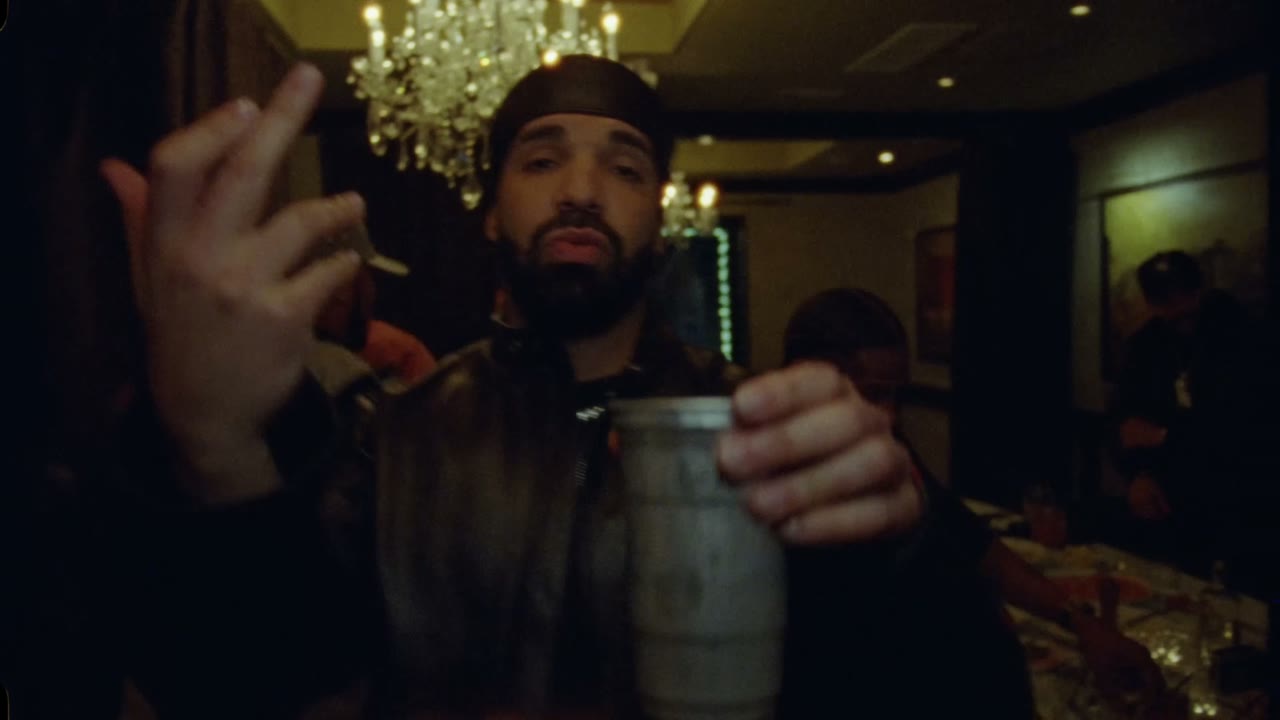
1. Drake Burning Bridges AI Video
Creative · AddedUpload one photo and take the lead in the Drake Burning Bridges party scene: rap to the camera with the silver cup in hand, the crowd around you under the chandeliers. Same moves, camera and song. 15 or 29 seconds, 16:9, 480p or 720p.
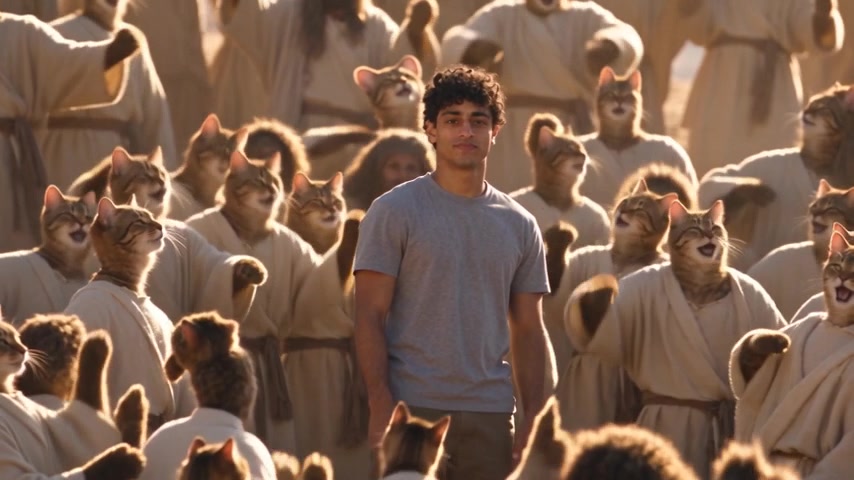
2. Closed on Sunday AI Video
Creative · AddedUpload one photo and stand calm and silent in the middle of the Closed on Sunday choir while hundreds sing around you on the desert hillside. Keep the original choir or turn it into cats, dogs, skeletons, angels, grandmas and more. Same shot and song. 14 seconds, 16:9.
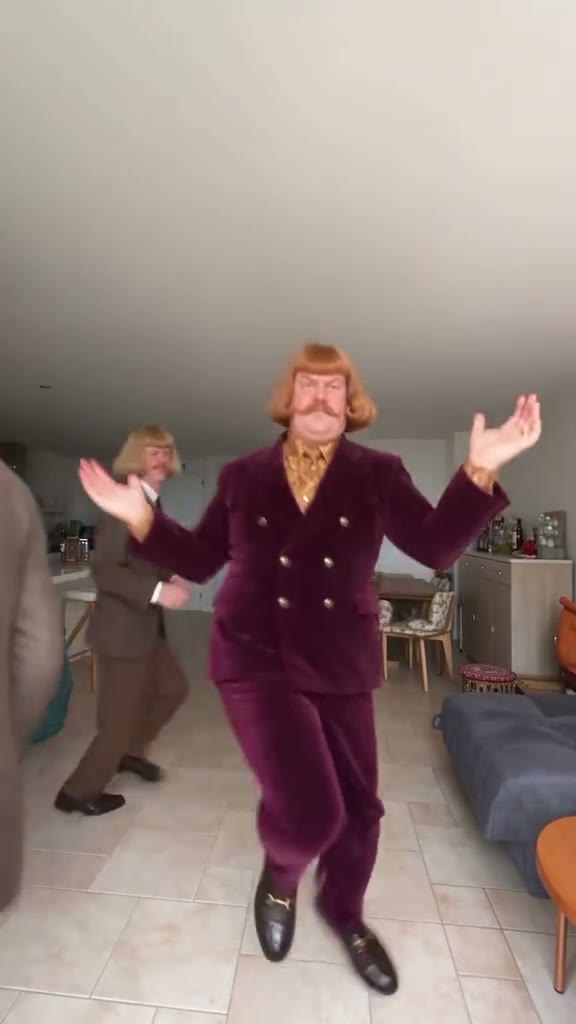
3. Jean Phil
Creative · AddedUpload one photo and do the viral Jean Phil dance: the hops, kicks and spins in the white room, with your own face, hair and outfit. Same moves, camera and music. 11 seconds, vertical 9:16.
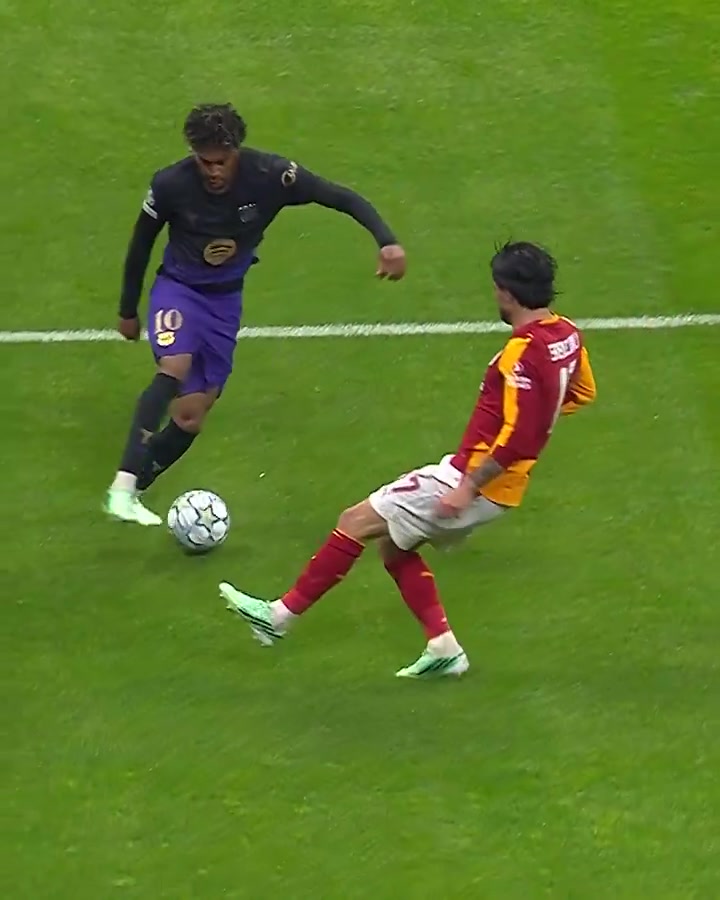
4. Lamine Yamal Dribbling AI Video
Action & Sports · AddedUpload your photo and take Lamine Yamal's place in a match dribble: run at the defender, beat his lunge and carry the ball on toward goal. Add a friend or a pet as the defender if you like. Same moves, ball and camera. 9 seconds.
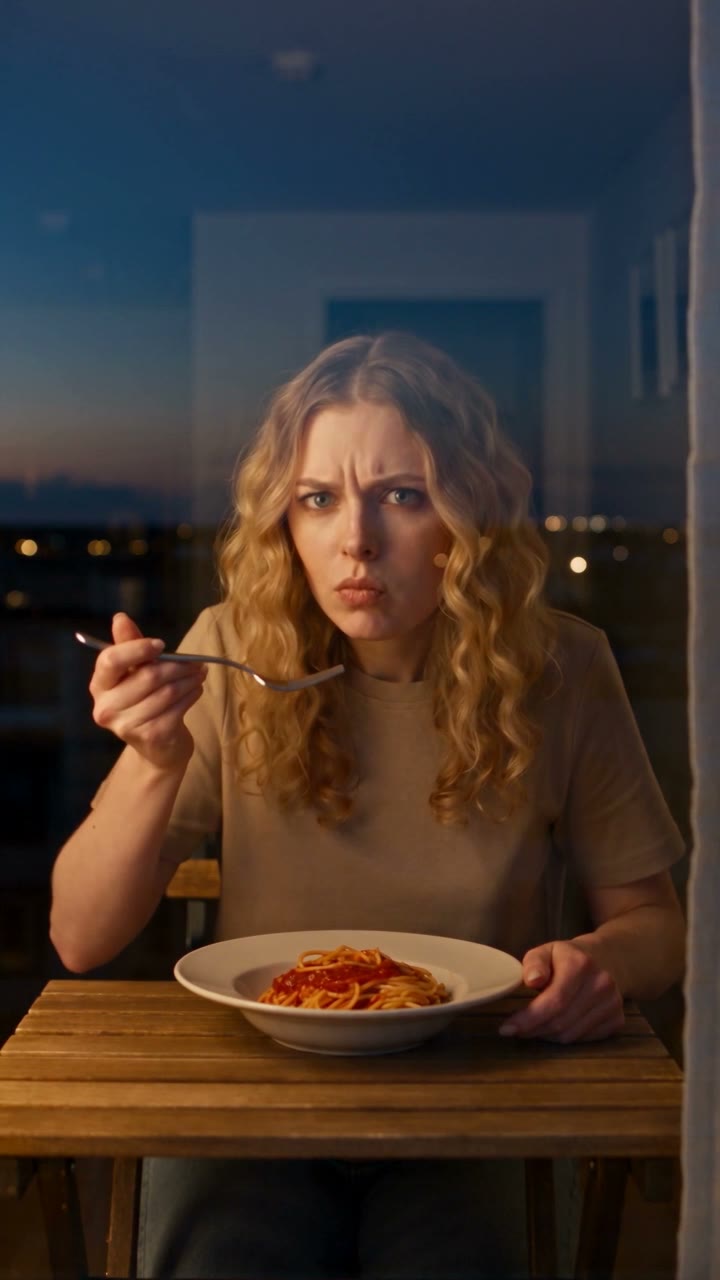
5. Caught at the Window
Creative · AddedMake the viral window ad for your food or product: the camera drifts up to a lit apartment window, someone is caught mid-bite, gives the lens an annoyed look and pulls the curtains shut. 12 seconds, vertical, 720p, with music.
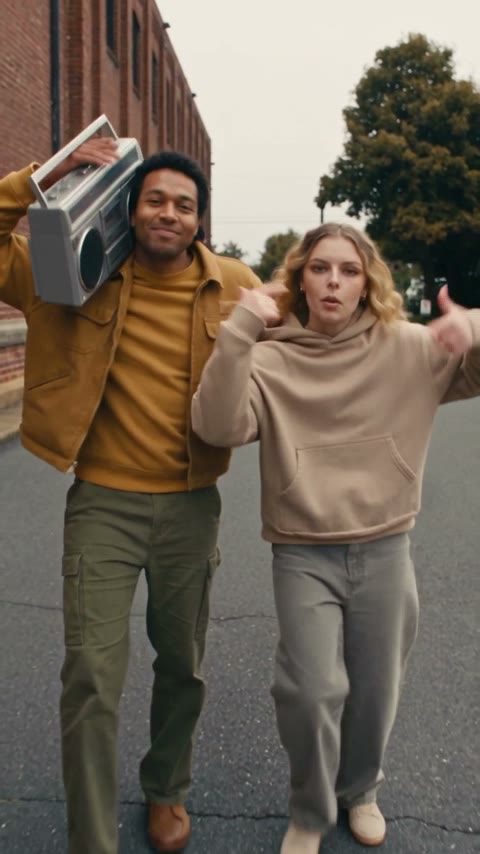
6. Connor Price Slide Dance AI Video Generator
Creative · AddedUpload two photos and star in the Connor Price slide dance: one of you carries the boombox on the left, the other sings to the camera on the right, sliding down the street together. Same moves, camera and original sound. 15 or 30 seconds, vertical 9:16, 480p or 720p.
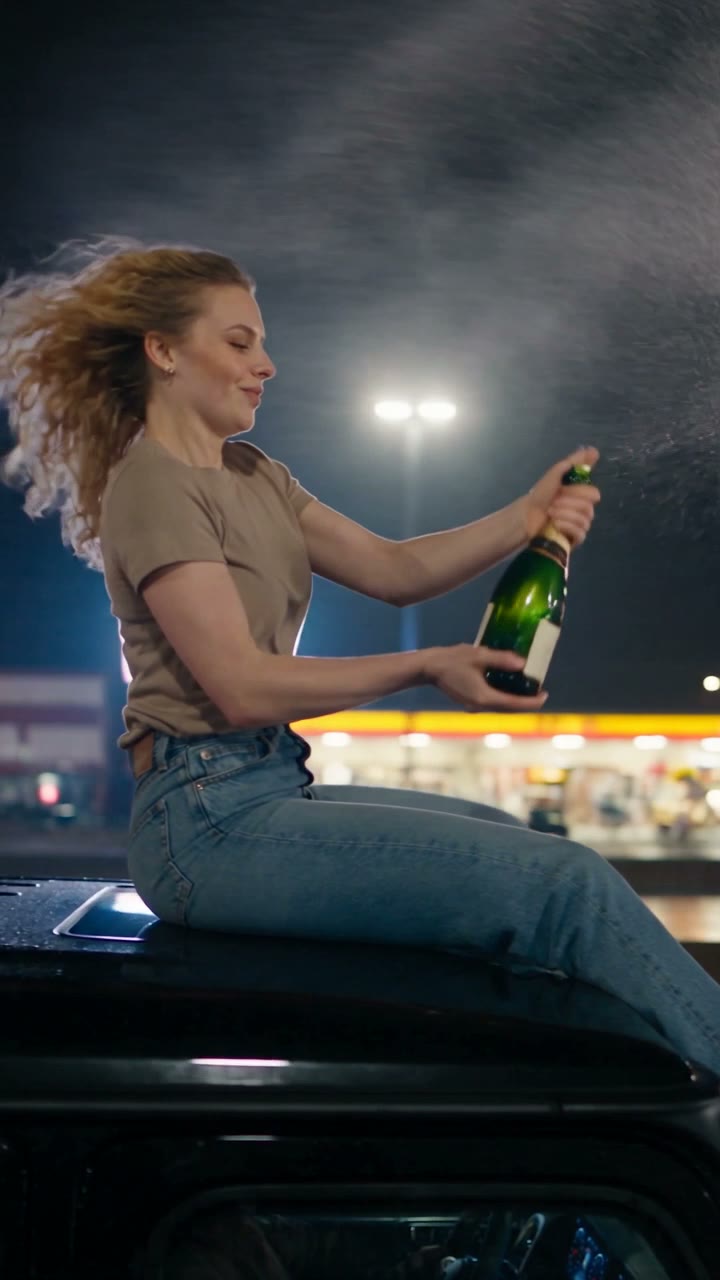
7. Champagne Shoot on G-Class AI Video Generator
Action & Sports · AddedUpload one photo and ride the roof of a black G-Class through the night: pop the champagne, take a sip, toss the bottle and shatter it with one fictional movie-style shot as the car drives off. Synchronized effects plus the Satisfaction clip. 9 seconds, vertical 9:16, 720p.
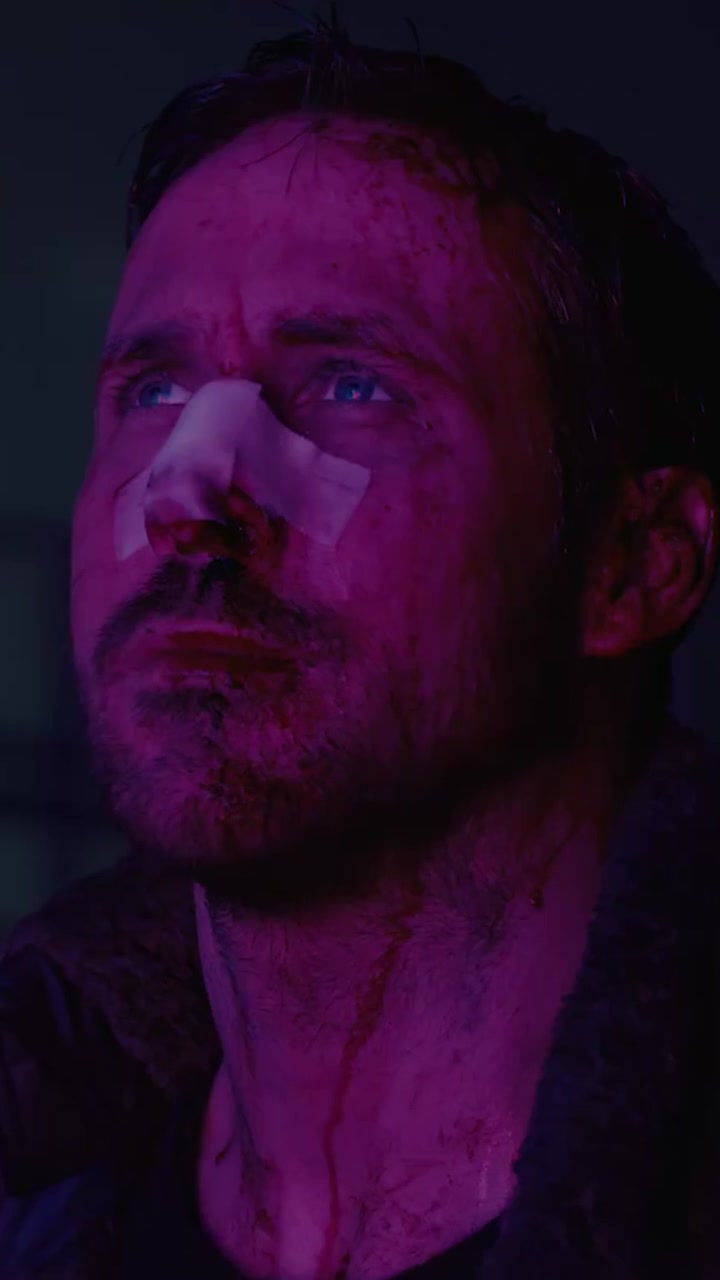
8. Blade Runner Hologram AI Video
Sci-Fi & Future · AddedUpload two photos and recast the giant-hologram scene from Blade Runner 2049: one person looks up in magenta light on a foggy platform while the other becomes the huge pink hologram leaning in and reaching for them. 11 seconds, 16:9.
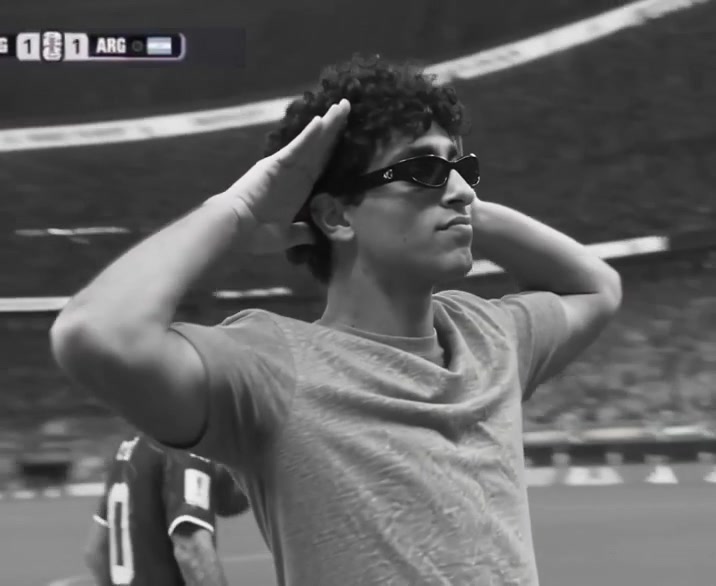
9. Remember When Aura Farming AI Video
Action & Sports · AddedUpload one photo and take the lead in the "Remember when" aura-farming edit: walk out on a football pitch in your own look, turn and hold the slow salute pose as the shot fades to black and white. Same players, scoreboard and sound. 8 seconds.
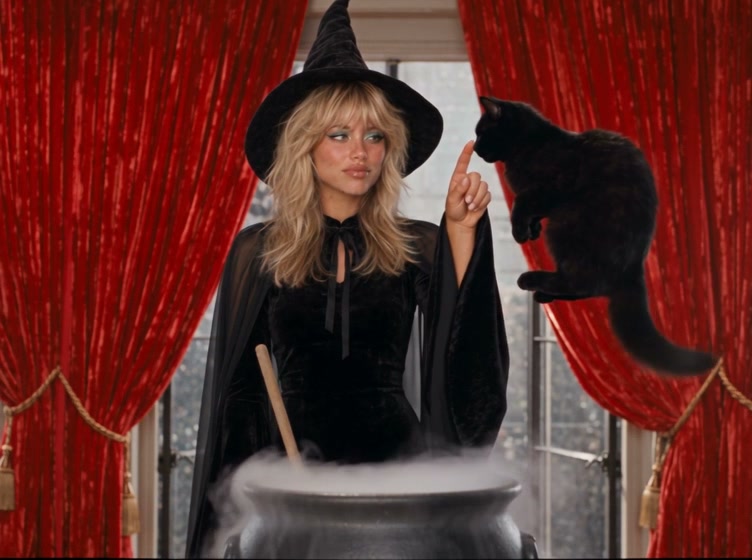
10. Witchcore AI Video Generator
Holiday & Events · AddedUpload one photo and star in a 1960s witchcore film: hang up on a rotary phone, stir a sparking cauldron, and boop the nose of your flying black cat.
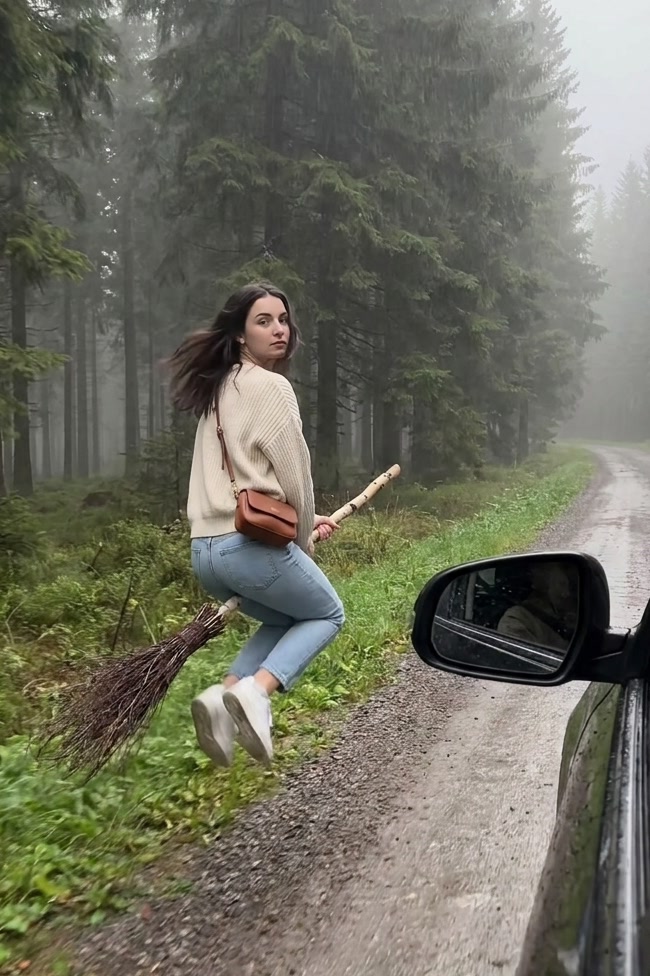
11. Witch Flying on Broom AI Video Generator
Holiday & Events · AddedUpload one photo and fly off on a witch's broom: walk beside a rolling car with a twig broom, glance back, hop on and take off over a misty forest.
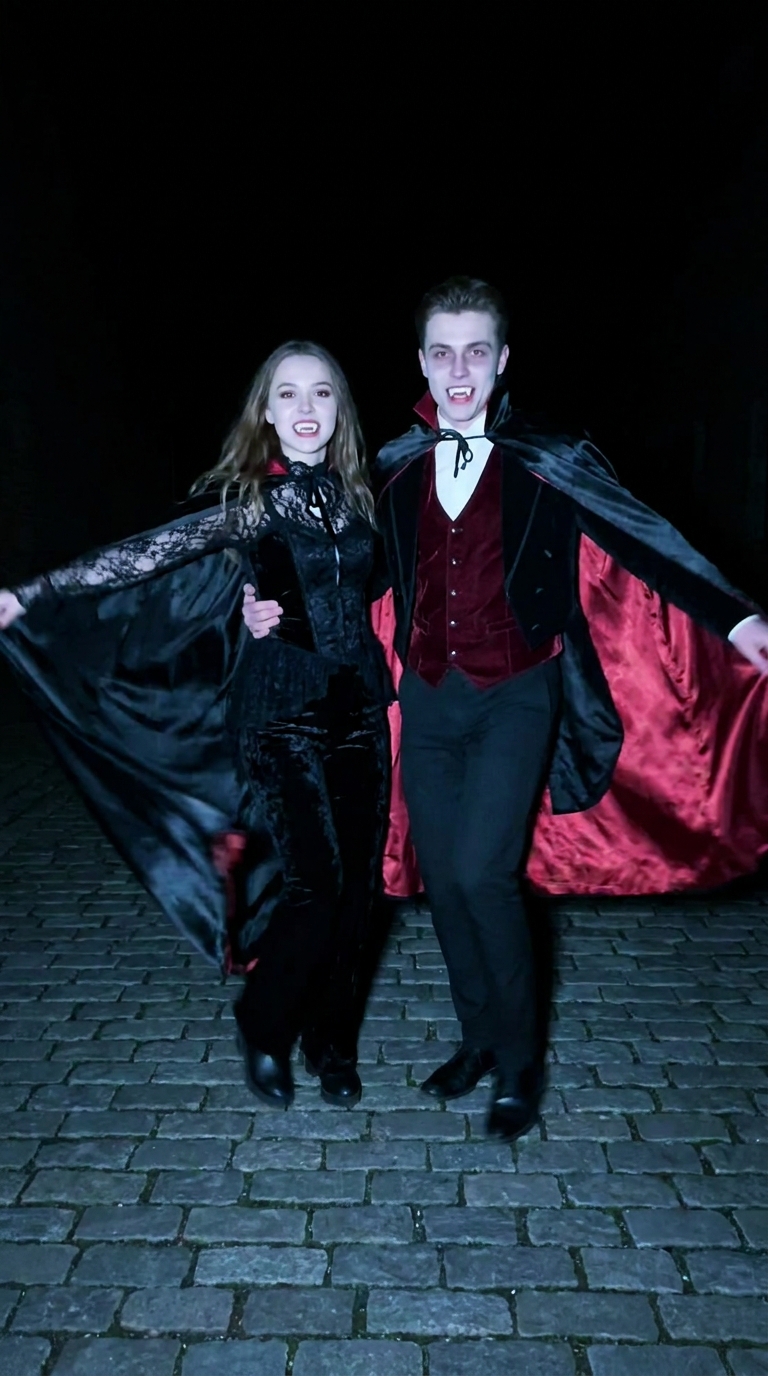
12. Vampire Duo Night Dance
Holiday & Events · AddedUpload two photos and turn you both into vampires for the night-time dance trend: one runs in, the other pulls the head-turn gag, then you dance together in capes and fangs.
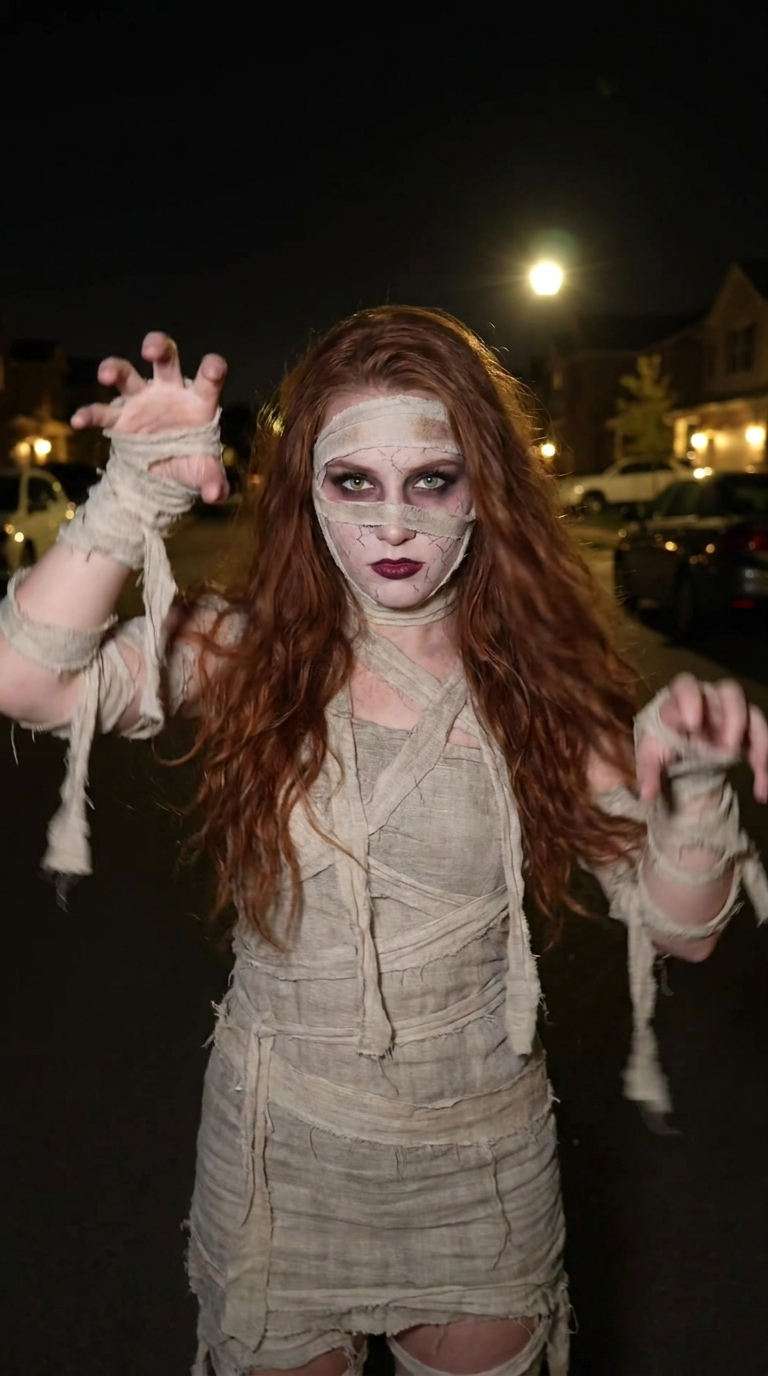
13. Mummy Zombie AI Video Generator
Holiday & Events · AddedUpload one photo and turn into a mummy zombie mid-video: run in scared at night, whip around, and come back in bandages and mummy makeup doing the zombie dance.
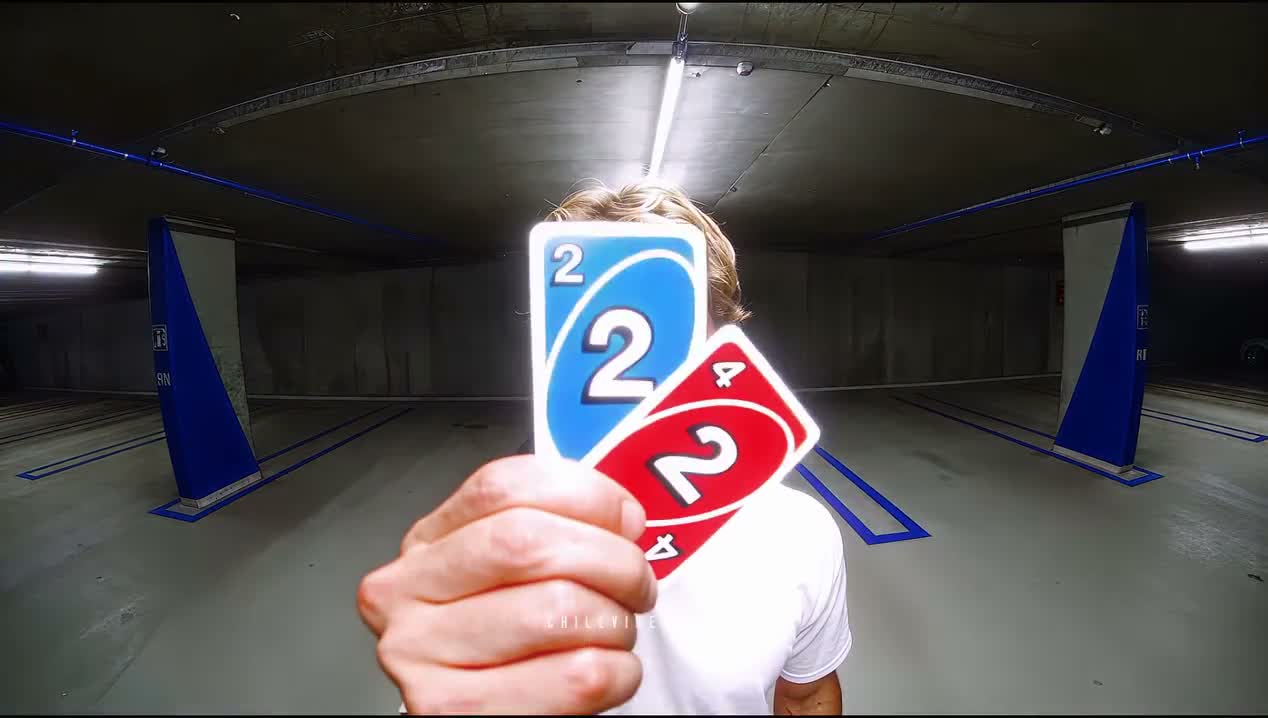
14. Unforgettable Car 24 Card Viral Video Trend
Creative · AddedUpload one selfie and star in the Unforgettable Car 24 card trend: walk up to the camera, flick a blue 2 and a red 4 at the lens, step back to reveal a silver coupé with blue underglow and drive off in it. A Brooklyn street by default, or your own Scene 1 background. About 14 seconds, landscape.
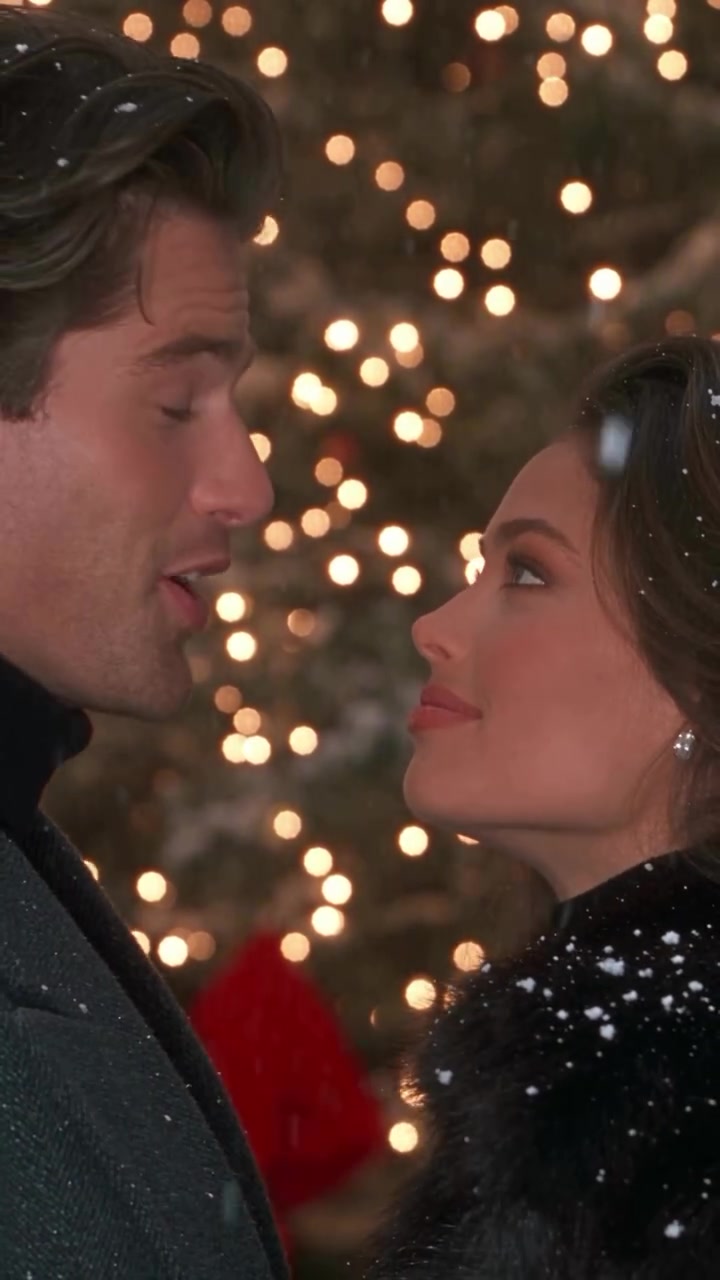
15. Don't You Dare Christmas AI Video
Holiday & Events · AddedUpload two photos and star as the couple in a 90s-style Christmas romance: one in the black fur coat with the gift boxes, one in the grey overcoat, teasing each other into a snowball fight under the city lights. Same shots, snow and original sound. 29 seconds, vertical 9:16.
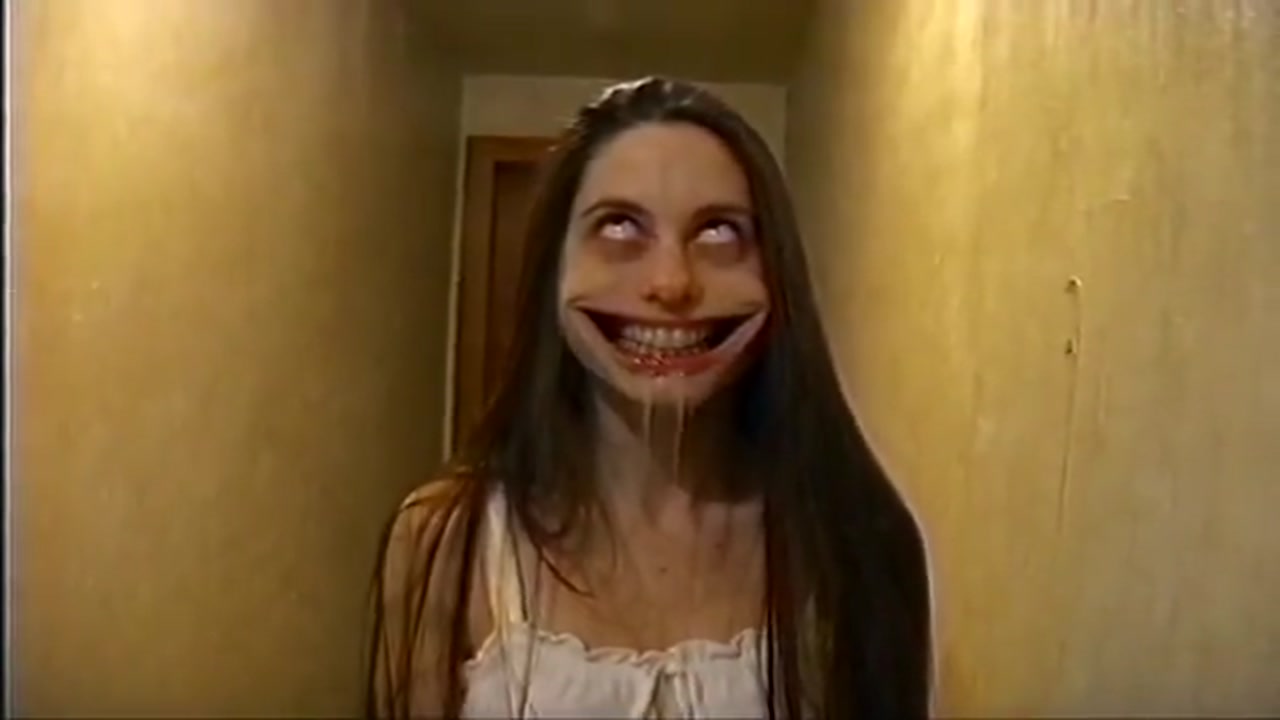
16. Halloween Haunted Mom AI Video
Holiday & Events · AddedUpload two photos and recast the viral Halloween hallway prank: one person becomes the haunted mom in the white nightgown with the white eyes and creepy stretched grin who lunges at the camera, the other plays the kid by the camera. Same camera, timing and original sound. 23 seconds, landscape.
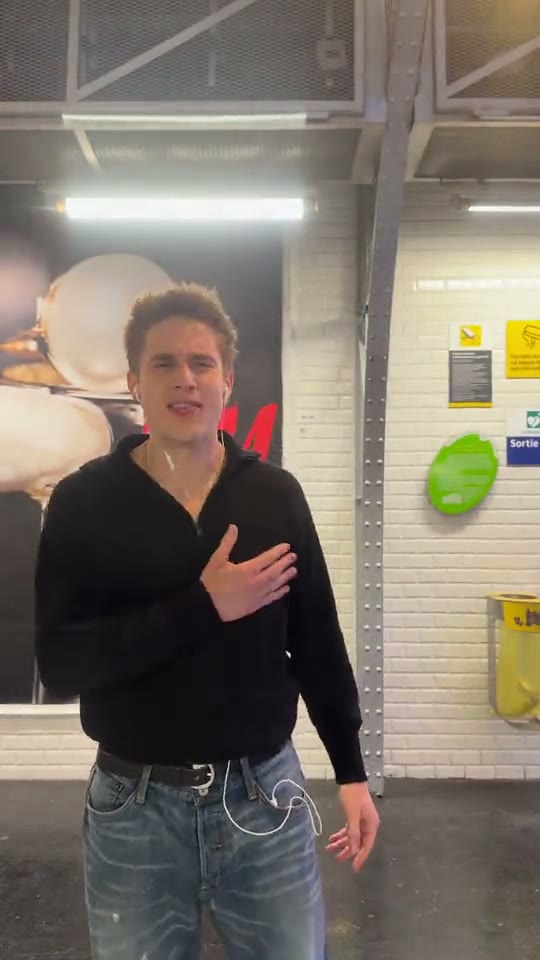
17. Phone on the Train AI Video Generator
Travel & Food · AddedUpload one photo to take the lead in the Paris metro phone-on-the-train performance, including the Eiffel Tower reveal.
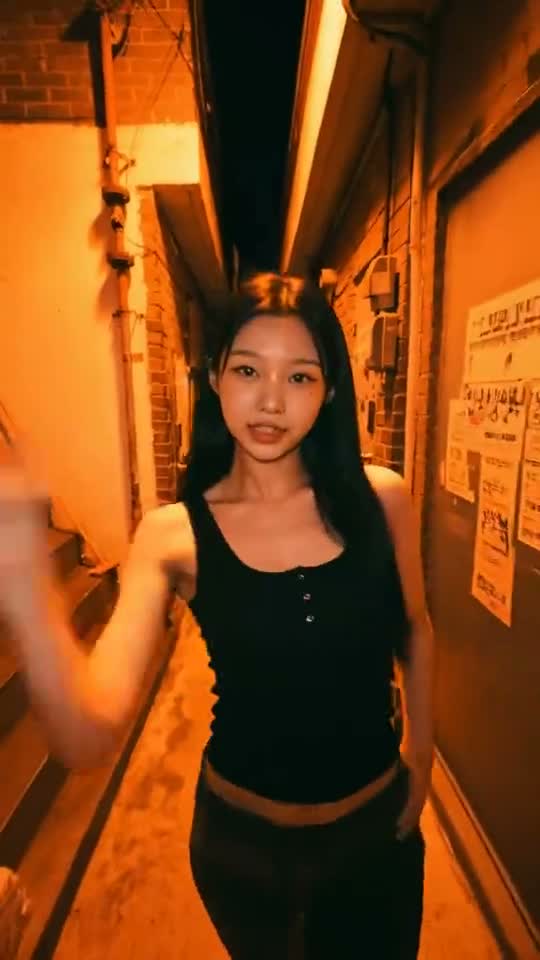
18. Nicole Kidman Dance AI Video Generator
Creative · AddedUpload one photo and take over the Nicole Kidman dance routine in a lamp-lit night alley. Your face, hair and outfit, the reference's moves, camera and sound. About 13 seconds, vertical 9:16.
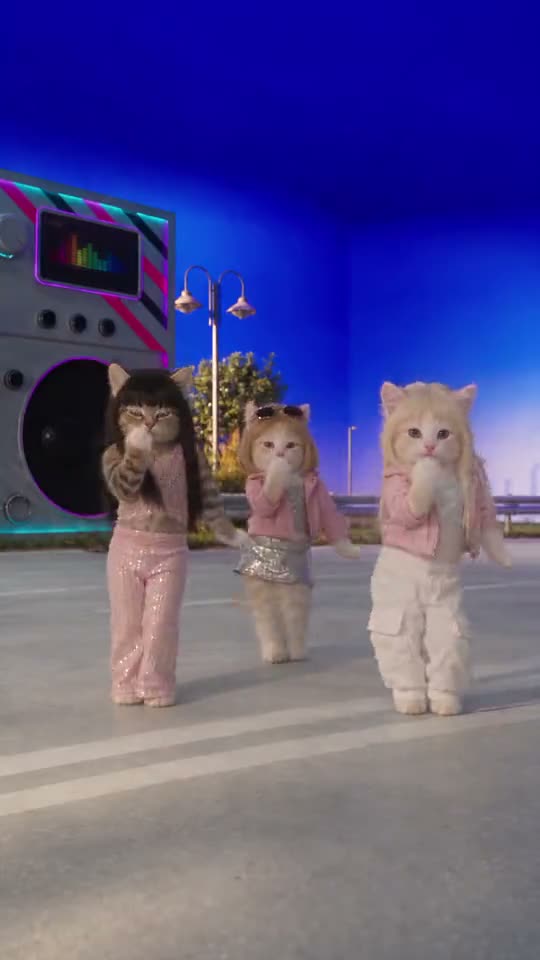
19. Toz Pembe Dance AI Video Generator
Pets & Animals · AddedA pet template: upload a photo of your cat and it joins the Toz Pembe dance as the front-left dancer of the three-cat crew, in the pink sequin outfit. The other two cats, the stage and the sound stay. About 15 seconds, vertical 9:16.
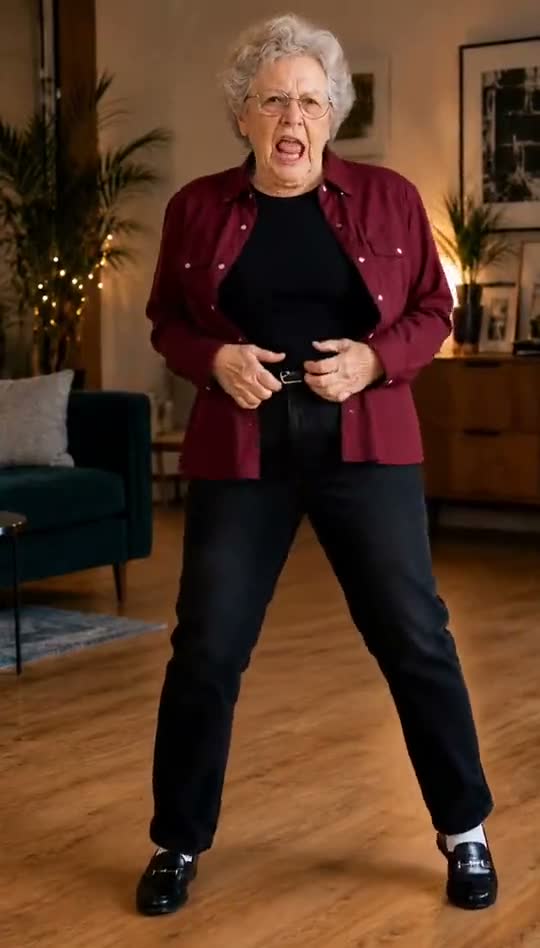
20. Billie Jean Dance AI Video Generator
Creative · AddedUpload one photo and do the Billie Jean dance in a cozy living room: the kicks, dips and fist pumps of the reference with your face, hair and outfit. 15 seconds, portrait, source audio.
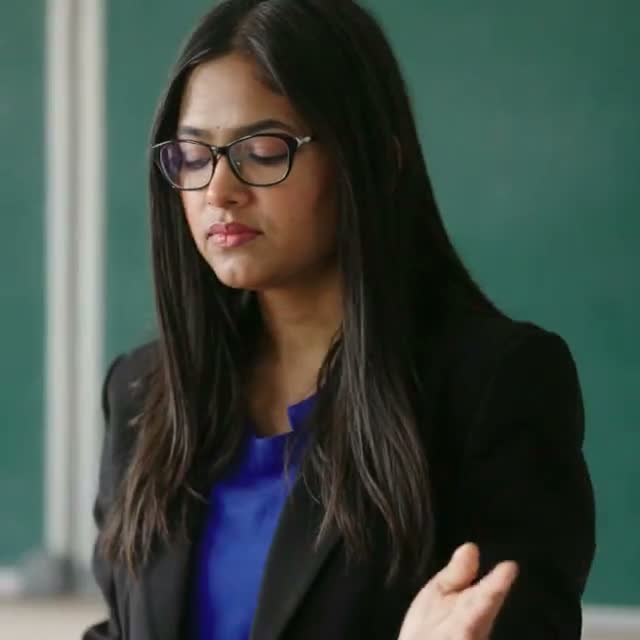
21. Korean Aura Farming AI Video Generator
Creative · AddedUpload one photo and become the main character of the Korean Aura Farming classroom edit: the cool glances, the smirk and the studio-lit close-ups, with the teacher and classmates around you. About 28 seconds, square 1:1.
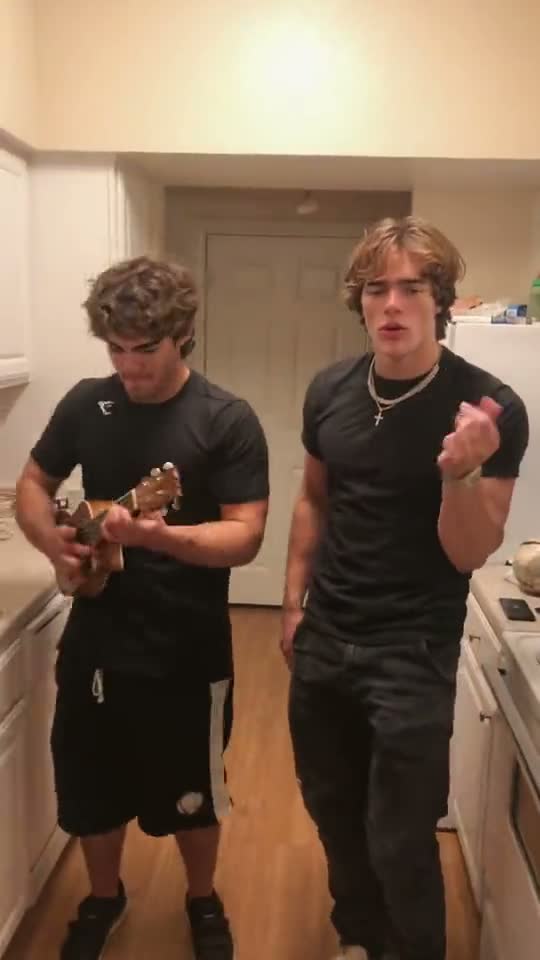
22. Oouuh Kitchen Duet AI Video Generator
Creative · AddedUpload two photos and recreate the Oouuh kitchen duet: photo 1 plays the ukulele on the left, photo 2 sings and dances on the right. Each keeps their own face, hair and outfit. About 14 seconds, vertical 9:16, source audio.
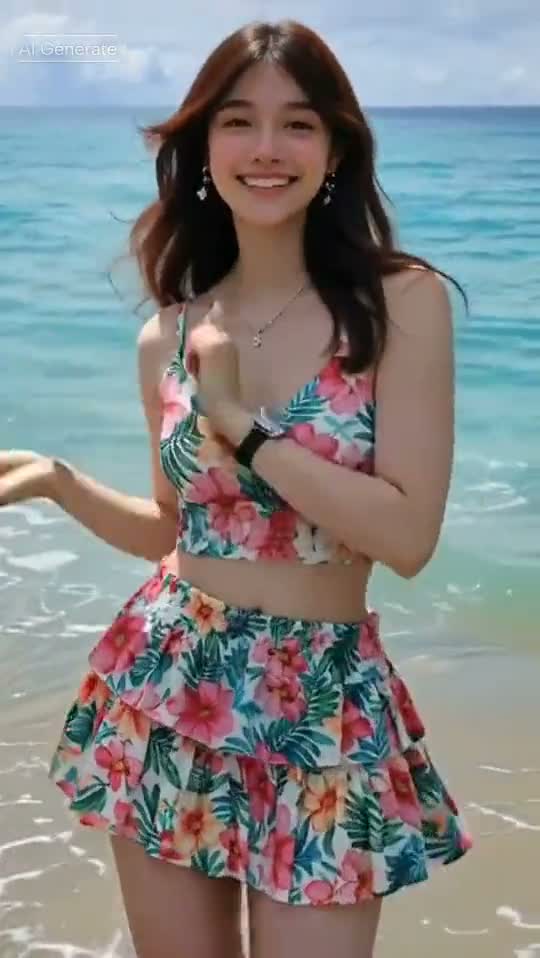
23. Hawak Mo Ang Beat AI Video Generator
Creative · AddedUpload one photo and dance Hawak Mo Ang Beat on a sunny beach: the waves, hip sways and arm-up poses of the reference, with your own face, hairstyle and outfit. About 14 seconds, portrait, source audio.
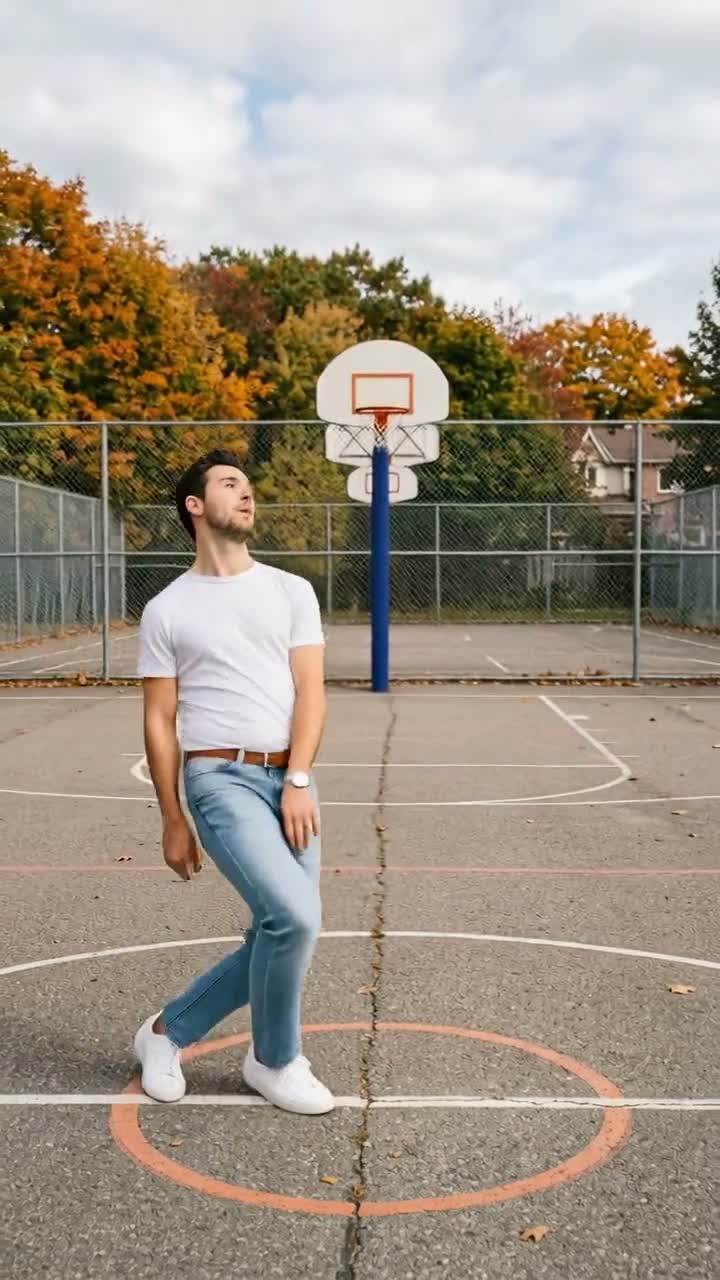
24. Keep On Steppin AI Video Generator
Creative · AddedUpload one photo and do the Keep On Steppin footwork on an outdoor basketball court, with your own face, hair and outfit. A short clip of about 6 seconds, vertical 9:16, with the reference's audio.
Two ways to do an AI trend
Inside the TikTok app
TikTok has its own AI effects and templates, such as AI Alive, which animates a photo from the Stories camera. They’re free and quick, but you can only use the effects TikTok offers, and they don’t recreate a specific viral video.
Recreate the exact viral video
When the trend is a particular clip, like a viral dance, a music-video scene or a meme, trendai.video has a template built on that clip. You upload a photo and the AI recasts the person with you, keeping the original choreography, camera work and sound. Browse all AI trend templates or just the dance trends.
Tips for a better result
- Use a sharp, well-lit photo. Face the camera, with nothing covering your face.
- Show your whole body for dances. A full-body shot helps the AI match your outfit and proportions.
- Match the number of people. A duo trend needs two photos, one for each person.
- Only use photos you’re allowed to use. Yourself, or friends who said yes.
Frequently asked questions
What is the AI trend on TikTok?
There isn't just one. "The AI trend" usually means whichever AI edit is going viral right now: a viral dance or music-video scene with someone else's face in it, a photo that comes to life, or a seasonal look like Halloween photos. The list above shows the trends added to trendai.video in the last month, newest first.
How do I put myself in a viral TikTok video?
Open the trend's template on trendai.video, upload a clear photo of yourself and generate. The AI replaces the person in the original clip with you and keeps the moves, camera and sound, so the result looks like the trend you saw.
Do I need to dance or film anything?
No. One photo is enough for most templates. Trends with two or more people ask for one photo per person, and each template page says exactly what it needs.
Is it free?
TikTok's own built-in AI effects are free to use. trendai.video is credit-based: every template shows its credit price on the generate button before you start, and if a generation fails the credits go back to your balance.
Do the videos have a watermark?
No. Videos download as MP4 without a watermark, and most templates are vertical 9:16, so they're ready to post on TikTok, Reels and Shorts.
Do I have to label the video as AI on TikTok?
TikTok asks creators to label realistic AI-generated content. Turn on the AI-generated content label in the post settings before you publish.
Trend templates are independent AI recreations and are not affiliated with or endorsed by the artists or brands they reference.