AI tool · from 80 credits · Refunded if it fails

Long Video to Shorts Picked by AI

Upload a podcast, interview or talk of up to 20 minutes. The AI reads every word, picks the moments that work on their own, and gives you captioned 9:16 shorts with a title for each.

  • Input1–20 min · 300 MB
  • Shorts2–5 per video, 15–60 s
  • Output1080×1920 MP4
  • Captions6 word-by-word styles

Set it up

Try an example
Number of shorts
Captions
Estimated170 credits
Ways to pay less
  • The price is 15 credits per started minute of the long video, 30 per short and 5 for the AI pick, so a 10-minute video cut into 3 shorts is 245 credits.
  • Minutes are counted as started, so trimming a 10:20 file to 10:00 saves 15 credits.
  • Each short is 30 credits: asking for 2 instead of 3 saves 30.

Need something else? More AI Video tools or all 29 tools

How do I turn a long video into shorts?

Long Video to Shorts is a tool that turns a 1 to 20 minute video with speech into 2 to 5 vertical shorts. The AI transcribes the whole video, reads the transcript and picks moments of 15 to 60 seconds that start and end on full sentences. Each one is cut, reframed to 1080×1920 with a blurred background or a crop, and captioned word by word if you want. Every short comes with a title and a line on why it works.

Before
After
3 shortsCrop to the speakerCaptions
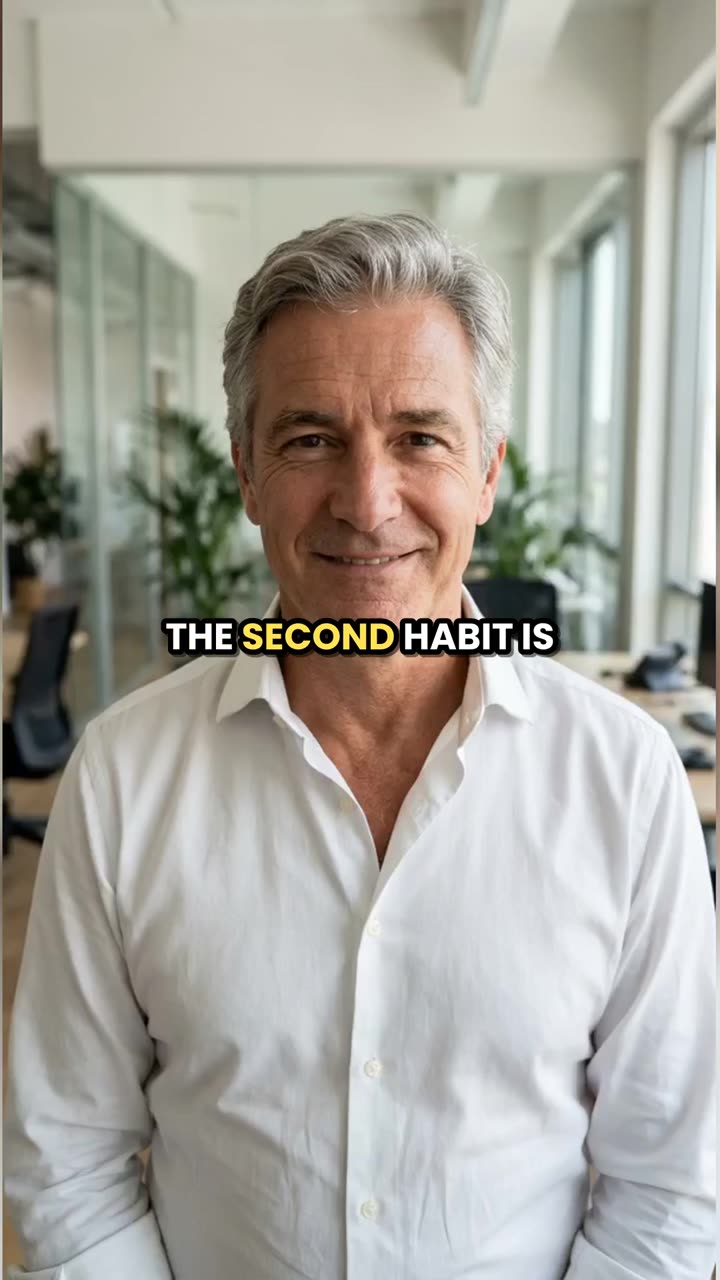
A 2-minute talk became three captioned 9:16 shorts; this is the second one.

Start from an example

How to use Long Video to Shorts in 3 steps

  1. Upload your long video

    Choose an MP4, MOV or WEBM of 1 to 20 minutes and up to 300 MB, with people talking: a podcast episode, an interview, a stream or a talk.

  2. Choose how many shorts and how they look

    Pick 2, 3, 4 or 5 shorts, then Crop to the speaker or Whole frame on a blurred background, and Word captions in one of six styles or No captions.

  3. Turn the long video into shorts

    Press Make shorts. The AI finds the best moments, cuts each one into a captioned vertical short and saves them all in My Videos, each with its title, start time and length.

What Long Video to Shorts does

The AI reads the whole transcript

First your video's speech is transcribed with a timing for every word. Then the AI reads the transcript line by line, looking for a strong opening line, a surprising fact, a story, a clear tip or a funny moment.

Clips that make sense on their own

Each pick starts at the beginning of a sentence and ends at the end of one, so a short never opens mid-word. Clips are kept between 15 and 60 seconds, and no two shorts share the same footage.

Reframed to 9:16 for TikTok, Reels and Shorts

Whole frame on a blurred background keeps the full landscape shot across the middle over a blurred copy of itself. Crop to the speaker scales the shot up and keeps the center, edge to edge. Either way you get a 1080×1920 MP4 with the original sound.

Word-by-word captions in 6 styles

Choose Yellow word highlight, Bold white, Boxed, Neon, Karaoke fill or Minimal. Captions are timed to each spoken word and set in capitals in the center of the frame. Choose No captions if you want clean clips.

A title and a reason for every short

Your result lists each short with a title, where it starts in the original video, how long it is and one sentence on why the moment works. Use the title as a starting point for your post caption.

You always get the number you asked for

If some of the AI's picks can't be used, the missing shorts are filled with evenly spaced sections of the video, up to 45 seconds each, labeled Part 1, Part 2 and so on.

Comparison

Why use Long Video to Shorts instead of clipping by hand in an editor?

Finding the good moments in a long recording usually means watching all of it. Here the AI reads the transcript and cuts the clips.

FeatureLong Video to ShortsClipping by hand in an editor
Finding momentsThe AI reads the full transcript and picks 2 to 5Watch or scrub the whole recording and note timestamps
Cut pointsStart and end on full sentences, 15–60 seconds eachSet the in and out points by hand for every clip
Vertical format1080×1920 with a blurred background or a center cropReframe each clip on a 9:16 timeline
CaptionsWord by word in 6 styles, timed for youTranscribe and time the captions yourself
TitlesA title and a why-it-works line for each shortWritten by you
Price245 credits for 3 shorts from a 10-minute videoAn editor subscription and your time on every clip

What you can make with it

Clip a 15-minute podcast episode into Reels

Two hosts filmed in landscape, talking through one topic. You want four clips for the week without scrubbing through the whole episode.

  • Upload the edited episode and choose 4 shorts.
  • Use Crop to the speaker if both hosts sit near the center; use Whole frame on a blurred background if they sit at opposite sides of the frame.
  • Keep Word captions on: many people watch Reels with the sound off.
  • Read each short's why-it-works line and post the strongest one first. This job costs 350 credits.

Turn a recorded workshop into teaser clips

A 20-minute webinar recording with a presenter talking over slides can become five clips that promote the full replay.

  • Choose 5 shorts and Whole frame on a blurred background so the slides stay visible.
  • Pick the Boxed caption style so the words stay readable over busy slides.
  • Use the titles the AI writes as on-screen hooks or post captions.
  • A 20-minute video cut into 5 shorts costs 455 credits.

Repurpose a YouTube tutorial for TikTok and Shorts

An 8-minute landscape tutorial already on your channel has tips that work on their own. Upload your copy of the video file.

  • Choose 3 shorts with Whole frame on a blurred background so the whole frame, including anything you point at, stays in view.
  • Pick Yellow word highlight, which marks each word as it's spoken.
  • Post the same 9:16 file to TikTok, Reels and Shorts.
  • An 8-minute video with 3 shorts costs 215 credits.

Who it's for

Podcasters

Get a week of clips from every episode, picked from what was actually said, with captions already on.

Streamers

Find the talking moments worth posting in a stream highlight or a recorded segment of up to 20 minutes.

Coaches and teachers

Turn a recorded lesson or talk into short, captioned tips that point people to the full video.

Small brand owners

Cut a founder interview or a product walkthrough into vertical posts for your brand's accounts.

Tips for the best result

  • The AI picks moments from the speech, so clear talking with little music underneath gives better picks and cleaner captions.
  • Upload the edited version, not a raw recording with a long setup at the start: the AI reads all of it and every started minute is charged.
  • Use Crop to the speaker only when the speaker stays near the center. A landscape shot cropped to 9:16 keeps about a third of its width.
  • Ask for fewer shorts from a shorter video. A 3-minute clip has less room for five separate moments of 15 seconds or more.
  • Captions are written in the language spoken and aren't translated. For captions in another language, make the shorts with No captions and run one through the AI Caption Generator.

Frequently asked questions

How do I turn a long YouTube video into shorts?

Upload the video file (MP4, MOV or WEBM) and press Make shorts; links aren't accepted. The AI picks 2 to 5 moments and returns each one as a captioned 1080×1920 MP4.

How long can the video be?

Between 1 and 20 minutes, up to 300 MB. Videos under a minute are turned down, since they're already short.

How long is each short?

15 to 60 seconds. The AI sets the length for each moment so it starts and ends on a full sentence.

How much does it cost to turn a video into shorts?

15 credits per started minute of the video, plus 30 per short, plus 5 for the AI pick. A 20-minute video cut into 5 shorts is 455 credits.

Can I choose which moments it picks?

No. The AI chooses the moments from the transcript. You choose how many shorts you get, the reframe and the captions.

Does it work on videos without talking?

No. The moments are found from what is said, so the video needs speech. Music-only or silent videos can't be clipped.

What languages does it work with?

The speech language is detected automatically, and the captions are written in that language. They aren't translated.

Does Crop to the speaker follow the speaker's face?

No. Crop to the speaker always keeps the center of the frame. If the speakers sit at the sides, use Whole frame on a blurred background.

Do I need an account?

Yes. Sign in with Google or email; each job costs credits from your balance, and the result is saved in My Videos.

What if a job fails?

If a job can't finish, the credits it used go back to your balance automatically.

More AI Video Tools

All 29 tools →

Ready to try Long Video to Shorts?

AI finds the best moments in a long video and cuts captioned 9:16 shorts. from 80 credits, and the result is saved in My Videos.

Make shorts