AI tool · from 338 credits · Refunded if it fails

Explainer Video Maker from One Sentence

Say what needs explaining: how a feature works, why a process has three steps, what a term means. The AI writes a short narration, draws a 3D-animation-style scene for every beat and adds a voice, captions and music, in landscape for a website or a deck.

  • InputA topic or your own script
  • Length30 · 45 · 60 s
  • Look3D animation (or 3 other styles)
  • Format16:9 or 9:16

Set it up

Try an example
This is
Format
Visual style
Length
Motion
Narrator
Captions
Music
Estimated338 credits
Ways to pay less
  • Moving stills keep it at 338 credits for 30 seconds; AI video clips for every scene make it 2,038.
  • Voice only saves credits: 283 instead of 338 at 30 seconds, and 514 instead of 620 at 60.
  • Writing your own script costs the same as a topic, so there is no extra charge for the AI writing.

Need something else? More AI Video tools or all 54 tools

How do I make an explainer video with AI?

Explainer Video Maker is a tool that turns one line about a topic into a narrated, illustrated explainer video. Type what you want explained and the AI writes a narration of about 2.4 words per second, with a hook at the start and a clear closing line. It splits the narration into scenes of about four seconds, draws an image for each in a 3D animation style, reads it with one of 22 AI voices and adds word captions and background music.

Example
TopicCinematicMoving stills30 s
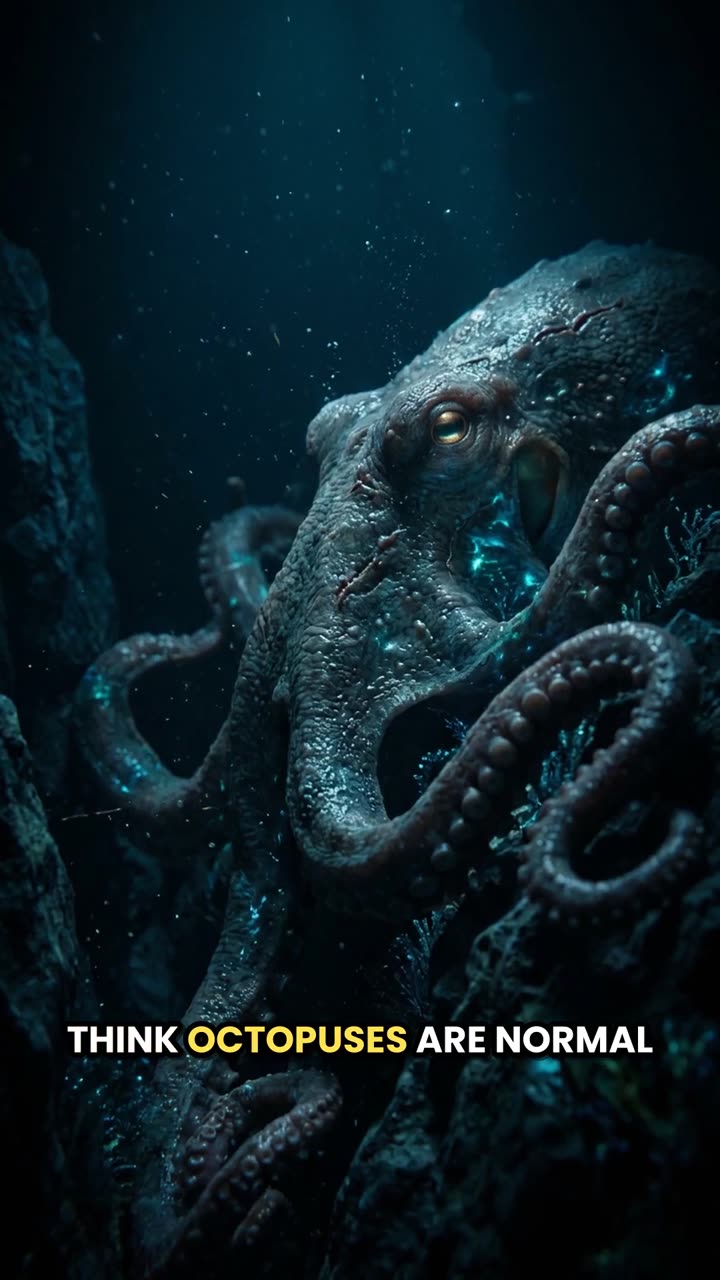
The topic "3 facts about octopuses that sound made up" became this 30-second short.

Start from an example

How to use Script to Video (Faceless) in 3 steps

  1. Describe what to explain

    Sign in and type the topic in one or two sentences, or paste your own script of up to 3,000 characters.

  2. Check the explainer settings

    The 3D style and 16:9 are already set. Pick 30, 45 or 60 seconds, a narrator, moving stills or AI clips, captions and music.

  3. Make the explainer video

    Press Create video. The price is on the button; it usually takes a few minutes and the MP4 is saved in My Videos.

What Script to Video (Faceless) does

Starts from the question, not a storyboard

Type "how a heat pump warms a house in winter" and the AI plans the explanation itself: about 72 words over 8 scenes at 30 seconds, about 144 words over 15 scenes at 60.

Friendly 3D-animation look

This page opens with the 3D animation style picked: soft light, stylised characters and bright colours, the look people expect from an animated explainer. Cinematic, Anime and Documentary are one click away.

Landscape first

The format starts at 16:9, a 1920×1080 MP4 that sits well on a landing page, in a help centre article or on a slide. Switch to 9:16 for a vertical cut of the same idea.

Your wording when it matters

Set "This is" to "My script" and the narration is read exactly as written. Use this when the explainer has to match approved product wording or a lesson plan.

Captions that follow the voice

The narration is timed word by word, so each scene starts on its first spoken word and the captions highlight the word being said. Viewers with the sound off still follow the steps.

Comparison

Why use Script to Video (Faceless) instead of traditional video production?

A faceless video usually needs a script, stock footage, a voiceover, captions and music. Here they come from one form.

FeatureScript to Video (Faceless)Traditional video production
InputA topic, or your script read word for wordA script, a storyboard and a shot list
VisualsAn image for every scene in one of four styles, as stills or AI clipsFilming, or buying and searching stock footage
VoiceoverOne of 22 AI narrators, synced to the scenesRecord yourself or hire a voice actor
CaptionsWord-by-word captions timed to the voiceTranscribe and time them by hand
MusicAn instrumental composed for the video and mixed under the voiceLicense a track and mix it yourself
TurnaroundA 1080p MP4 in minutes, from 338 creditsDays of production and editing

What you can make with it

A "how it works" video for a landing page

Visitors who don't read the page still get the idea in under a minute.

  • Write the three steps of your product in plain words and choose "My script".
  • Keep 16:9 and 45 seconds, enough for a hook, three steps and a closing line.
  • A calm narrator such as Rachel or George suits a product page.
  • Turn music off if the page autoplays the video without sound anyway; captions carry it.

A concept explainer for a team or a client

Turn a term people keep asking about into a short clip you can link to.

  • Type the topic as a question, e.g. "what compound interest is, with a simple savings example".
  • Choose 60 seconds when the idea needs an example to land.
  • Watch it once and check every claim before you share it.
  • Drop the MP4 into a slide deck or a shared folder from My Videos.

A vertical explainer for social

The same explanation, cut for people scrolling on a phone.

  • Switch the format to 9:16 and the length to 30 seconds.
  • Lead with the surprising part: "why planes don't fly in a straight line on a map".
  • Keep word captions on; most short videos are watched muted.
  • Make the landscape and vertical versions as two separate jobs.

Who it's for

Founders and product teams

Explain a feature or an onboarding step without booking an animation studio.

Support and help-centre writers

Put a one-minute explainer at the top of an article that gets the same question every day.

Consultants and trainers

Turn the idea you explain in every meeting into a clip clients can rewatch.

Creators with explainer channels

Make "how does it work" videos on science, money or everyday tech without filming.

Tips for the best result

  • Name the audience in the topic: "explain for a 12-year-old" or "for small business owners" changes the wording.
  • Ask for a concrete example in the topic; explainers with one worked example are easier to follow.
  • One idea per video. If it needs five steps and caveats, make a 60-second video or split it into a series.
  • For a script, write about 2.4 words per second of the length you pick, so 60 seconds is about 144 words.
  • The images contain no text or logos, so on-screen labels come from the captions. Add your logo afterwards with Add Watermark to Video.
  • The AI can get facts wrong when it writes from a topic. For anything technical, legal or medical, write the script yourself.

Frequently asked questions

Can AI make an explainer video for me?

Yes. Type what you want explained and the AI writes the narration, draws a scene for each beat and adds a voice, captions and music.

How much does an explainer video cost?

338 credits for 30 seconds with moving stills and music, 493 for 45 seconds and 620 for 60. AI video clips cost more, from 2,038 credits.

Is it a real animated explainer?

Each scene is a 3D-animation-style image with a slow zoom. Choose AI video clips if you want every scene animated with movement.

Can I use my own explainer script?

Yes. Set "This is" to "My script" and it is read word for word, up to 3,000 characters.

How long should an explainer video be?

You can choose 30, 45 or 60 seconds. 30 suits one idea; 60 leaves room for an example.

Can I add my logo or product screenshots?

A logo, yes, afterwards with Add Watermark to Video. The scenes are drawn by the AI, so product screenshots can't be placed in them.

Does it work for vertical videos too?

Yes. Switch the format to 9:16 for Shorts, Reels and TikTok; 16:9 is set by default here.

Can I pick the narrator's voice?

Yes. Choose from 22 built-in AI voices, from calm narrators to energetic young voices.

Do I need an account?

Yes. Sign in with Google or email; each job costs credits from your balance, and the result is saved in My Videos.

What if a job fails?

If a job can't finish, the credits it used go back to your balance automatically.

More AI Video Tools

All 54 tools →

Ready to try Script to Video (Faceless)?

A topic or script becomes a narrated video with visuals, captions and music. from 338 credits, and the result is saved in My Videos.

Create video