AI tool · from 1,467 credits · Refunded if it fails

AI News Video Generator with an AI Anchor

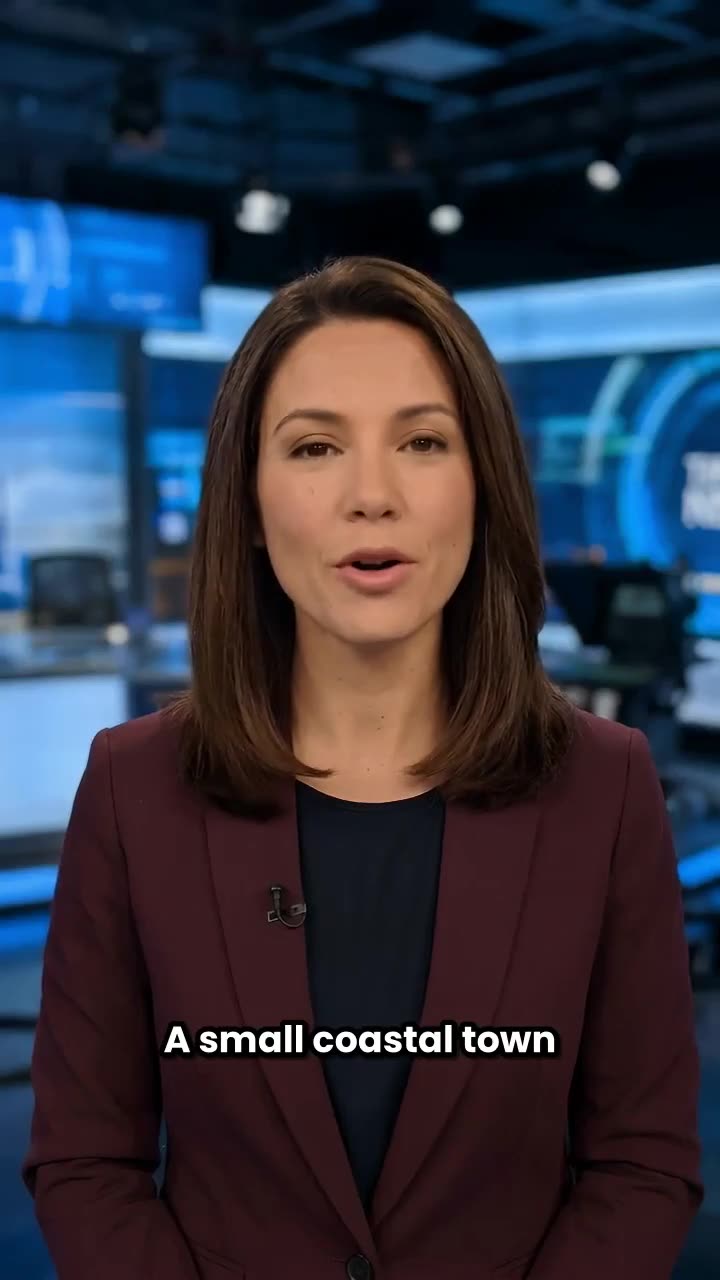
Start from a topic, a pasted story or a link. The AI writes a short on-camera report, one of 22 AI voices reads it, and a fictional news anchor delivers it to camera with lip sync, with word captions if you want them.

  • Length30, 45 or 60 seconds
  • Anchor4 ready-made or your photo
  • Start fromTopic, text or link
  • CaptionsWord captions on or off

Set it up

Try an example
Voice
Length
Captions
Estimated1,482 credits
Ways to pay less
  • The price is set by the length, not by how long your story is: 1,482 credits for 30 seconds with captions, 2,212 for 45 and 2,944 for 60.
  • Turning captions off saves 15 credits: 1,467 for a 30-second report instead of 1,482.
  • Your own photo as the anchor costs the same as a ready-made one.

Need something else? More AI Video tools or all 54 tools

What is an AI news video generator?

AI News Video Generator is a tool that turns a story into a short news report read by an AI anchor. You give it a topic, paste up to 20,000 characters of text or add a link, and the AI writes a 30, 45 or 60 second script: a one-sentence headline, the key facts in plain spoken English and a line on what happens next. A built-in voice reads it and the anchor speaks it with lip sync.

Example
From a topicCaptions30 s
A one-line topic turned into a 25-second report read by a fictional AI anchor.

Start from an example

How to use AI News Video Generator in 3 steps

  1. Give it the story

    Sign in, choose how to start the AI news video and type a topic, paste the story or add a link. A pasted story needs at least a paragraph, about 30 words.

  2. Pick the anchor and voice

    Choose one of the four ready-made anchors or upload your own photo, then pick a voice, a length of 30, 45 or 60 seconds and whether to add captions.

  3. Make the report

    Press Make the report. The price is on the button. The AI reads the story, writes the script, records it and puts the anchor on air, usually within a few minutes, and the video is saved in My Videos.

What AI News Video Generator does

Three ways to start

Type a topic and let the AI write the report, paste the full story, or add a link. Links can point to an article, a PDF or a Reddit post; the page needs at least 40 words of readable text, or you'll be asked to paste it instead.

A script written like a news segment

The AI opens with the headline in one sentence, then gives the key facts in a neutral tone and ends with what happens next. It is told to use only facts from your story, with no invented quotes, names or numbers.

Fictional anchors or your own photo

Pick Nadia or James, our news anchors, or Claire or Robert, our presenters. Or choose My own photo and upload a clear, front-facing portrait of yourself, or of someone who has agreed to it.

Lip sync, blinks and head movement

The anchor speaks every word to camera with matching mouth movement, natural blinking and small head movements, like a presenter reading from a studio desk.

22 AI voices

Sarah, a warm and confident female voice, is picked by default. Switch to an authoritative British male, a calm narrator or any of the other built-in voices to fit the anchor you chose.

Word captions and the script

Word captions are on by default, in bold white at the bottom, so the report works with the sound off. The headline and full script are shown with the result for your post's caption.

Comparison

Why use AI News Video Generator instead of filming a news segment yourself?

A presenter-style news clip normally means writing a script, setting up a camera and reading it until one take is clean. Here it starts from the story.

FeatureAI News Video GeneratorFilming a news segment yourself
InputA topic, a pasted story or a linkA written script and a quiet place to film
ScriptWritten by the AI: headline, key facts, what happens nextWritten and timed by hand
Presenter4 ready-made fictional anchors, or your own photoYou on camera, with lights and a backdrop
Voice22 AI voices, read without retakesSeveral takes until one is clean
CaptionsWord captions burned in, on by defaultTyped or synced separately
Price1,482 credits for 30 seconds with captionsEquipment and an afternoon of filming and editing

What you can make with it

A weekly update for a club, school or community page

You run a local running club page and want a 45-second news-style recap of the week instead of a long text post.

  • Choose Pasted story and paste your notes: the Sunday race results, the new meeting point, next month's charity 5K.
  • Pick a presenter such as Claire and the 45-second length so all three items fit.
  • Keep word captions on, since most people scroll with the sound off.
  • Reuse the same anchor and voice every week so the update feels like a regular segment.

Turning a blog post into a vertical news clip

You wrote a post about a new recycling scheme in your area and want a short video version of it.

  • Choose A link and paste the post's address; the AI reads the page and writes the report from it.
  • Pick 30 seconds for a tight clip that leads with the single most important fact.
  • Check the headline and script shown with the result before you post, and fix the topic if anything is off.
  • Label the video as AI-made in the caption so viewers know an AI anchor is reading it.

A product or company announcement in news format

Your small brand is launching a new opening hour or a new service and you want it to sound like a headline.

  • Paste the announcement with the date, the place and what changes for customers.
  • Choose your own photo as the anchor if you want to present it yourself, or one of the ready-made anchors.
  • Pick a voice that matches the anchor, such as Daniel for James or Sarah for Nadia.
  • Post it alongside the written announcement so people can read the details.

Who it's for

Community pages and newsletters

Turn a weekly roundup of local events, results or notices into a short anchor-read video.

Teachers and students

Make a classroom news segment about a school event or a history topic, presented like a TV report.

Small brands

Present a launch, a change of hours or a milestone in a news format your followers will stop for.

Short-form creators

Recap a story you already wrote about in a vertical clip with an anchor and captions, without filming.

Tips for the best result

  • Give the AI the facts. A pasted story or a link produces a more precise report than a one-line topic, because the AI writes only from what you provide.
  • The AI is not a news source and doesn't check facts. Read the script shown with the result and make sure everything in it is true before you post.
  • Label the report as AI-made, and never use it to present invented events, or to put words in the mouth of a real person, as real news.
  • For your own photo, use a sharp, front-facing portrait of one person with even light and the mouth clearly visible. Only use photos of yourself or of someone who has agreed.
  • Match the length to the story: 30 seconds fits one fact and a next step, 60 seconds fits three or four points.
  • If a link can't be read, such as a page behind a login, paste the text instead.

Frequently asked questions

How do I make a news video with AI?

Give a topic, paste a story or add a link, pick an anchor, a voice and a length, then press Make the report. The AI writes the script, records it and makes the anchor read it to camera.

How much does an AI news video cost?

With word captions, 1,482 credits for 30 seconds, 2,212 for 45 and 2,944 for 60. Without captions it's 15 credits less.

How long can the news report be?

30, 45 or 60 seconds. The script is cut at the last full sentence that fits, so the voice never runs past the length you picked.

Can I use my own face as the anchor?

Yes. Choose My own photo and upload a clear, front-facing photo as a JPG, PNG or WEBP up to 15 MB. Use only photos of yourself or of someone who has agreed; no public figures or children.

Can I paste a link to an article?

Yes. The AI reads the page, including PDFs and Reddit posts, and writes the report from it. If the page can't be read or has too little text, paste the story instead.

Does the AI check whether the news is true?

No. It writes only from the story you give it and is told not to invent facts, but it is not a news source. Check the script before you share the video and label it as AI-made.

Can I make fake news about a real person?

No. Don't use the tool to present invented events or statements about real people or real events as news. The anchors are fictional, and the report should be clearly labelled as AI-made.

Do I get the script?

Yes. The headline and full script are shown with the result, so you can paste them into the post's caption or description.

Do I need an account?

Yes. Sign in with Google or email; each job costs credits from your balance, and the result is saved in My Videos.

What if a job fails?

If a job can't finish, the credits it used go back to your balance automatically.

More AI Video Tools

All 54 tools →

Ready to try AI News Video Generator?

A topic, story or link becomes a news report read by an AI anchor. from 1,467 credits, and the result is saved in My Videos.

Make the report