About the Speedboat Getaway Driver GTA 6 Version Video Generator
The Speedboat Getaway Driver is a GTA 6-style heist ending in 15 seconds. At pink dusk a speedboat idles by a neon pier. The driver waits at the wheel, shouting "come on, come on" as a red muscle car skids in with the police right behind. A man in a palm-print shirt and a woman in a leather jacket sprint down the pier with the bag and jump aboard. The driver yells "Come on!", pulls away from the pier and chuckles as the police are left behind.
This AI video generator puts you at the wheel. Upload one image and Genjutsu object swap replaces only the driver, with your face, hair, body and outfit, and copies every move: the grip on the wheel, the glances, the wave and the chuckle, with your mouth on his lines. Whatever your image is, a photo, a cartoon, anime, a 3D render or a drawing, the driver is redrawn in the clip's own game graphics and neon light. A pet works too and keeps its own paws on the wheel. The crew, the boat, the pier, the police, the camera and the sound stay as they are.
How to make your Speedboat Getaway Driver video
- Upload one image. A photo of you, a cartoon or anime character, a 3D render, a drawing or your pet. One subject, face clear. Upper body works best, since the outfit comes from the image.
- Pick 480p or 720p. 480p costs less and 720p is sharper. The 15-second length, the 4:3 frame and the sound come from the clip.
- Generate and share. The finished video appears in your Library, ready to download and post on TikTok, Reels or Shorts.
What happens in the getaway
- The wait: the driver sits at the wheel of the idling speedboat by the pier, urging the crew on.
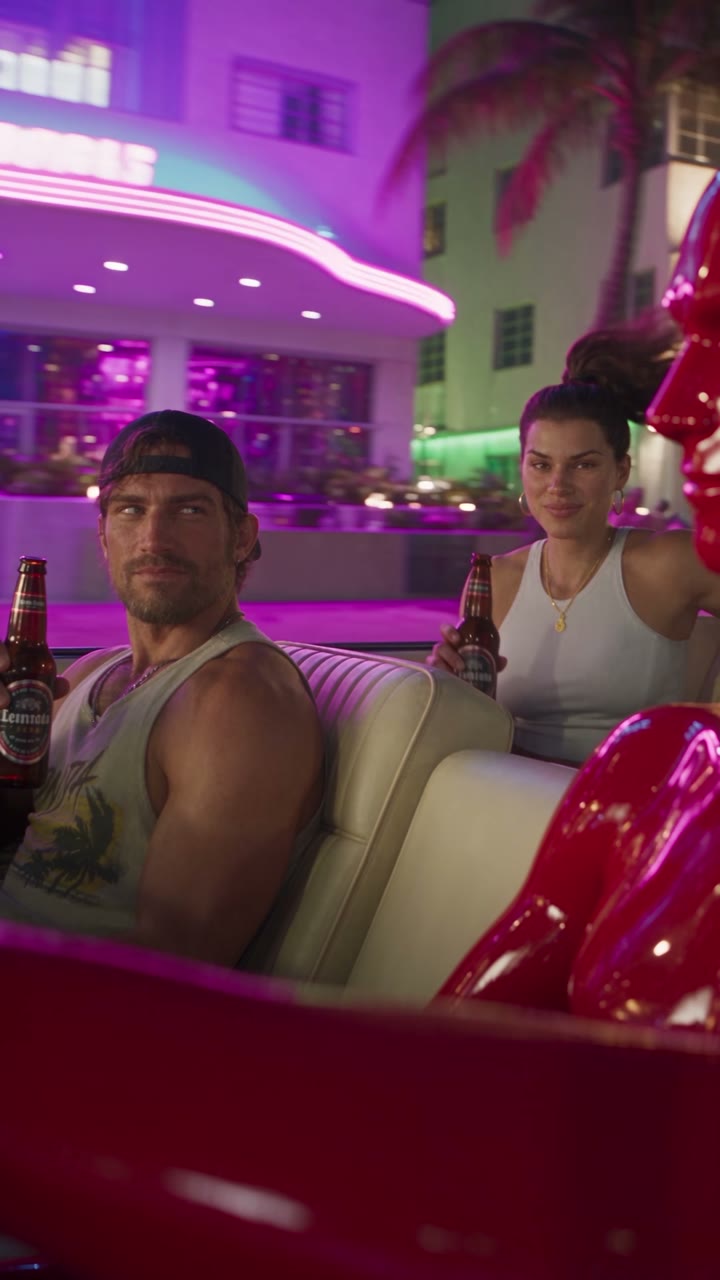
- The run: a red muscle car skids in, the police close behind, and the man in the palm-print shirt and the woman in the leather jacket sprint down the pier with the bag.
- The getaway: they dive into the boat, the driver shouts "Come on!" and pulls away, chuckling as the police are left on the pier.
What stays and what changes
- Kept from the clip: the man and the woman, the boat, the pier, the Miami-style neon buildings, the police, the pink dusk light, every camera move and cut, the 4:3 frame and the audio, for the full 15 seconds.
- Changed: only the driver, who becomes the subject of your image, rendered in the same video-game graphics as the rest of the scene and lip-synced to the original lines.
About the video on this page
The clip on this page is the source footage the template follows, not a result made from someone's image. Your result keeps the crew, the chase and the sound, with your driver at the wheel.
Tips for the best result
- One subject only: crop out anyone else so the right face is used.
- Show the outfit: a waist-up image gives the driver your clothes; a tight face crop leaves them to guess.
- Your own image: upload yourself, a character you made, your pet or an adult who agreed to it. Photos of minors, celebrities, public figures or strangers are not allowed.
Speedboat Getaway Driver video price
| Resolution | Cost |
|---|---|
| 480p | 4,325 credits |
| 720p | 9,262 credits |
Genjutsu bills the clip's 15.1 seconds as 16 input seconds at the selected 480p or 720p rate. You see the final credit cost before you create the video.
Speedboat Getaway Driver GTA 6 Version Video Generator FAQ
What happens in the video?
A GTA 6-style heist getaway: two robbers run down a neon pier from a red muscle car and the police, jump into a speedboat and the driver speeds away. Your image replaces the driver.
What can I upload?
One image of one subject: a photo of yourself, a cartoon, anime or 3D character, a drawing or your pet. The driver is redrawn in the clip's game graphics either way.
Does the driver talk?
Yes. The new driver's mouth follows the original lines, "come on, come on" and "Come on!", and the chuckle at the end.
Does the video have sound?
Yes. The finished video keeps the clip's original audio.
How long is the video and what format?
About 15 seconds in a 4:3 frame, the full length of the source clip, at 480p or 720p.
How much does it cost?
4,325 credits at 480p or 9,262 credits at 720p. If a generation fails, the credits are refunded automatically.
Is this an official GTA or Rockstar Games product?
No. It is an independent meme template and is not affiliated with Rockstar Games or Take-Two Interactive.
Discover more templates in the trends gallery or explore AI video effects.
Speedboat Getaway Driver GTA 6 Version is an independent AI video template. It is not affiliated with or endorsed by Rockstar Games, Take-Two Interactive or the creator of the source clip. Grand Theft Auto and GTA are trademarks of their owners. The result is an AI-generated video, not real footage or game content.