About the Robert Pattinson 007 James Bond Style AI Photo
On November 16, 2026, Amazon MGM announced that Robert Pattinson will play James Bond in the next 007 film, directed by Denis Villeneuve. Within hours "Robert Pattinson James Bond" and "who is the new James Bond" were among the top searches, and people started posting themselves as the next 007.
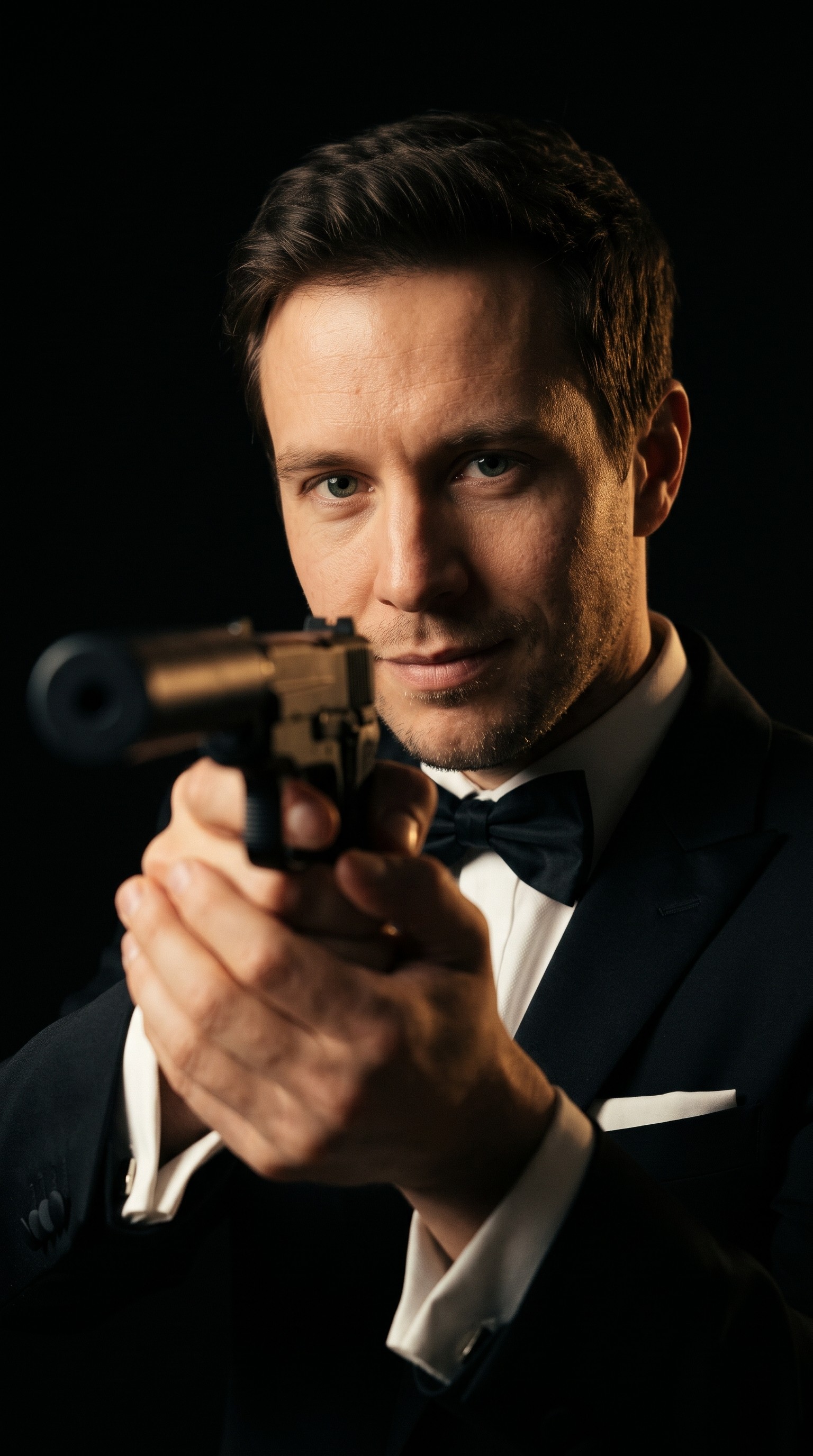
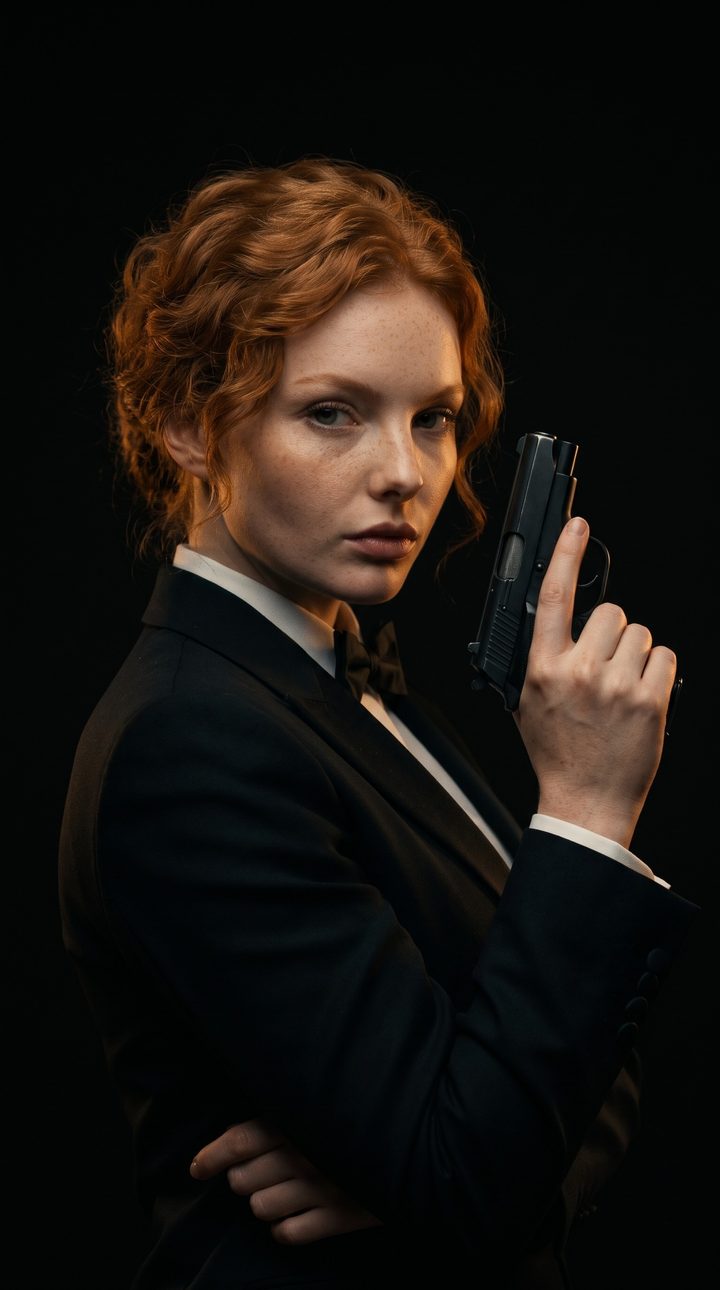
The Robert Pattinson 007 James Bond style AI photo generator turns one photo of you into a movie still from a classic British spy film. You wear a sharply tailored black tuxedo (or a black evening gown) and pose like the dark studio portraits of Pattinson that went round with the news, pistol raised beside the face or aimed at the lens, or stand in one of three classic scenes from the genre, and the lighting, grain and framing look like a modern spy thriller. Your face, skin tone, hair and build stay exactly as they are in your photo: it makes you the agent, it does not make you look like Pattinson.
How to make your 007 James Bond style AI photo
- Upload one photo of yourself. Use a clear, well-lit photo of one person with the face fully visible. A front-facing selfie or portrait gives the best likeness; sunglasses, masks and heavy filters make it weaker.
- Pick a scene. Choose Take Aim, Pistol Portrait, Casino, Sports Car or Rooftop from the picture cards. The tuxedo stays; the setting, pose and light change with the scene.
- Generate and share. Press Generate. The vertical 9:16 portrait appears in your generations in under a minute, sized for Stories, Reels and TikTok. Run it again with another scene to make the full set.
Robert Pattinson as James Bond: the photos behind the trend
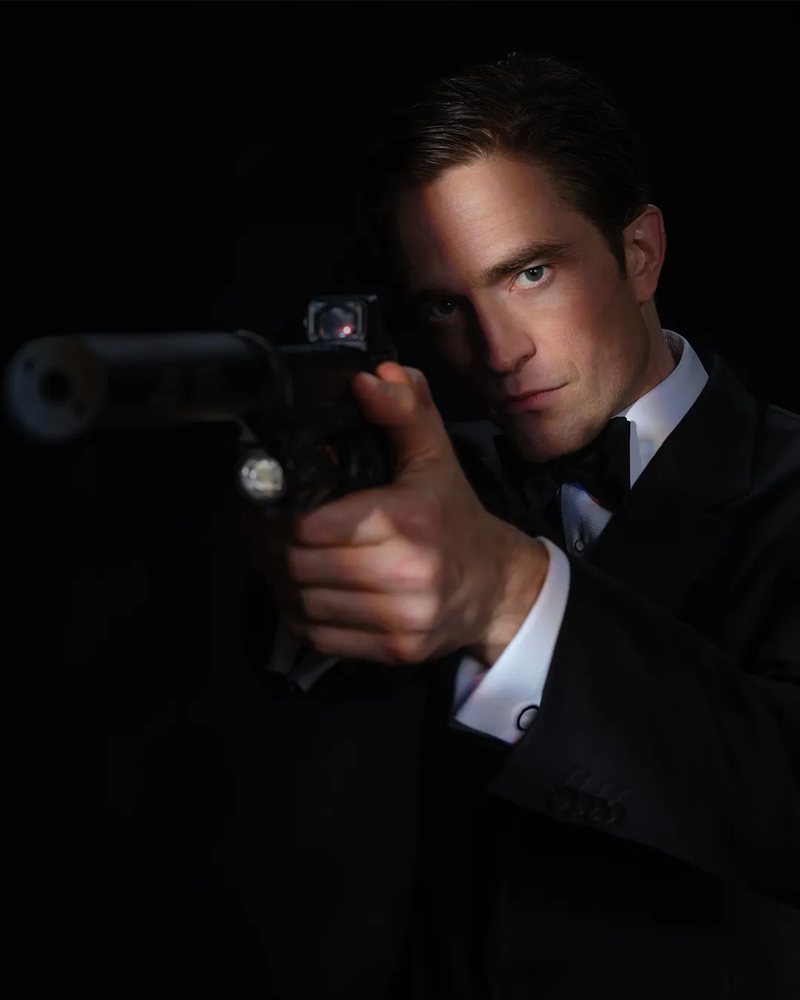
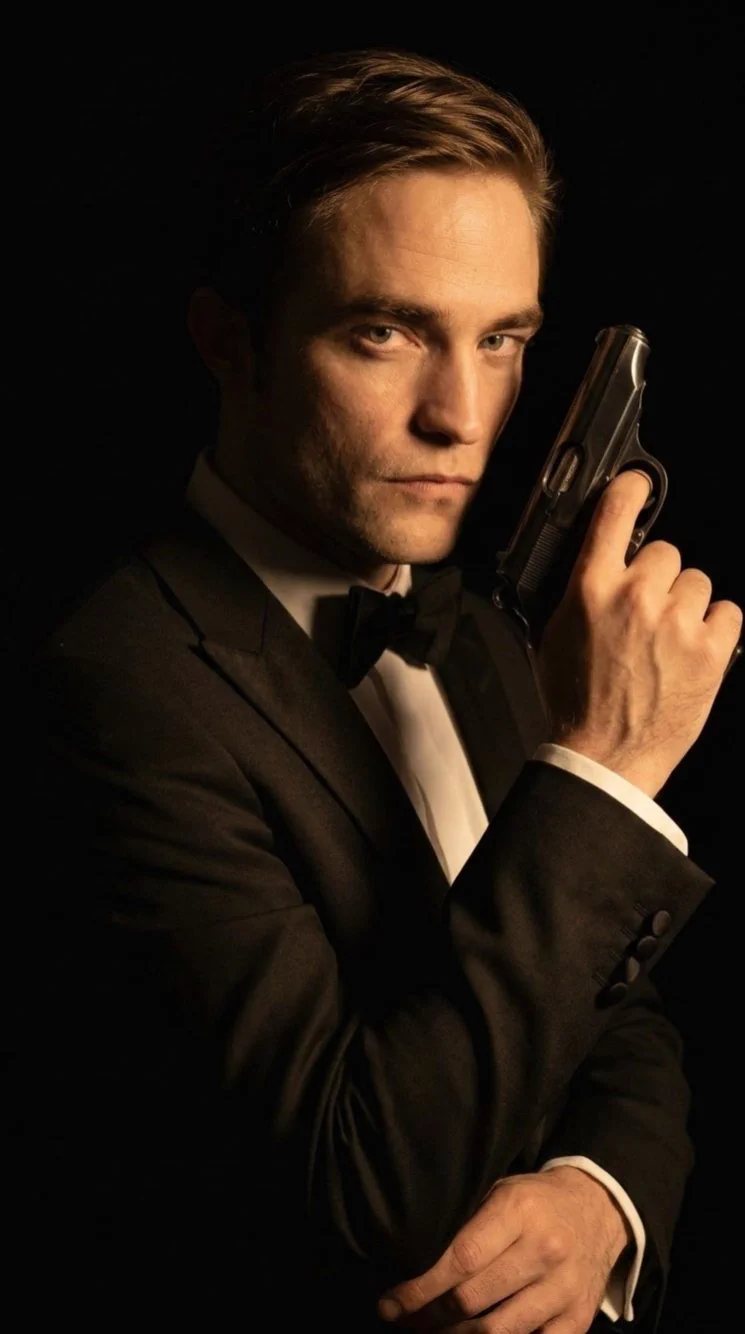
These two dark studio portraits of Robert Pattinson in a black tuxedo were shared widely with the casting news: one with a pistol raised beside his face, one aiming a suppressed pistol at the lens. The Take Aim and Pistol Portrait scenes recreate those two poses, lighting and black background with your face instead of his.
Your 007 James Bond style AI photo: the five scenes
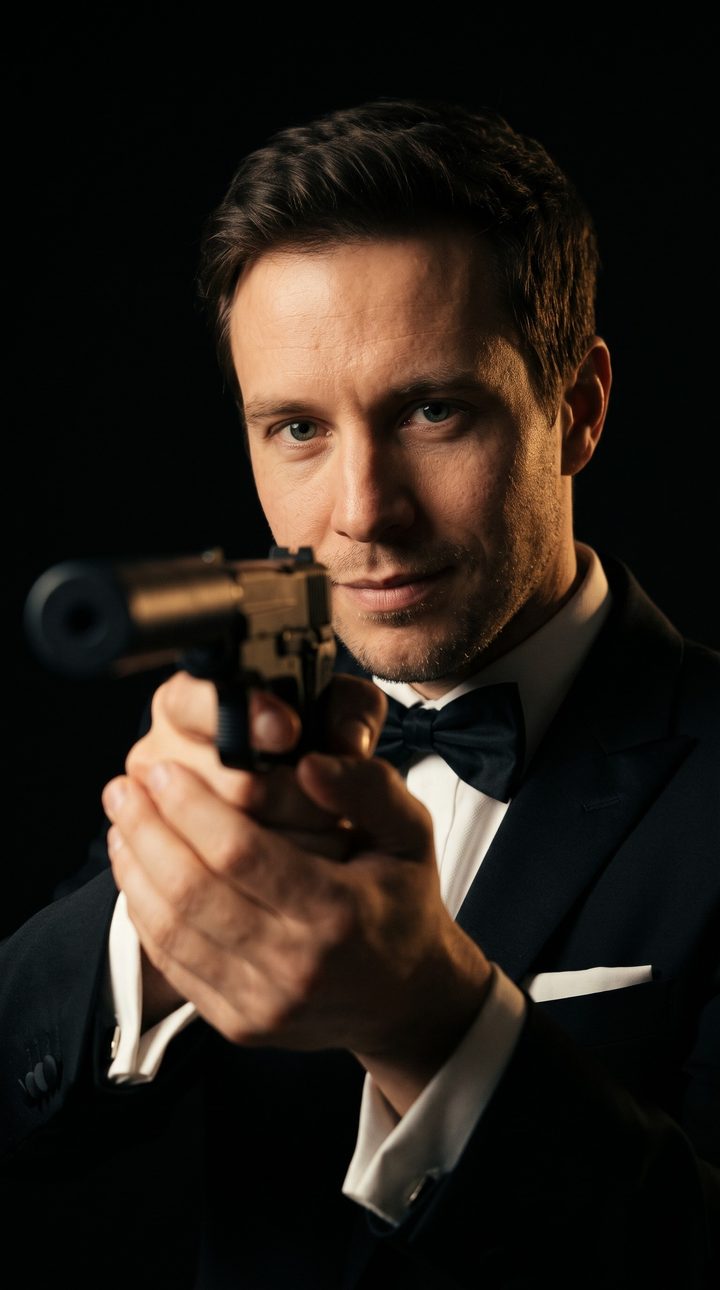
- Take Aim: the same black studio, half your face lit, aiming a suppressed pistol just past the lens with the gun soft in the foreground.
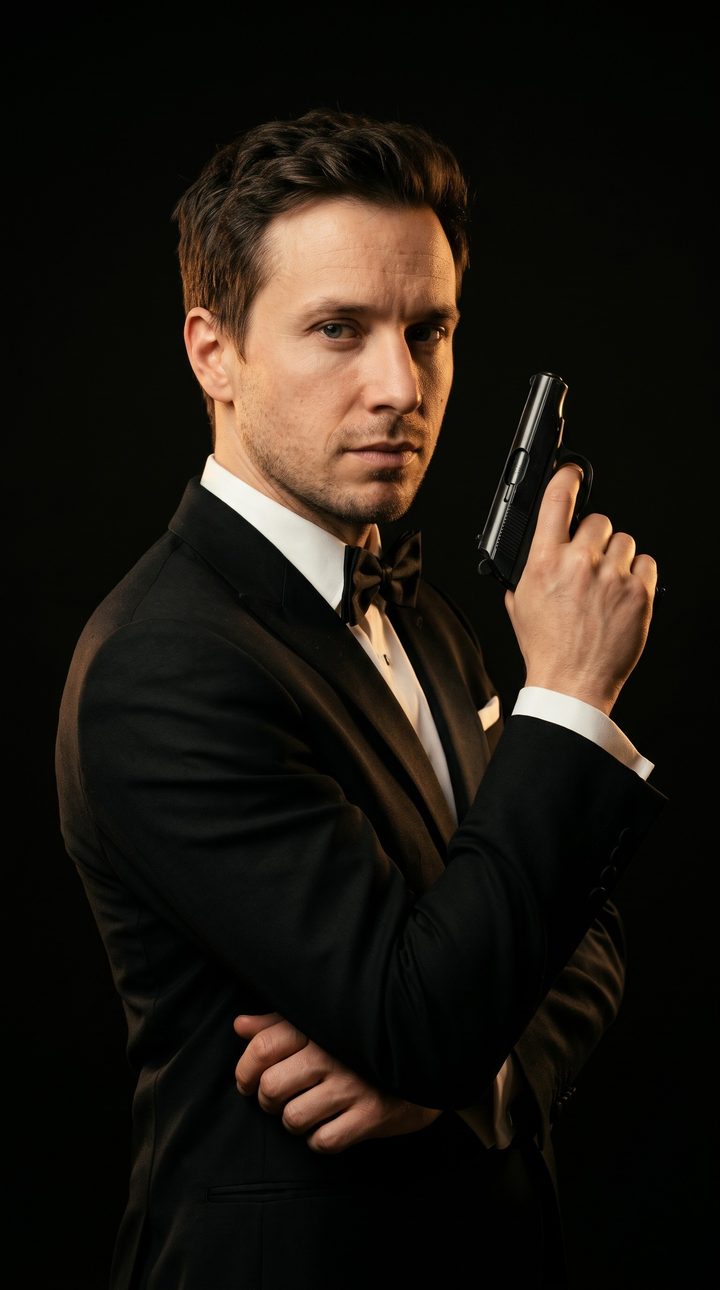
- Pistol Portrait: the dark studio look: pure black background, warm side light, body turned away and head back to the camera, a compact pistol raised beside your face.
- Casino: a baccarat table in an opulent European casino at night, chandeliers and gold light behind you, one hand on the felt beside the chips.
- Sports Car: leaning on a silver 1960s grand-touring car on a rain-wet cobblestone street at night, city lights in the puddles.
- Rooftop: a skyscraper rooftop at blue hour, the city skyline behind you, adjusting a shirt cuff with the wind in your jacket.
What the AI keeps and what it changes
- Kept from your photo: your face and facial features, skin tone, freckles and moles, eye colour, age and build, and your own hair colour and texture.
- Changed: your clothes become a black tuxedo with a bow tie (or a black evening gown), your hair is groomed neatly, and your pose fits the scene.
- Added: the scene, cinematic spy-thriller lighting, shallow depth of field and a subtle film grain, in a portrait framed from the waist or thighs up.
- Never added: title text, the 007 logo, brand names or watermarks. Only the Pistol Portrait and Take Aim scenes show a gun.
Robert Pattinson as James Bond: what was announced
Amazon MGM named Robert Pattinson as the seventh actor to play James Bond on November 16, 2026, taking over from Daniel Craig. The film is the 26th in the series and the first made since Amazon MGM took over the franchise. Denis Villeneuve directs, Steven Knight wrote the script, and Amy Pascal and David Heyman produce. No title, production start or release date had been announced at that point.
Pattinson and Villeneuve have worked together before, on Dune: Part Three.
Robert Pattinson 007 James Bond Style AI Photo FAQ
Who is the new James Bond?
Robert Pattinson. Amazon MGM announced on November 16, 2026 that he will play 007 in the next James Bond film, directed by Denis Villeneuve. He follows Daniel Craig, who last played Bond in No Time to Die (2021).
What is the Robert Pattinson 007 James Bond style AI photo trend?
After the casting news, people started posting AI photos of themselves as the next James Bond. This template makes one: you in a black tuxedo in a classic spy-film scene, with your own face.
Will the photo make me look like Robert Pattinson?
No. The prompt keeps your own face, skin tone, hair and build and tells the AI not to make you resemble any actor. You get the 007 look, not his face.
Can I choose the scene?
Yes. Pick Take Aim, Pistol Portrait, Casino, Sports Car or Rooftop before you generate. Take Aim, the dark tuxedo portrait aiming a suppressed pistol at the lens, is the default.
Does it work for women?
Yes. If you read as a woman in the photo, the AI uses a black evening gown or a tailored black tuxedo, in the same scenes.
Which AI model makes the photo?
Nano Banana 2.1, Google's newest image model, at 2K. The result is a vertical 9:16 still image.
How much does it cost?
43 credits per photo. If a generation fails, the credits are refunded automatically.
Can I upload a photo of a celebrity or someone else?
Only upload photos of yourself or of adults who have agreed to it. Photos of children and public figures, including Robert Pattinson, are not allowed.
Discover more templates in the trends gallery or explore AI video effects.
This is an independent fan-style template inspired by the James Bond casting news. It is not affiliated with or endorsed by Robert Pattinson, Amazon MGM Studios, Eon Productions or Danjaq. James Bond and 007 are trademarks of their owners. The result is an AI-generated image.