AI tool · from 80 credits · Refunded if it fails

YouTube Shorts Generator from Your Long Videos

Your channel already has the material. Upload one of your long videos, and the AI picks the moments that stand on their own and cuts them into vertical Shorts with captions and a title each.

  • FromYour video file, 1–20 min
  • Shorts2–5, 15–60 s each
  • Size1080×1920 vertical
  • ExtrasCaptions + a title each

Set it up

Number of shorts
Captions
Estimated170 credits
Ways to pay less
  • 15 credits per started minute of your video, 30 per Short and 5 for the AI pick, so 3 Shorts from a 10-minute video cost 245 credits.
  • Cutting the long video down to the section you care about lowers the per-minute part: 3 Shorts from 5 minutes cost 170.

Need something else? More AI Video tools or all 43 tools

How do I make YouTube Shorts from my long videos?

A YouTube Shorts generator is a tool that turns a long video into short vertical clips for the Shorts shelf. Here you upload the file of a video you made, 1 to 20 minutes long, and choose 2 to 5 Shorts. The AI transcribes it, reads the whole transcript and picks moments of 15 to 60 seconds that start and end on full sentences. Each one is cut, reframed to 1080×1920, captioned word by word if you like, and given a title.

Before
After
3 shortsCrop to the speakerCaptions
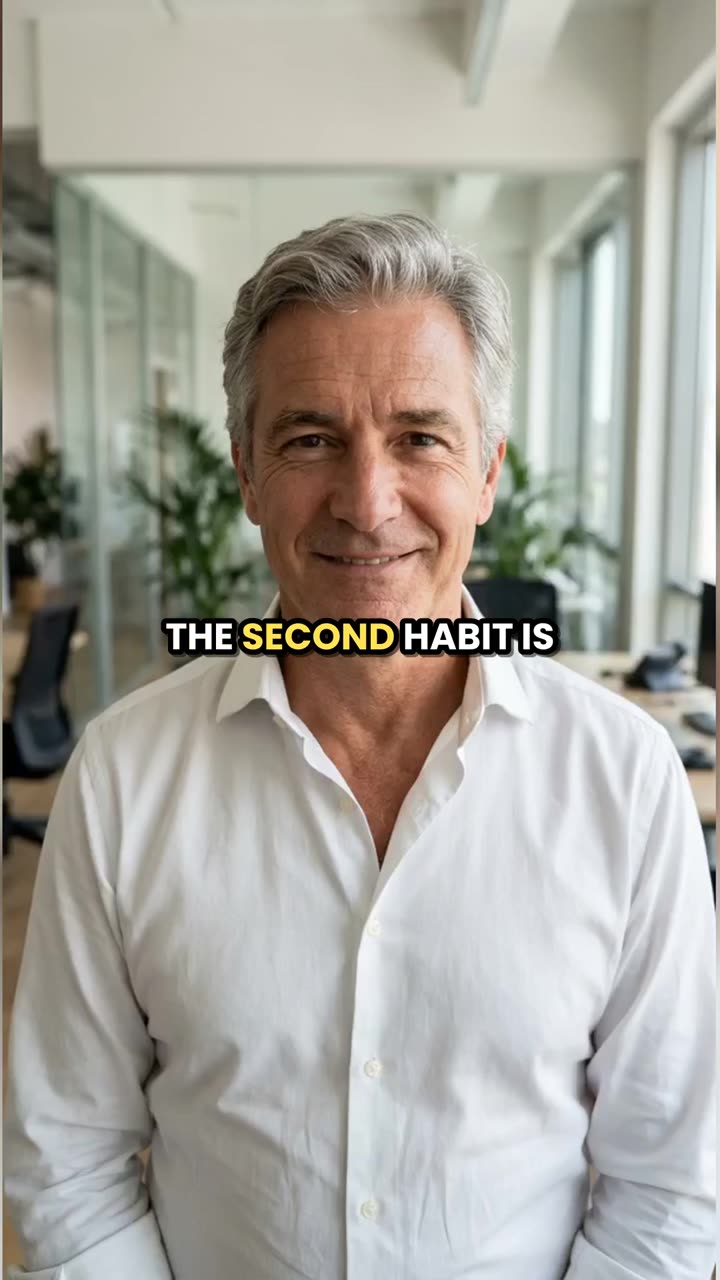
A 2-minute talk became three captioned 9:16 shorts; this is the second one.

How to use Long Video to Shorts in 3 steps

  1. Upload your YouTube video file

    Sign in and upload the MP4, MOV or WEBM of a video from your own channel, 1 to 20 minutes and up to 300 MB. Links aren't accepted; use the export from your editor or a download from YouTube Studio.

  2. Choose your Shorts settings

    Pick how many Shorts you want, the reframe, and a caption style or no captions.

  3. Generate the Shorts

    Press Make shorts. Each vertical clip is saved in My Videos with its title, start time and length, ready to upload as a YouTube Short.

What Long Video to Shorts does

Picked from what you said

The AI doesn't cut at random. It reads your transcript looking for a strong opening line, a clear tip, a surprising fact, a short story or a funny moment, the kinds of moments that work for someone who has never seen your channel.

Within the Shorts length

Every clip runs 15 to 60 seconds and starts and ends on a sentence, so it fits the Shorts format and doesn't open halfway through a word. Clips never overlap, so each Short is new footage.

Landscape in, vertical out

Most channel videos are 16:9. Choose Crop to the speaker for a full-screen vertical shot of the center, or Whole frame on a blurred background to keep everything you showed, like a screen recording or a product on a desk.

Captions in the middle of the frame

Word captions sit in the center in capitals, above the area the Shorts player covers with the title, channel name and buttons. Pick from six styles or turn them off.

A title for every Short

Each result comes with a suggested title, its start time in your original video and a line on why the moment works. The start time makes it easy to add a related-video link back to the full upload.

Comparison

Why use Long Video to Shorts instead of clipping by hand in an editor?

Finding the good moments in a long recording usually means watching all of it. Here the AI reads the transcript and cuts the clips.

FeatureLong Video to ShortsClipping by hand in an editor
Finding momentsThe AI reads the full transcript and picks 2 to 5Watch or scrub the whole recording and note timestamps
Cut pointsStart and end on full sentences, 15–60 seconds eachSet the in and out points by hand for every clip
Vertical format1080×1920 with a blurred background or a center cropReframe each clip on a 9:16 timeline
CaptionsWord by word in 6 styles, timed for youTranscribe and time the captions yourself
TitlesA title and a why-it-works line for each shortWritten by you
Price245 credits for 3 shorts from a 10-minute videoAn editor subscription and your time on every clip

What you can make with it

Shorts from a 12-minute talking video

A sit-down video where you explain one topic to camera usually has four or five moments that make sense alone.

  • Choose 4 Shorts and Crop to the speaker, since you sit in the middle of the frame.
  • Use Bold white or Yellow word highlight captions.
  • Post one Short every couple of days and link each to the full video.
  • This costs 305 credits.

Shorts from a tutorial with a screen recording

A 5-minute software or editing tutorial shows the screen most of the time. Cropping the center would cut off menus and buttons.

  • Choose Whole frame on a blurred background so the full screen stays visible.
  • Pick Boxed captions, which stay readable over busy screens.
  • Ask for 3 Shorts rather than 5; a short tutorial has fewer separate tips.
  • Five minutes with 3 Shorts costs 170 credits.

Bringing an old upload back

A video from last year still gets search traffic. Shorts from it can send new viewers to it.

  • Download it from YouTube Studio and upload the file here.
  • If it's longer than 20 minutes, cut out the 20 minutes with the best part in Trim Video first.
  • Use the titles the AI writes as a starting point and add your own keyword.
  • A full 20 minutes cut into 5 Shorts costs 455 credits.

Who it's for

YouTubers with a back catalogue

Channels with dozens of long videos that have never been cut into Shorts.

Educators and explainers

People whose long videos are full of single tips that work as standalone Shorts.

Gaming and commentary channels

Creators who talk over gameplay or footage and want the best lines as vertical clips.

Brand channels

Small teams with product videos and webinars on their brand's channel who need a steady flow of Shorts.

Tips for the best result

  • Only use videos from your own channel or ones you have permission to cut. Links aren't accepted, so you'll need the file.
  • The AI picks from speech. Videos where you talk throughout give better Shorts than ones that are mostly music or b-roll.
  • Crop to the speaker always keeps the center; if you sit to one side of the frame, use Whole frame on a blurred background.
  • Captions are in the language spoken. To post a Short with captions in another language, make it with No captions and run it through the AI Caption Generator.
  • Upload the final edit, not the raw recording; the AI reads everything, and you pay for every started minute.

Frequently asked questions

How do I turn a YouTube video into Shorts?

Upload the video file from your channel, choose 2 to 5 Shorts and press Make shorts. The AI picks the moments, reframes them to 9:16 and adds captions.

Can I paste a YouTube link?

No. Upload the video file instead, for example the export from your editor or a download from YouTube Studio.

How long are the Shorts?

15 to 60 seconds each, set by where the sentences start and end.

How long can my YouTube video be?

1 to 20 minutes and up to 300 MB. For a longer video, trim it to the 20-minute section you want Shorts from.

How much does the YouTube Shorts generator cost?

15 credits per started minute of video, plus 30 per Short, plus 5. A 12-minute video cut into 4 Shorts is 305 credits.

Can I use other people's YouTube videos?

Only with their permission. Use videos you made, or ones the owner has agreed you can cut.

Are the Shorts the right size for YouTube?

Yes. Each one is a 1080×1920 vertical MP4 with the original sound, which is the size YouTube Shorts plays full screen.

Can I pick the moments myself?

No. The AI chooses them from the transcript. To cut a moment you already know, use Trim Video and then Resize Video.

Do I need an account?

Yes. Sign in with Google or email; each job costs credits from your balance, and the result is saved in My Videos.

What if a job fails?

If a job can't finish, the credits it used go back to your balance automatically.

More AI Video Tools

All 43 tools →

Ready to try Long Video to Shorts?

AI finds the best moments in a long video and cuts captioned 9:16 shorts. from 80 credits, and the result is saved in My Videos.

Make shorts