AI tool · from 80 credits · Refunded if it fails

Podcast Clip Generator for Two-Person Conversations

Upload a filmed episode or interview. The AI reads the conversation, finds the exchanges worth posting, and cuts vertical clips with both people still in the shot and captions on.

  • Episode1–20 min · 300 MB
  • Clips2–5, 15–60 s each
  • FramingBoth speakers kept
  • Output1080×1920 MP4

Set it up

Number of shorts
Captions
Estimated170 credits
Ways to pay less
  • 15 credits per started minute of the episode, 30 per clip and 5 for the AI pick, so 3 clips from 10 minutes cost 245 credits.
  • Upload only the part of the episode you want clips from: the per-minute charge is on everything you upload.

Need something else? More AI Video tools or all 43 tools

How do I make clips from a podcast episode?

A podcast clip generator is a tool that finds the best moments in a recorded episode and turns them into short social videos. Upload a filmed episode of 1 to 20 minutes and choose 2 to 5 clips. The AI transcribes the conversation, reads it and picks 15 to 60 second exchanges that start and end on full sentences. This page starts on Whole frame on a blurred background, so a wide two-shot of both hosts stays complete in a vertical 1080×1920 clip, with word captions in the center.

Before
After
3 shortsCrop to the speakerCaptions
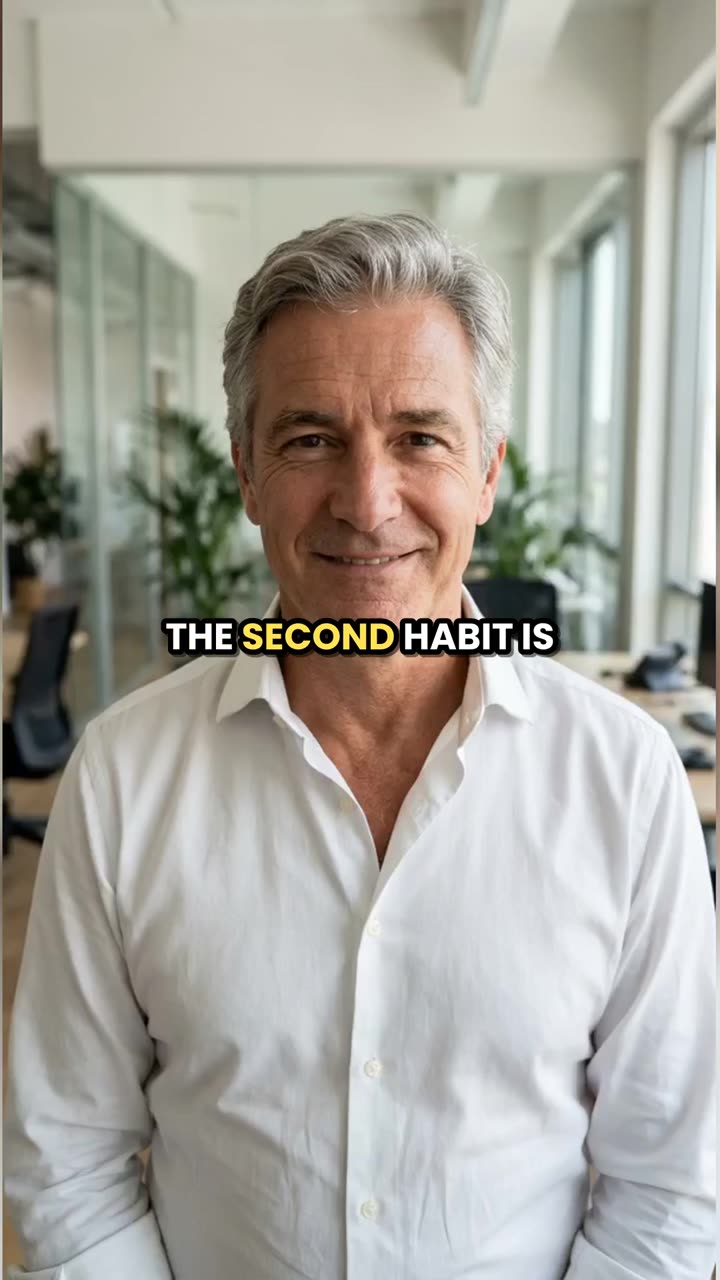
A 2-minute talk became three captioned 9:16 shorts; this is the second one.

How to use Long Video to Shorts in 3 steps

  1. Upload the podcast episode

    Sign in and upload the filmed episode as an MP4, MOV or WEBM, 1 to 20 minutes and up to 300 MB. For a longer episode, upload the 20-minute part you want clips from.

  2. Choose the number of clips and the framing

    Pick 2 to 5 clips. Keep Whole frame on a blurred background for a wide shot of two people, or choose Crop to the speaker for a solo host sitting in the center. Pick a caption style.

  3. Generate the podcast clips

    Press Make shorts. Each captioned clip is saved in My Videos with its title and start time, ready for Reels, TikTok and Shorts.

What Long Video to Shorts does

Both people stay in the clip

A two-host podcast is usually filmed wide, one person on each side of the table. Center cropping would cut both out. Whole frame on a blurred background keeps the full shot across the middle of the vertical frame, with a blurred copy filling above and below.

Picks exchanges, not just quotes

The AI reads the full transcript and looks for a strong opening line, a story, a surprising fact or a funny back-and-forth. Clips start and end on whole sentences, so a question and its answer stay together when they fit in a minute.

Captions for muted feeds

Word captions are timed to each spoken word, in capitals, in the center of the frame, clear of the app buttons at the bottom. Six styles, or No captions for a clean clip.

A title and a reason for each clip

Every clip comes with a suggested title, where it starts in the episode and a sentence on why it works. Use the start time to point viewers to the full episode.

No overlap, always the number you asked for

Clips never share footage. If some of the AI's picks can't be used, the rest are filled with evenly spaced sections of the episode, labelled Part 1, Part 2 and so on.

Comparison

Why use Long Video to Shorts instead of clipping by hand in an editor?

Finding the good moments in a long recording usually means watching all of it. Here the AI reads the transcript and cuts the clips.

FeatureLong Video to ShortsClipping by hand in an editor
Finding momentsThe AI reads the full transcript and picks 2 to 5Watch or scrub the whole recording and note timestamps
Cut pointsStart and end on full sentences, 15–60 seconds eachSet the in and out points by hand for every clip
Vertical format1080×1920 with a blurred background or a center cropReframe each clip on a 9:16 timeline
CaptionsWord by word in 6 styles, timed for youTranscribe and time the captions yourself
TitlesA title and a why-it-works line for each shortWritten by you
Price245 credits for 3 shorts from a 10-minute videoAn editor subscription and your time on every clip

What you can make with it

Weekly clips from a two-host show

Two hosts at a table, filmed with one wide camera. You want a clip a day from each episode without scrubbing through it.

  • Export the best 15 minutes of the episode and upload it.
  • Choose 4 clips and keep Whole frame on a blurred background.
  • Pick Yellow word highlight, so viewers can tell the words are moving with the voices.
  • Four clips from 15 minutes cost 350 credits.

Clips from a guest interview

An interview where a guest tells their story usually has two or three answers that stand alone.

  • Upload the part where the guest does most of the talking.
  • Choose 3 clips. Answers longer than 60 seconds are cut at a sentence within the minute.
  • Use Boxed captions if the studio has a busy background or bright lights.
  • Post the clip with the guest's best line as the title.

A solo episode recorded to camera

One host talking straight to the camera, sitting in the middle of the shot.

  • Switch the reframe to Crop to the speaker for a full-screen vertical image.
  • Make sure you sit near the center for the whole episode; the crop doesn't follow movement.
  • Choose 5 clips from a 20-minute episode for a full week of posts: 455 credits.

Who it's for

Video podcasters

Shows filmed with one or two cameras that need social clips from every episode.

Interview hosts

People talking to a different guest each week who want the guest's best answers as clips.

Podcast editors

Editors who handle several shows and want a first set of clips picked for them.

Brands with a show

Companies running a podcast for their brand who need regular posts from each recording.

Tips for the best result

  • Clips are found from speech, so the episode needs a clean audio track. Crosstalk and laughter over words make picks and captions less reliable.
  • Hosts taking turns gives better clips than two people talking at once.
  • Audio-only podcasts aren't accepted here. Turn a segment into a video with MP3 to MP4 first.
  • The blurred-background framing shows the wide shot at full width, so faces are smaller. Film a bit tighter if your clips will mostly be vertical.
  • Captions use the language spoken and aren't translated.
  • Only clip episodes you made, and guests who agreed to be recorded and shared.

Frequently asked questions

How do I turn a podcast episode into clips?

Upload the filmed episode, choose 2 to 5 clips and press Make shorts. The AI picks the moments and returns captioned vertical clips.

Will both hosts be in the clip?

Yes, with Whole frame on a blurred background, which this page starts on. The full wide shot is kept across the middle of the vertical frame.

Does it switch between speakers?

No. It doesn't track faces or cut between people. Keep the whole frame for two people, or use the center crop for one host in the middle.

How long can the episode be?

1 to 20 minutes and 300 MB per upload. For a one-hour episode, upload the 20-minute section with the best conversation.

How much does it cost to clip a podcast?

15 credits per started minute, plus 30 per clip, plus 5. Four clips from a 15-minute section cost 350 credits.

Can I make clips from an audio-only podcast?

Not directly. The tool needs a video file. Make the audio into a video with MP3 to MP4 first, then clip it here.

How long are the podcast clips?

15 to 60 seconds each, starting and ending on full sentences.

Does it work with interviews in other languages?

Yes. The speech language is detected automatically and the captions are written in it.

Do I need an account?

Yes. Sign in with Google or email; each job costs credits from your balance, and the result is saved in My Videos.

What if a job fails?

If a job can't finish, the credits it used go back to your balance automatically.

More AI Video Tools

All 43 tools →

Ready to try Long Video to Shorts?

AI finds the best moments in a long video and cuts captioned 9:16 shorts. from 80 credits, and the result is saved in My Videos.

Make shorts