AI tool · from 213 credits · Refunded if it fails

Animate a Drawing and Watch It Move

Take a photo of a drawing, upload it, and the AI turns it into a short video where the characters move and bounce. The crayon, marker or pencil lines stay just as they were drawn.

  • InputA photo of the drawing
  • Length5 or 10 seconds
  • Quality720p or 480p
  • LookKeeps the drawn lines

Set it up

Try an example
Length
Quality
Estimated425 credits
Ways to pay less
  • 480p costs half of 720p: 213 credits for 5 seconds and 425 for 10, against 425 and 850.
  • Price depends only on length and quality, so a busy drawing costs the same as a simple doodle.

Need something else? More AI Video tools or all 43 tools

How do I animate a drawing with AI?

Animate a Drawing is a tool that turns a photo of a hand-made drawing into a short animated video. Photograph the drawing, upload it as a JPG, PNG or WEBP, and choose 5 or 10 seconds. This page starts on the Bring a drawing to life motion: the AI makes the characters and objects move and bounce playfully while keeping the exact crayon, marker or pencil look, lines and colours. You can also describe the motion yourself, such as a dragon flapping its wings.

Before
After
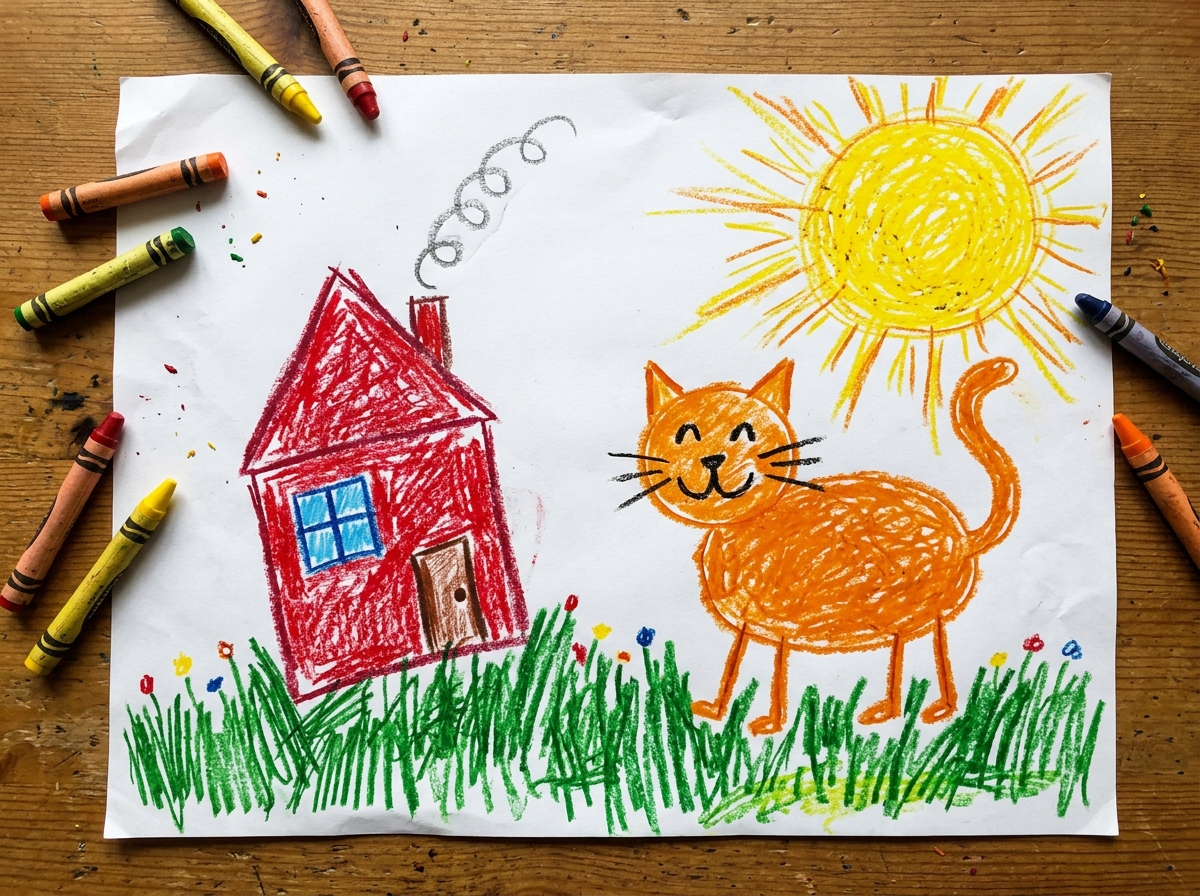
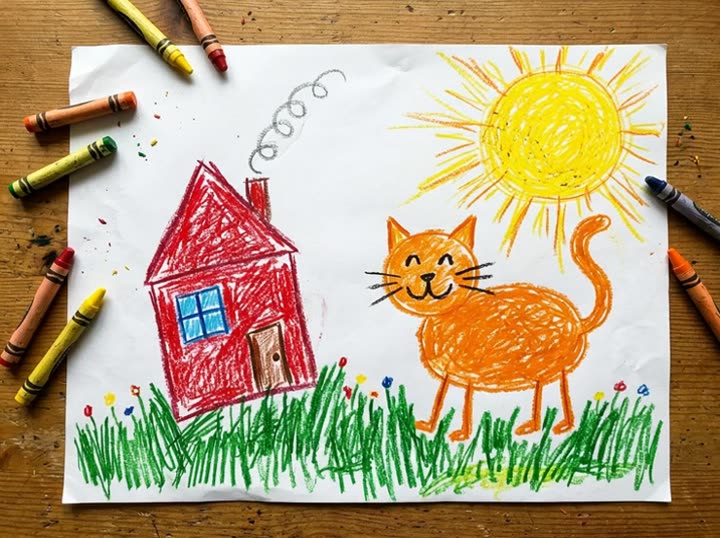
Crayon drawing5 s
The cat, the sun and the house start to move, in the same crayon look.

Start from an example

How to use Photo to Video in 3 steps

  1. Photograph the drawing

    Lay the drawing flat in good daylight and take the photo from straight above, filling the frame with the paper. Crop out the table.

  2. Upload it and choose the length

    Sign in and upload the photo, up to 15 MB. Keep Bring a drawing to life, or describe the motion. Pick 5 or 10 seconds and 720p or 480p.

  3. Animate the drawing

    Press Animate photo. In a few minutes the video is saved in My Videos, ready to download and share.

What Photo to Video does

The drawing stays a drawing

The motion is told to keep the original lines and colours and to avoid realistic rendering. A wobbly crayon cat stays a wobbly crayon cat; it just starts to move.

Playful, simple movement

Characters and objects move and bounce in a cheerful, simple way that suits children's art, rather than realistic film-style animation.

Say what should happen

Pick My own description and write up to 400 characters, like the rocket blasting off with flames from the bottom. The scene from the drawing is kept.

Follows the paper's shape

The video takes its shape from your photo, so a portrait sheet becomes a tall video and a landscape drawing a wide one.

A silent clip to add music to

The video has no sound. Add a song or a voice saying the story when you share it, or in a slideshow with other drawings.

Comparison

Why use Photo to Video instead of animating a photo by hand?

Making a still image move by hand means masking, layering and keyframing in an animation app. Here you pick the motion and the AI makes the clip.

FeaturePhoto to VideoAnimating a photo by hand
SetupUpload one photo or drawing in the browserCut the subject into layers in an animation app
MotionFive ready-made motions or your own descriptionSet keyframes and paths for every moving part
DrawingsA drawing mode that keeps the crayon or pencil lookRedraw or rig each character to move it
Length5 or 10 seconds, in your photo's shapeAs long as you have time to animate
TurnaroundAn MP4 in My Videos, usually within minutesHours of work for a few seconds of motion
PriceFrom 213 credits per clipAnimation software and your time

What you can make with it

A surprise for the young artist

Your child drew the family dog with a crayon. Seeing it wag its tail and jump is a small moment they'll remember.

  • Photograph the drawing flat, without shadows from your phone.
  • Keep Bring a drawing to life and choose 5 seconds at 720p: 425 credits.
  • Show them the video on your phone, then send it to grandparents.

A story told in moving pictures

A drawing of a dragon, a castle and a knight can act out the story the child told you about it.

  • Choose My own description and write what happens, for example: the dragon flaps its wings and flies over the castle while the knight waves, keep the crayon look.
  • Use 10 seconds so there's time for the whole action.
  • Record the child telling the story and add it as the sound when you share.

Classroom art, animated

A teacher wants to show a class their monster drawings moving at the end of term.

  • Photograph each drawing the same way, in the same light.
  • Use 480p and 5 seconds to keep each one at 213 credits.
  • Put the finished clips together with Merge Videos for one show for the class.
  • Only share it with families who have agreed to it.

Who it's for

Parents and grandparents

Families who want to keep a child's drawing as a little moving memory.

Teachers

Art and primary teachers showing a class their work coming to life.

Illustrators and doodlers

Adults who sketch and want a quick moving version of a character to post.

Kids' content makers

People making simple animated stories from hand-drawn characters.

Tips for the best result

  • Bold, clear outlines animate best. Very faint pencil can get lost; go over it in marker if the artist is happy to.
  • Photograph the drawing only, not the child. Upload a picture of the paper, not a photo of the person who drew it.
  • Even light with no glare matters more than the camera. Shiny marker reflects window light, so tilt the paper slightly if you see bright spots.
  • One main character with space around it moves more clearly than a page packed with small details.
  • When you describe the motion, ask to keep the crayon or pencil look, since a custom description replaces the drawing preset.
  • Try 5 seconds at 480p first to see how the drawing moves, then make the 10-second 720p version.

Frequently asked questions

Can AI animate a child's drawing?

Yes. Upload a photo of the drawing and the AI makes it move while keeping the hand-drawn lines and colours.

How much does it cost to animate a drawing?

From 213 credits: 213 for 5 seconds or 425 for 10 at 480p, and 425 or 850 at 720p.

Does it work with pencil sketches?

Yes, but strong lines work better. Very light pencil on white paper can be hard for the AI to follow.

Will the animation look like my drawing?

Yes, that's the aim. The motion is set to keep the drawing's style. Results vary, so a short 480p test is a good first step.

Can I choose what the drawing does?

Yes. Choose My own description and write the action in up to 400 characters.

Does the animated drawing have sound?

No, the video is silent. Add music or a voice when you post it, or use the Photo Slideshow Maker with a track.

How long is the video?

5 or 10 seconds, your choice.

Can I animate a photo of a person instead?

Yes, with the other motions on the Photo to Video page, such as Smile and wave or Wind in hair and clothes. Only use photos you have the right to use.

Do I need an account?

Yes. Sign in with Google or email; each job costs credits from your balance, and the result is saved in My Videos.

What if a job fails?

If a job can't finish, the credits it used go back to your balance automatically.

More AI Video Tools

All 43 tools →

Ready to try Photo to Video?

Bring a photo or a child's drawing to life as a 5 or 10 second video. from 213 credits, and the result is saved in My Videos.

Animate photo