Video tool · 20 credits · Refunded if it fails

Music Visualizer for Your Tracks

Made for musicians posting new music. Upload your song and its cover art, and get a video where a waveform pulses to the track over your artwork, sized for Reels, TikTok, the feed or YouTube.

  • AudioMP3 · WAV · M4A · OGG
  • VisualWaveform over your art
  • Formats9:16 · 1:1 · 16:9 · 4:5
  • LengthUp to 10 minutes

Set it up

Format
Style
Estimated20 credits
Ways to pay less
  • One flat 20 credits per video, any length up to 10 minutes, so a full 4-minute track costs the same as a 15-second teaser.
  • Each format is a separate video, so make only the ones you'll post.

Need something else? More Music tools or all 43 tools

What is a music visualizer?

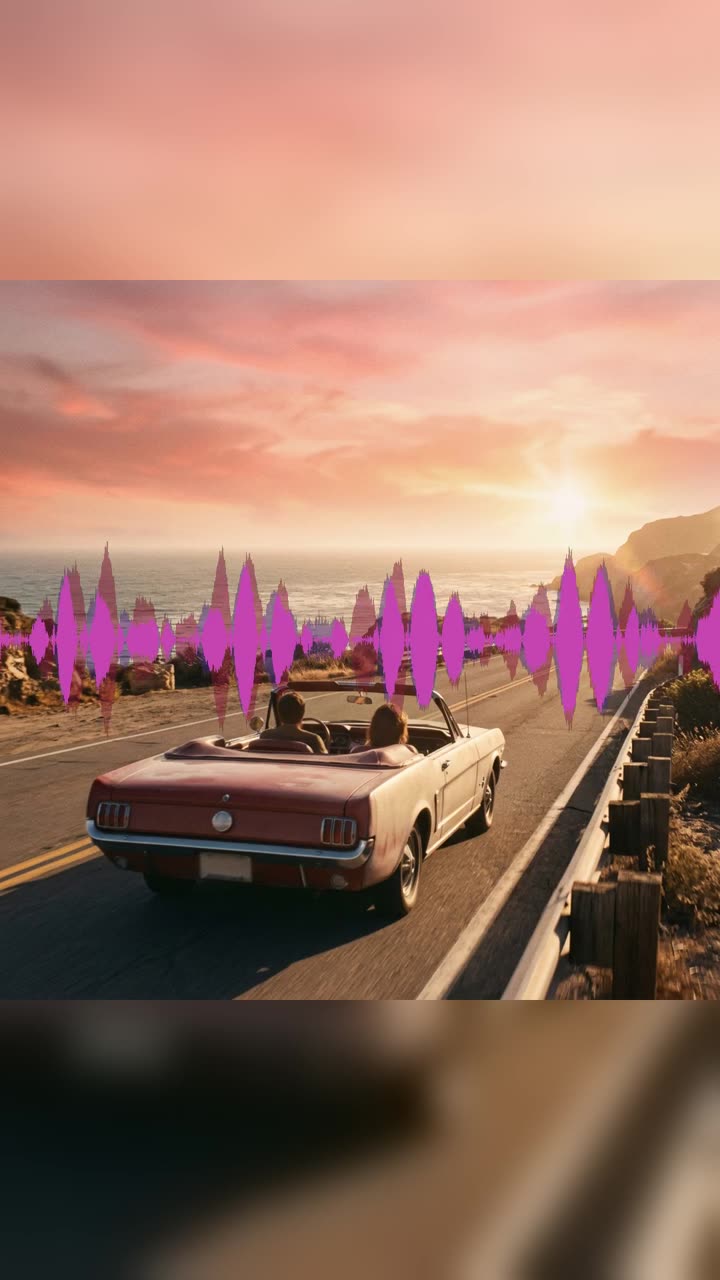
A music visualizer is a tool that turns a song into a video whose picture moves with the sound. Here you upload a track up to 10 minutes and, ideally, your cover art. The visualizer draws a waveform from the audio itself, so it rises on the kick and the drop and settles in the quiet parts, and lays it across the middle of the frame over your artwork. You get an MP4 that plays the whole track, ready for Reels, TikTok or YouTube.

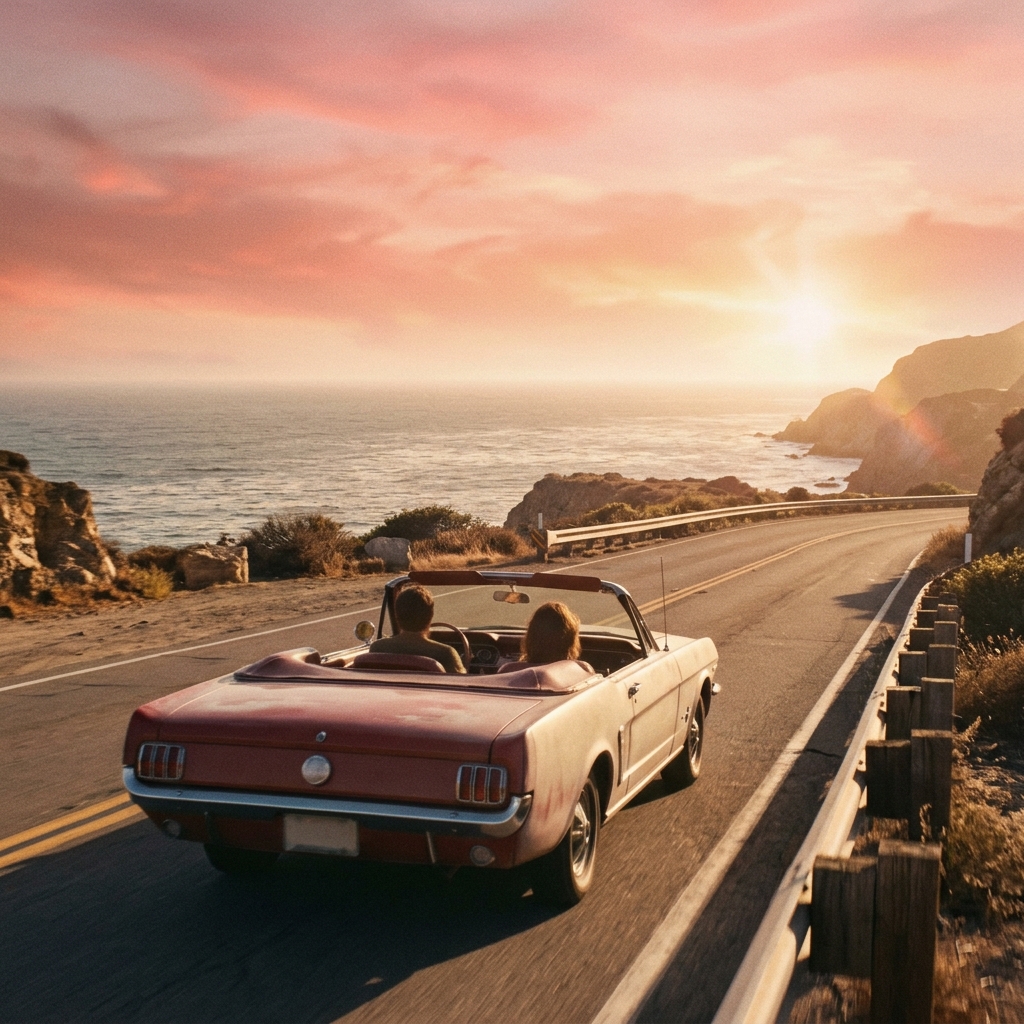
Before
After
Waveform9:16
An MP3 and a cover image turned into a vertical video with an animated waveform.

How to use MP3 to MP4 in 3 steps

  1. Upload your track and cover art

    Sign in and upload the song as an MP3, WAV, M4A or OGG, up to 50 MB and 10 minutes, plus your cover as a JPG, PNG or WEBP.

  2. Choose the format

    The music visualizer starts on Animated waveform. Pick 9:16, 1:1, 16:9 or 4:5 for where you're posting.

  3. Make the video

    Press Make video. The MP4 is saved in My Videos, ready to download and post.

What MP3 to MP4 does

Moves with the actual track

The waveform is drawn straight from your audio, frame by frame at 30 frames per second. It isn't a loop pasted on top: every hit, build and breakdown in your song shows up on screen.

Your artwork stays the star

Your cover is shown sharp and whole in the middle, with a blurred copy filling the rest of the frame. A square single cover works in a vertical Reel without cropping off your title or logo.

Built for a release week

Make a 9:16 for Reels and TikTok, a 1:1 or 4:5 for the feed and a 16:9 for YouTube from the same song and cover. Each is rendered 1080 pixels on the short side.

The full song, untouched

The video lasts exactly as long as your audio, up to 10 minutes. Nothing is faded or cut, and the sound is saved as 160 kbps AAC, which every social app plays.

A still version when you need it

Switch the style to Cover image only for a static artwork video, the classic look for a full-track YouTube upload.

Comparison

Why use MP3 to MP4 instead of building a video in an editor?

Most platforms won't take a plain audio file. Turn it into a video without building one yourself.

FeatureMP3 to MP4Building a video in an editor
InputMP3, WAV, M4A or OGG, plus an optional coverImport audio and an image into a video project
VisualsAn animated waveform or your cover artAdd a waveform plugin or animate it yourself
Formats9:16, 1:1, 16:9 or 4:5 at 1080 pixelsSet up a sequence for each format
LengthEnds exactly when the audio doesTrim the still image to match by hand
PriceOne flat 20 credits for audio up to 10 minutesAn editor install or subscription

What you can make with it

A teaser for a new single

The song comes out Friday. You want people hearing the hook all week.

  • Export the 20 to 40 seconds around the chorus from your session as a WAV.
  • Upload it with the single's artwork and pick 9:16.
  • Post it to Reels and TikTok with the release date in the caption.
  • Make a 1:1 from the same files for the grid. Each version is 20 credits.

The full track on YouTube

A finished song needs a home on YouTube, but you don't have a music video.

  • Upload the full master, up to 10 minutes, with the cover art.
  • Pick 16:9 and Animated waveform so the video doesn't look frozen.
  • Upload the MP4 to your channel and link it from your bio.

Sharing beats and works in progress

Producers posting a beat or a demo want something more than a black screen.

  • Use a simple artwork with your producer name and the beat's title.
  • Choose 4:5 for the feed, where it takes up more of the screen than square.
  • Bass-heavy beats give the most movement; very quiet ambient sketches barely move the line, so use Cover image only for those.

Who it's for

Independent artists

Singers and bands who release their own music and need a video for every song and teaser.

Producers and beatmakers

People posting beats, loops and snippets on social apps that only take video.

DJs

DJs sharing a short part of a mix with their logo as the artwork.

Labels and managers

Small teams preparing posts for several releases at once.

Tips for the best result

  • Only upload music you have the rights to share: your own tracks, or ones you have permission to post.
  • Use cover art of at least 1080 × 1080 pixels so it stays sharp in the middle of every format.
  • Start your teaser on the most recognizable part of the song. People scroll past slow intros.
  • Louder, punchier masters make a livelier waveform. A quiet mix gives a small line.
  • Without cover art, the waveform plays on a plain dark background.

Frequently asked questions

How do I make a music visualizer video?

Upload your song and cover art, keep Animated waveform, choose the format and press Make video. The MP4 is saved in My Videos.

Is the visualizer made by AI?

No, the waveform is drawn directly from your audio so it matches the track exactly. Use the AI Song Generator or the Lyric Video Maker if you want AI-made music or visuals.

How much does the music visualizer cost?

20 credits per video, for any track up to 10 minutes.

Can I change the waveform color or shape?

No. The waveform is a fixed pink-to-purple band across the middle of the frame.

What size should my video be for Instagram and TikTok?

Use 9:16 for Reels, Stories and TikTok, and 4:5 or 1:1 for the Instagram feed. All are 1080 pixels on the short side.

Can I add lyrics to the visualizer?

Not in this tool. The Lyric Video Maker times your lyrics to the vocals and puts them on screen.

Which audio files can I upload?

MP3, WAV, M4A and OGG, up to 50 MB and 10 minutes. AAC and FLAC are accepted too.

Can I use someone else's song?

Only if you have permission to share it. Upload your own music or tracks you're allowed to post.

Do I need an account?

Yes. Sign in with Google or email; each job costs credits from your balance, and the result is saved in My Videos.

What if a job fails?

If a job can't finish, the credits it used go back to your balance automatically.

More AI Video Tools

All 43 tools →

Ready to try MP3 to MP4?

Turn audio into a video with a waveform or cover art, ready to post. 20 credits, and the result is saved in My Videos.

Make video