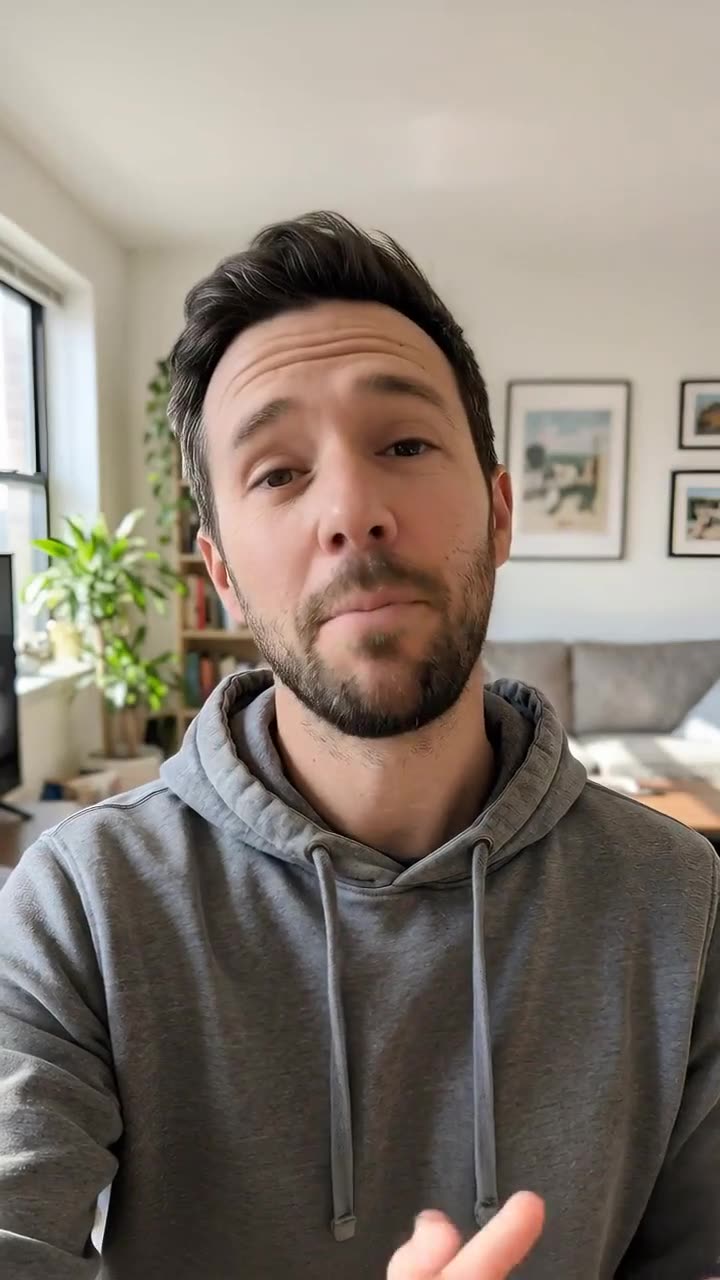
Type what the episode is about. The AI writes a conversation between two hosts, gives each one a voice, and turns every line into a clip of that host talking on camera.
Length30 s · 60 s · 90 s
Hosts2, from 8 ready-made faces
Voices22 built-in
TonesFriendly · Funny · Calm · Energetic
Set it up
Try an example
Format
Length
Tone
Estimated3,539 credits
Ways to pay less
Length sets the price: 1,782 credits for 30 seconds, 3,539 for 60 and 5,296 for 90.
The Audio episode format, with an AI cover and both voices, costs far less: 129 credits for 1 minute, 202 for 2 and 276 for 3.
A video podcast generator is a tool that makes a podcast-style video of two people talking, from nothing but a topic. You describe the episode in up to 3,000 characters and pick a length of 30, 60 or 90 seconds. The AI writes a back-and-forth with a hook, short turns, examples and a takeaway. Each line is spoken by its host's voice and animated on that host's face, and the clips are joined so the video cuts to whoever is speaking.
Example
2 talking hosts
Two AI hosts on camera, cutting to whoever speaks.
Three money habits to start in your first job: saving a little every payday, tracking spending for one month,…
1
Describe the episode
Sign in and type the topic and who it's for, for example: three money habits for people starting their first job. The more specific, the better the conversation.
Choose settings
Format
Audio episode (co…Video podcast (ta…
Length
2 minutes1 minute3 minutes
Make the episode
2
Set up the video podcast
This page starts on Video podcast. Choose 30, 60 or 90 seconds, the tone, a name, voice and face for each host. The two voices must be different.
Your result
✓ Saved in My VideosDownload
3
Generate the episode
Press Make the episode. The AI writes the script, records both hosts and animates them. The video and its script are saved in My Videos.
What AI Podcast Generator does
A real conversation, written for you
The script opens with a hook, keeps each turn to one to three sentences, lets the hosts react to each other, uses concrete examples and ends with a clear takeaway and a sign-off. The full script comes back as text with the video.
Cuts to whoever is talking
Every line becomes its own clip of the speaking host, with natural head movement and expressions, and the clips are edited together in order. It plays like a two-camera podcast.
Eight ready-made host faces
Choose each host from fictional faces made for the site: a creator, a presenter, a chef, a coach, a student and a grandpa, among others. They aren't real people, so there's no one's likeness to worry about.
22 voices and your own host names
Give each host one of the 22 built-in AI voices and a name of up to 20 characters. The script is written for those two names, and the transcript labels each line with them.
Four tones
Friendly and curious, Funny and casual, Calm and thoughtful, or Energetic and punchy. The tone changes how the hosts talk, from relaxed jokes to quick, punchy points.
Comparison
Why use AI Podcast Generator instead of recording a podcast with a co-host?
A two-person podcast normally needs a co-host, two microphones, a recording session and an edit. Here it needs a topic.
Feature
AI Podcast Generator
Recording a podcast with a co-host
Input
✓A topic or notes, up to 3,000 characters
✕An outline, a co-host and a booked time to record
Script
✓Written by the AI as a two-host conversation with a hook and a takeaway
✕Planned and improvised by the hosts
Voices
✓22 AI voices, a different one for each host
✕Two microphones and a quiet room
Video
✓Optional talking hosts from 8 ready-made faces
✕Cameras, lights and a set
Editing
✓Turns joined with a short pause, cover art added for audio
✕Hours of cutting, levelling and exporting
Price
✓202 credits for a 2-minute audio episode
✕Equipment, hosting and everyone's time
What you can make with it
A weekly explainer for your page
You run an account about personal finance and want a short talk-show style post on one idea each week.
Write a focused topic: why an emergency fund comes before investing, for people in their twenties.
Pick the presenter faces and the Friendly tone.
60 seconds is long enough for a hook, two points and a takeaway: 3,539 credits.
Add captions afterwards with the AI Caption Generator so it works on mute.
A study recap students will watch
A teacher turns a lesson topic into a quick two-voice discussion that students actually finish.
Paste the key points of the lesson as the topic, up to 3,000 characters.
Use the student and coach faces and the Calm tone.
30 seconds suits one idea; 90 seconds covers a short chapter.
Share the script text from the result as revision notes.
A teaser for your audio show
You plan to launch a podcast and want to test the format and a topic before recording yourself.
Try the Audio episode format first; a 2-minute audio episode is 202 credits.
Then make a 30-second video version of the strongest topic for 1,782 credits.
Use the Funny tone to see if the topic works as a lighter conversation.
Who it's for
Faceless creators
People running educational or niche accounts who want on-camera hosts without filming anyone.
Teachers and course makers
Educators turning a topic into a short discussion that's easier to watch than a lecture.
Small brands
Teams making explainer posts about their field for their brand's social accounts.
Would-be podcasters
People testing a show idea, a tone or a topic before recording real episodes.
Tips for the best result
Give the AI a clear angle and an audience. 'Sleep' is vague; 'why phones before bed hurt sleep, for teenagers' gives a sharper conversation.
Pick two voices that sound clearly different, such as a deep male narrator and an upbeat female voice, so viewers can follow who's talking.
Match the face to the voice and the topic: the chef for a cooking topic, the coach for fitness.
Don't ask the hosts to quote or imitate real people. The script is written not to invent quotes from anyone real.
Read the script in the result before posting, and check any facts, numbers or advice.
Frequently asked questions
How do I make a video podcast with AI?
Type the episode topic, keep Video podcast as the format, pick the length, tone, voices and faces, and press Make the episode. The AI writes, voices and animates the conversation.
How much does an AI video podcast cost?
1,782 credits for 30 seconds, 3,539 for 60 seconds and 5,296 for 90 seconds.
How long can the video podcast be?
Up to 90 seconds. For a longer episode, use the Audio episode format, which goes up to 3 minutes.
Can I use my own face or voice for the hosts?
No. The hosts use 8 ready-made fictional faces and the 22 built-in AI voices. Real people and cloned voices aren't used.
Can I write the script myself?
Not word for word. The AI writes the conversation from your topic; put the points you want covered in the description.
Do I get the script as text?
Yes. The result includes the full conversation, line by line with the host names.
Does the video have captions?
No. Run the finished video through the AI Caption Generator to add word-by-word captions.
Why does a video podcast cost more than an audio one?
Every second of each host talking on camera is animated by the AI, which costs far more than the voices and a cover image alone.
Do I need an account?
Yes. Sign in with Google or email; each job costs credits from your balance, and the result is saved in My Videos.
What if a job fails?
If a job can't finish, the credits it used go back to your balance automatically.