How to Make the Unforgettable Car 24 Roadster Video
Make an Unforgettable Car 24 Roadster AI video from your portrait and car photo. Cast both slots, check the cards and backflip, then post it as fiction.
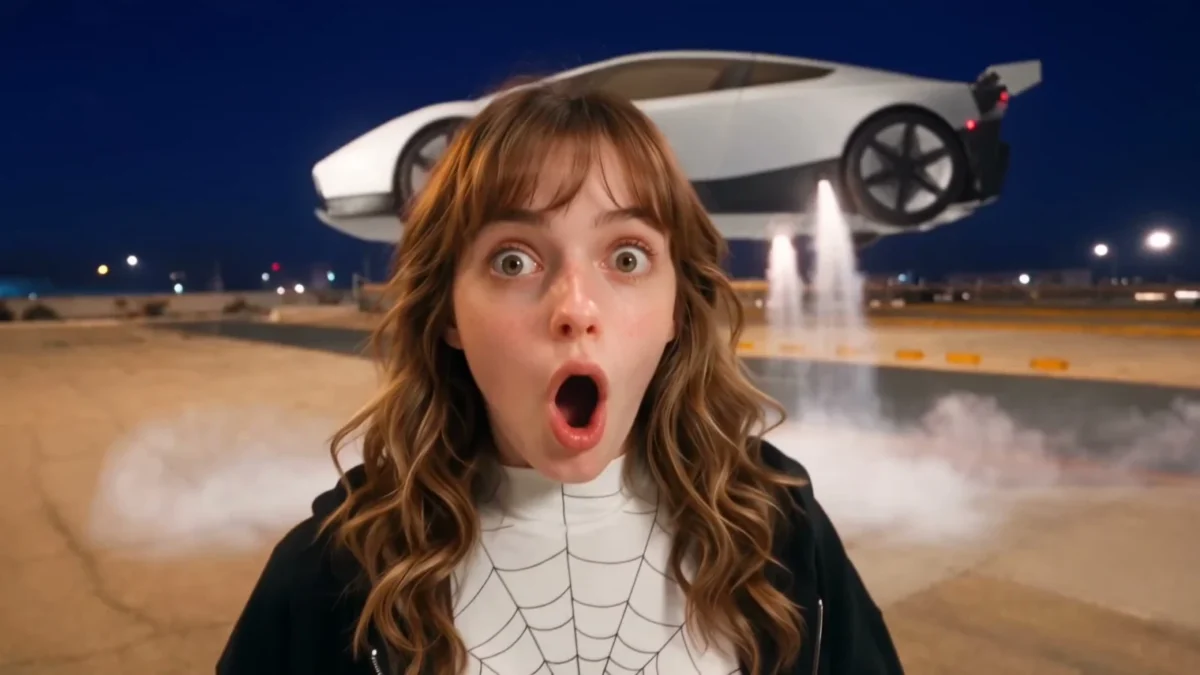
The Unforgettable Car 24 Card Roadster video puts you in a handheld airfield clip while a car launches into a backflip behind you. To make it on Trendai’s Roadster template, upload one photo of yourself and a separate photo of your dream car. Both are required. The finished scene is a 16-second, widescreen AI edit, not footage of an actual car stunt.
The car is the payoff, not a background prop
The Roadster template’s source preview starts like a selfie on an empty airfield at dusk. You face the camera and hold up a yellow 2 card and a pink 4 card. Then you turn. The parked car fires its thrusters, flips once in a cloud of white vapor and lands as the camera stays on it. Then the vapor clears. The cards set up the beat, but the car earns the replay because the viewer has spent the opening looking at the person holding them, not at the vehicle parked just behind that person.
This is a different edit from the earlier Unforgettable Car 24 Card guide. That version uses a required selfie and an optional street-background image for a roughly 14-second coupe departure. Here, the second required photo is the car itself, not the scenery. The Roadster edition moves to an airfield and builds its 16-second story around a backflip. Don’t send a street photo where the car photo belongs.
The poster shows a surprised woman in front of a pale car suspended above the airfield. It’s a still from the source material, not a preview of what your face and vehicle will look like. The page separately labels a sample output made with fictional example images. Neither one is your export.
Give each upload one clear job
Your photo casts the person talking to the handheld camera. Use one well-lit portrait with an unobstructed face and enough of your clothes visible for the model to work with. A group shot makes it harder to tell whose face belongs in the selfie. If a hat hides your eyes, switch photos rather than expecting the close-up to fix them.
Your dream car is a required image of one car, fully in frame. A side or three-quarter view gives the edit its body shape, paint, wheels and lights; the background of that car photo isn’t used as the airfield. You don’t need to own a Tesla. A clean photo of a different car can take that spot, but a distinctive shape may drift toward the reference vehicle during fast motion. Review it, don’t assume.
A front bumper cropped out of the input makes the flip harder to judge. Start with the whole vehicle, with no second car overlapping the roofline. Use a car image you own or can use with permission. The page’s upload form asks for rights to the images and consent from anyone depicted, so a friend’s face or a borrowed listing photo needs an actual yes.
Build the clip, then watch the landing
- Open the Unforgettable Car 24 Card Roadster form. Upload your one-person portrait to Your photo and a full car image to Your dream car. These aren’t interchangeable slots.
- Choose the resolution shown in the form, either 480p or 720p, and check the displayed credit cost before you generate. The scene stays 16:9 and about 16 seconds long either way.
- Generate the video and play the downloaded result all the way through. Pause on the yellow 2 and pink 4 cards, the moment the car leaves the ground, and the four-wheel landing. Check your face after the turn, too.
- If the digits blur, the car becomes a different model or the landing looks broken, decide whether to try again. The source clip’s movements are a reference, not a promise that your car will survive every frame unchanged.
Keep the wide frame for your first review. A center crop made for a vertical feed could keep the face and lose the car as it lifts behind you. If you reframe afterward, scrub the entire flip and the vapor-clearing hold before exporting that second cut.
The page describes source audio, but don’t advertise a specific soundtrack before checking your own downloaded file. Listen to it. If you’re posting with music added in an app, use audio you have rights to use there rather than assuming the source clip grants you a license.
Post it as a trick, not a test drive
The best opening caption here gives the cards a purpose without narrating the whole stunt. Something like “The 2 and 4 were the warning” sets up the switch from selfie to airborne car. Don’t label the backflip a real vehicle feature, a real airfield stunt or an official Tesla promotion. This is a fictional AI clip made from photos.
If you want a car edit that leaves the vehicle on the ground, the original 24 Card car reveal has a simpler departure beat. For this one, let the viewer see enough airfield around the car to understand the impossible motion. Before posting, freeze the landing frame: the wheels and ground contact matter more than a perfect first-frame selfie.