How to Make a Turning My Mom Into Me AI Video
How to make a Turning My Mom Into Me AI video with one consented photo, check the hallway outfit cut and post the family joke honestly.
The Turning My Mom Into Me video puts your mom’s face into both sides of a hallway outfit change: everyday clothes on the way out, your style on the way back. Upload one clear photo of an adult who agrees to appear, then check whether her face stays recognizable across the cut before you post it as a fictional AI edit.
The hallway cut is the whole joke
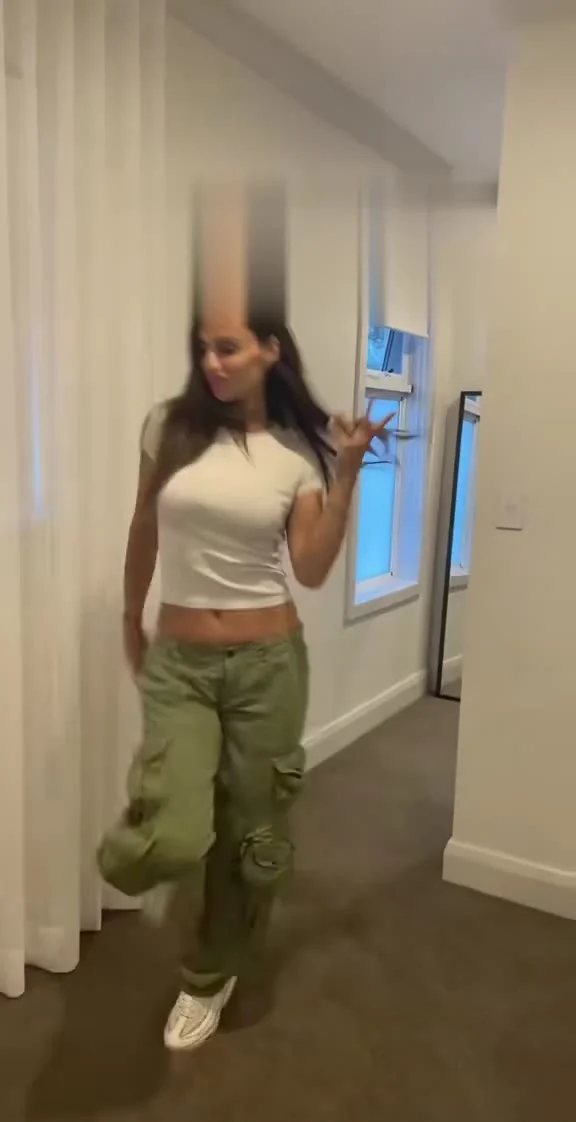
The Turning My Mom Into Me template follows a woman walking through a white hallway in a beige shirt and jeans. After a quick cut, she returns in a white crop top and green cargo pants. The punch line is that the same person suddenly looks dressed like her kid. No real closet raid required.
The live form calls this an 8-second, vertical 9:16 image-to-video template and labels its clip a source preview, not a generated result. That distinction matters. The preview shows the timing and framing to aim for, but it doesn’t show how your mom’s features will survive either walk. A single still poster catches only one moment of the second outfit. It can’t tell you how a personalized transition lands.
This is a family-character joke, not a shopping haul. The viewer has to recognize your mom first, so don’t bury the setup under a giant caption that names the reveal before it happens. Keep the first line modest, like “Mom said she’d never wear my clothes.” Let the return trip do the arguing.
Pick a photo for two passes down the hall
The form has one required upload labeled “Your photo: your mom.” Its instruction asks for one well-lit picture with her face clear. That face is assigned to the hallway walker in both outfits. There is no separate upload for your face, your clothes or a second actor; “into me” describes the styling gag, not a two-face swap.
Choose a recent photo where she’s looking toward the camera and her hairline isn’t hidden behind a hat. Give her face room around the edges. If the image is a tightly cropped screenshot from a family group chat, the system has less information for matching the head across the walking shots. A smile is fine, but an exaggerated side profile makes the return harder to read. Use a solo photo rather than a crop that leaves somebody else’s shoulder attached to hers.
Ask her first. A face used in a fake outfit change is still a use of her likeness, and the crop top might be something she doesn’t want attached to her name online. Show her the premise before uploading. If the actual mom isn’t into it, the form can recast another consenting adult, but write the caption to fit that relationship instead of calling a friend “Mom.” Don’t upload a child’s photo or use a public figure’s face.
You won’t fix this by submitting a photo of the target clothes. The hallway, cut and two outfits are part of the reference scene. What you control here is the identity photo and the decision to publish the finished clip. That’s a pretty small lever, so make the source photo count.
Make the edit, then inspect the identity
- Open the hallway transformation form and upload the consenting adult’s clear solo photo. The visible form accepts JPG, PNG and WEBP. Check the crop before continuing so her face hasn’t slipped against an edge.
- Review the resolution choice shown in your session, then generate. The live form displays 480p and 720p choices, while the format remains an 8-second vertical clip. Check the current credit amount on the form rather than using an old screenshot as a price list.
- Play the result at normal speed and pause on both sides of the cut. Compare the eye shape, hairline and jaw across the two walks. If the second pass looks like a stranger, don’t use a clever caption to pretend it worked. Try a cleaner front-facing photo instead.
Check hands and feet too. The movement is brief, but a warped hand at the cut can steal attention from the outfit switch. Watch once with sound on and once muted. The page says the source reference has audio; that doesn’t verify which audio a new export will contain or whether you can publish it under the same rights. Listen to your own file, then choose cleared audio in your posting editor if needed.
The template page’s source clip is a reference for choreography and camera placement, not a clip you own. You shouldn’t lift its footage or soundtrack as separate assets. Your generated version still needs a final watch before anyone sees it.
Post the family bit without pretending it happened
Put the relationship in the caption, then leave enough space for the reveal: “I let Mom borrow my style for one hallway walk (AI edit).” It’s a cleaner hook than claiming she really borrowed your pants. If she wants a different caption, let her veto yours. Family jokes are funnier when the person in the joke actually likes it.
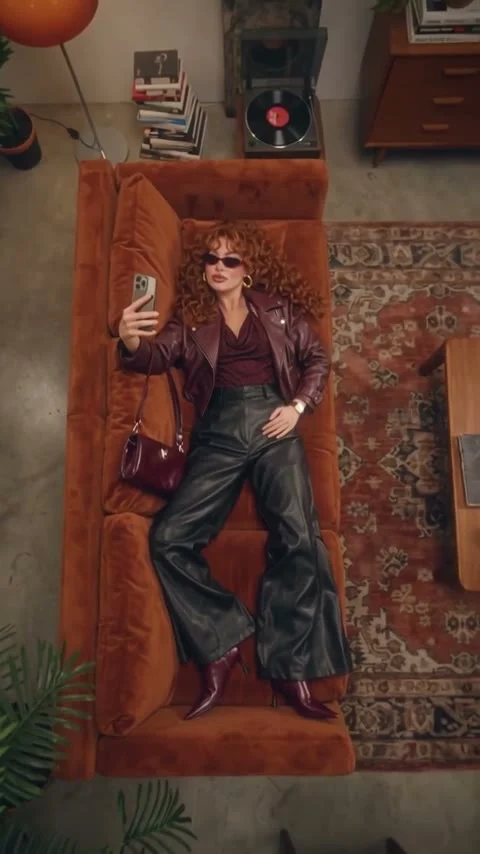
The Sofa Outfit Transition guide covers a different fashion edit: one person stays on an overhead sofa through four looks. Here the walker leaves the frame and returns dressed differently, so continuity across a hallway cut matters more than matching a seated pose. A caption placed at the top of this vertical frame can also avoid covering the clothes on the return.
Mark the video as AI-generated wherever the posting platform asks for that disclosure. Don’t present the hallway as a candid recording of your mom changing outfits. Get her approval of the actual export, not only the photo you used: a weird expression or unexpected body styling might change her mind. If she says no, keep the joke in the family chat instead of posting it to strangers.