Rumpelstiltskin Dance AI Video: Cast the Reaction
Make a Rumpelstiltskin dance AI video with the right dancer and optional watcher photos, then frame the barn reaction as the real punch line.
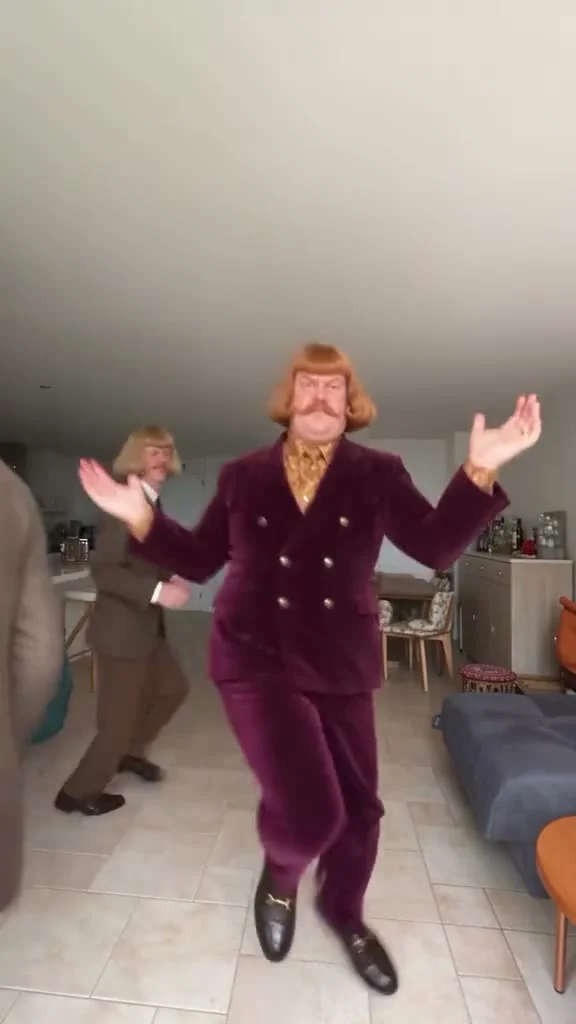
A Rumpelstiltskin dance AI video puts your face on the grinning dancer tiptoeing through a hay-filled barn. The Trendai template needs one dancer photo and takes an optional second photo for the shocked watcher. The funny part isn’t a fancy move. It’s the cut between someone enjoying themselves far too much and someone watching in disbelief.
Cast the joke before you upload
The first photo is the lead. On the live template form, it is labeled "Your photo: the dancer," and the second is labeled "Optional: the shocked watcher." Swap those roles and you won’t get the reaction shot you had in mind. The required photo supplies the dancer’s face and hair, while the template supplies the emerald velvet tuxedo, pointed shoes and barn. Your street clothes aren’t the costume reference.
You can make this with one person. Leave slot two empty and the original watcher stays in the scene. That’s a decent way to keep the gag centered on a single friend. Add a second person only if the relationship between dancer and watcher actually helps the joke: the friend who hates being early, the roommate who found you in the kitchen, or the person who said you’d never dance. Get their permission first. This is a fictional edit, not footage of that person reacting in real life.
Pick a photo where the dancer’s face is open and evenly lit. A tight portrait works better than a tiny face at the back of a group shot, since the edit has to carry the same identity through wide dancing shots and closer reaction beats. Keep hair visible too. For the watcher, use a separate photo of one person with a clean view of the face; don’t upload two angles of the dancer into both slots and expect the tool to infer a cast.
Read the reference as a mini scene
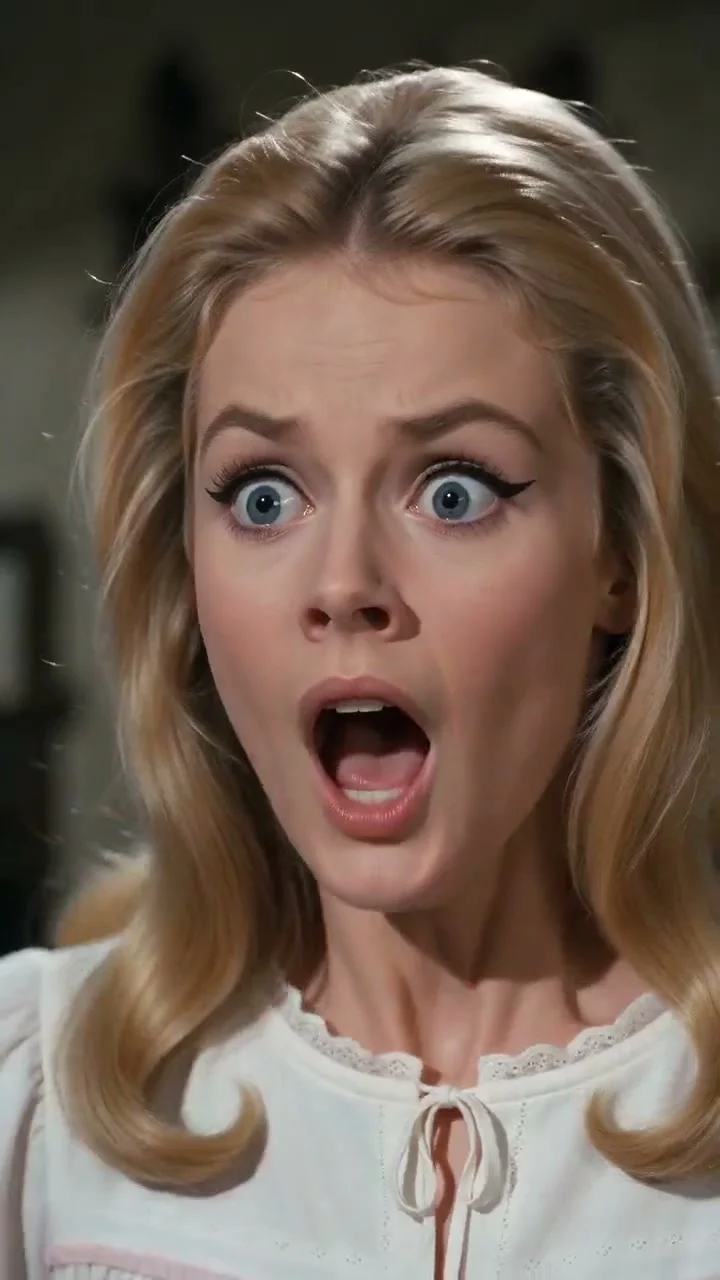
The source preview on Trendai shows an expressive dancer bouncing on bent knees in the barn while a watcher in a white nightgown registers shock. It cuts to pointed shoes in straw. Those inserts matter because the humor has a setup and a reply, rather than one continuous dance loop. The poster itself freezes the watcher’s wide-eyed expression, not the dancer’s biggest move. That tells you what the punch line is.
The form lists roughly 10.1 seconds in vertical 9:16 and requests source audio. There isn’t a separate prompt field for inventing another setting, so write your on-screen caption for this barn scene. Don’t promise a dance in a nightclub or an outfit reveal that the footage never shows. You can place the text on your own edit after downloading, away from the face and the shoe close-up.
A pair of photos can create a tiny story without dialogue. Put the enthusiastic friend in slot one, the unimpressed friend in slot two, and let the reaction do the work. For a solo version, treat the existing watcher as a built-in straight man. The detail to avoid: telling viewers the watcher is your friend when you didn’t actually cast anyone in that slot.
Make the clip and inspect the cut
- Open the Rumpelstiltskin dance template. Upload a clear, consented portrait of the dancer to the required first slot.
- If you want a recognizable second person, upload their own clear portrait to the optional watcher slot. Otherwise leave it empty. Confirm that the first slot still shows the dancer before you generate.
- Choose the resolution offered in the form, generate the video and review the whole result before posting. The format and run time follow the reference rather than your caption plan.
Watch once with no sound to see if the reaction cut makes sense. Then inspect the face across shot changes. A grin that looks right in one frame may not look like the same person in the next. Pause on the spread hands and the straw-level shoe insert as well; fast feet and thin fingers can warp. If a face is obscured in the input, the edit has even less to work with in motion. A different, clearer source portrait is usually a more useful retry than adding more caption text.
Don’t mistake the page’s preview for a finished version with your face. It is labeled as a source reference; your own result is the thing to inspect. If you’re weighing this against the indoor dance guide, the distinction is casting: this barn clip uses the second slot for a different person reacting, not another view of the lead.
Post for the reaction, not the steps
The first caption line can supply the missing context: "When the group chat says the party is canceled" works as a fictional scenario because the watcher has a visible reason to look stunned. An equally simple setup is "Me when they say one more song." Put the setup before the first reaction shot rather than explaining it after the whole clip. That keeps the smile on the dancer’s face as the payoff.
If you trim for a platform, protect the transition between the dancer and the watcher. Cutting off the reaction makes the clip feel like a random costume dance. In vertical framing, keep captions clear of faces and platform interface areas. The form’s 9:16 layout is already built for a phone; there’s no reason to force a horizontal crop here. For other scenes with different source framing, browse the trends gallery instead of treating every template as an interchangeable dance.
Label a fictional or AI-made scene clearly when the context could make a viewer think a real person was filmed without their knowledge. Ask both participants before posting their likenesses. And if the second person didn’t agree to the edit, skip that upload: the original watcher already gives you the wide-eyed punch line.