Gas Station Dance AI Video: Make Three Shots Connect
A gas station dance AI video needs more than three faces. Plan the dancer, selfie and car exit as one story, then choose a cover that sells the payoff.
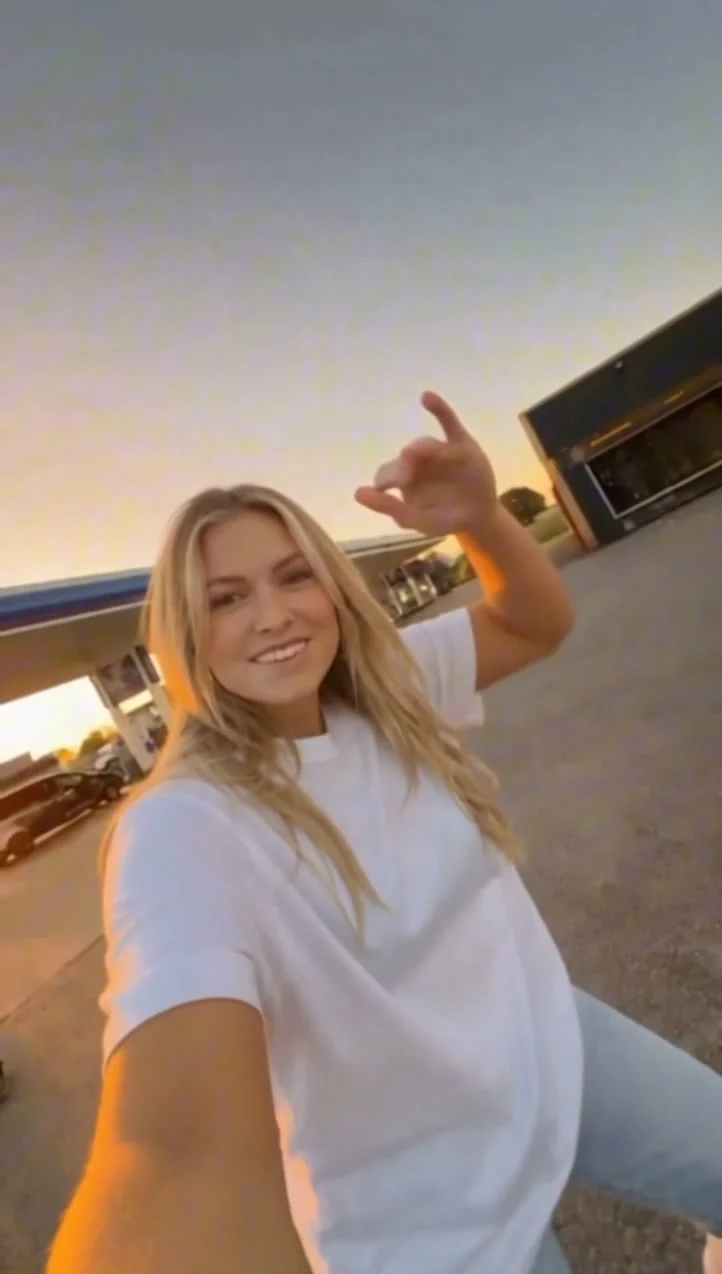
A gas station dance AI video tells a tiny three-person story on a sunset forecourt: one person dances, another turns the camera on themselves, and a third arrives from a car. The result works when those shots feel connected. Assign each friend a role before choosing photos, then use the car exit as the payoff rather than treating every frame as a separate meme.
Give the three shots different jobs
The Gas Station Dance template describes a 17-second vertical clip: the dancer opens, the selfie-style friend appears in the middle, and the third person steps out of a car at the end. Those are built-in story beats. You don’t need to invent more scenes to make the idea readable. You do need to decide why that last arrival is funny.
Maybe the dancer is the one who always starts the night too early and the person getting out of the car is the friend who claims they’ll only stay five minutes. Maybe the selfie friend is documenting a reunion. The clip doesn’t have to spell that out in text. One line in the caption can give the audience the relationship; the final shot can carry the joke.
Don’t write three unrelated punchlines for the three people. The opening asks a question: who’s dancing alone out there? The selfie shot brings in a witness. The car door gives you an answer or a twist. If your group has an inside joke about somebody always being late, put that person in the car role. The choreography is already busy enough.
Select photos by shot, not by who looks best
For the opening, use a photo of the dancer with a visible body and enough space around the arms and legs. A face-only crop leaves less information for a full-body move. The template’s role instructions ask for a well-lit, ideally full-body first person and a front-facing second person for the selfie shot. That is a better guide than using everyone’s favorite headshot.
The middle shot benefits from a face that reads close up. The third image should make the car exit recognizable as your friend, not just another figure crossing the frame. After generating, pause at each cut and check the dancer against photo one, the selfie filmer against photo two, and the person at the car against photo three. If a face seems swapped, confirm the upload order and replace any group shot with a single-person reference before you blame the caption. Keep sunglasses off if facial recognition is the entire joke. If a jacket or distinctive hairstyle is how your group spots that person from across a room, choose an image where it shows.
Think of the photos as continuity notes. If one friend appears in a winter coat and the others look ready for a hot evening, that contrast can be funny when intentional. Otherwise, try matching the light and wearing plausible outfits so the three cuts feel like one trip. Don’t pretend an AI clip proves you actually filmed at a gas station. No one needs to drive to a forecourt for this bit, and standing around a real pump for content is a lousy backup plan.
Make the caption set up the last frame
View the entire clip once without reading your caption. Does the car exit land as a payoff or as a random extra person? If it feels random, give that person a reason to arrive: ‘We told him the party was over.’ Keep the text outside the face area and avoid putting the punchline onscreen before the car appears. Let viewers have a second to guess.
This is a different post from the single-person surprise in our Frozen Dance posting guide. Here the third person completes the scene, so a thumbnail of the dancer alone might sell the setting while preserving the ending. Try a still of the opening forecourt with one readable silhouette. If the silhouette is too small to recognize at feed size, switch to a sharper frame, but don’t spoil the arrival just to display every cast member.
The template page says the scene includes golden-hour light and music. Those give you a mood without needing a real location tag. Don’t put a business name or address in the caption unless that’s genuinely where you filmed; the video is a generated scene. If a brand wants to use the gag as an ad, check the rights for any audio and likenesses first rather than treating a personal post as permission to run a campaign.
Check the export before the platform gets it
Watch the edit on a phone. Try sound on, then mute it. On mute, you should still be able to follow the dancer-to-selfie-to-car sequence. With sound, make sure the ending isn’t cut off by a rushed caption or app outro. You can also compare a still thumbnail with the actual first moving frame, because autoplay often starts before the most recognizable pose.
The YouTube Shorts creation guide says creators can add music or effects, including text, in the Shorts flow. If you’re cross-posting, inspect the audio tools and rules on each destination; an exported soundtrack isn’t proof of a license for every platform. TikTok’s AI-generated-content guidance is also worth checking when the video depicts recognizable people. Label the edit plainly and ask the friends in the photos if they’re comfortable appearing in it.
Open the gas station dance AI video template with a dancer, a witness and a late arrival in mind. Preview the car shot before you commit to the caption: it should deliver the line you’ve been holding back, not require a second paragraph to explain it.