Smalltown Boy Dance AI Video: Cast the Scream Duo
Make a Smalltown Boy dance AI video with two photos. Learn why Photo 2 gets the first scream, how to cast the courtyard duo and what to check.
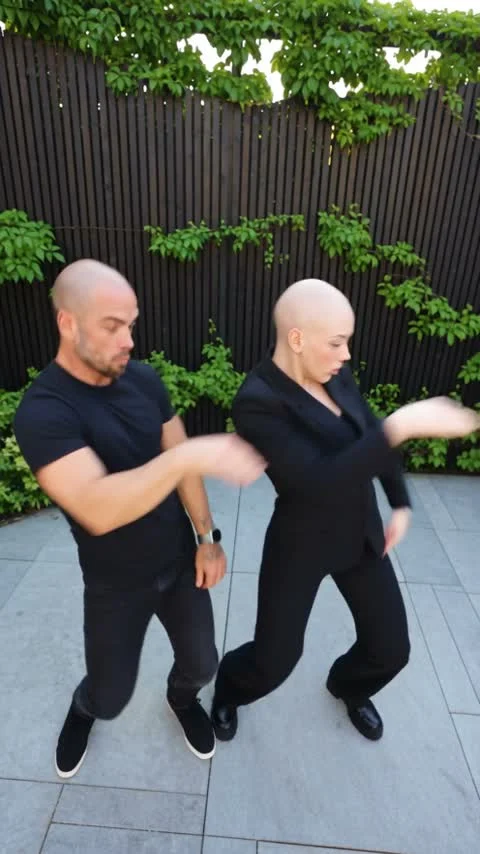
A Smalltown Boy dance AI video puts two people into the scream-to-courtyard performance set to Bronski Beat’s song. On Trendai’s Smalltown Boy template, you need two portraits: Photo 2 appears in the first close-up and on the left later, while Photo 1 takes the second close-up and the right side. The order is easy to miss.
The close-ups make the casting decision
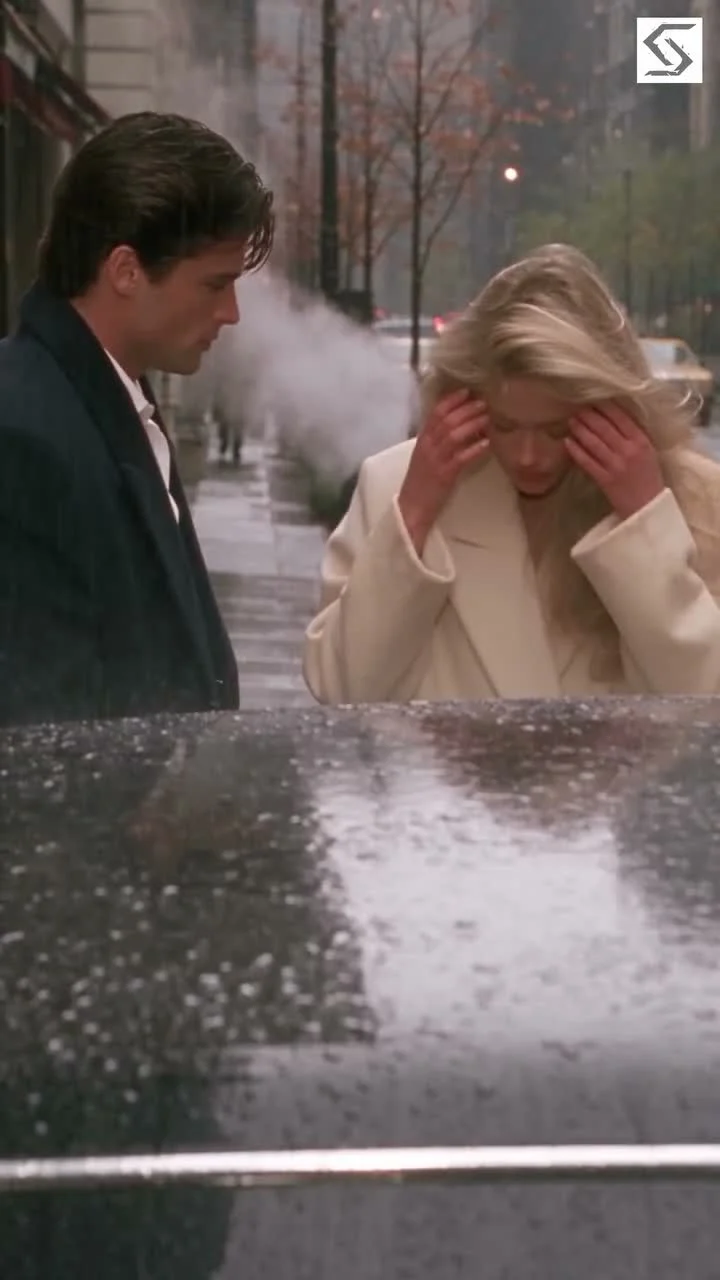
The reference begins up close. One performer screams toward a wide-angle lens; the other clutches their head in the following close-up. Then both appear dancing in a daylight courtyard. The template’s source preview is the reference footage, not a sample of your finished video, so watch it for timing and blocking rather than proof of how your own faces will render.
Decide who should own the opener before you reach for the upload buttons. Pick your loudest friend. If a friend has the bigger scream face, give that person the first close-up even if you’re the one making the post. The pairing should make sense when the camera backs away: a serious first face followed by an equally serious second face can feel stiff once the dancing starts. Contrast helps. Nobody needs to rehearse, but the expressions you imagine should fit each person’s public persona.
Here is the counterintuitive part: the first upload is not the first performer. Photo 2 plays the first screaming close-up, roughly the first seven seconds, and stands frame-left in the duo. Photo 1 plays the second head-clutching close-up, roughly the next seven seconds, and stands frame-right. Those roles are printed on the live upload form; name your two photo files with LEFT-first and RIGHT-second before selecting them if you’re working quickly on a phone. A glance at the file names beats the sinking feeling of seeing the punch line land on the wrong person.
Pick photos for the face and the full-body reveal
Give each slot a photo of one person, not a group crop. Leave their face and hair visible, and choose an outfit they’d actually want carried into the courtyard shot. This template builds an identity reference for each person before the motion stage; a photo that shows only a face gives less clothing information for the later full-body scene. A clean waist-up or full-body image with an unobstructed face is a sensible compromise.
Watch the edges. Sunglasses, a phone held in front of the mouth or hair covering one eye can make an exaggerated close-up harder to read. The face has to win. A tiny face in a huge scenic photo has the opposite problem: you may like the background, but this edit is about two faces crashing into the lens. Crop the people so their features are legible at phone size. Keep the original image if your crop cuts off the clothing you want to preserve.
You don’t need matching lighting between the two input photos; the source scene supplies its own daylight and courtyard. Do try to use similarly clear images so one character isn’t defined by a crisp portrait and the other by a blurry screenshot. The template notes that fast movement, hands over a face and lens distortion can affect consistency. Scrub those particular moments in the output before posting, rather than judging the clip solely by its first frame.
Generate, then inspect the handoff
- Open the Smalltown Boy dance AI video template and play the source preview with sound. Note where the second close-up replaces the first and when the frame opens into the courtyard.
- Add the right-side performer to Photo 1. Add the left-side opener to Photo 2. Check the labels again before you generate; both slots are required.
- Choose the available output resolution in the form, then generate. The page describes an image-preparation stage, video generation and a final mux, and asks you to stay on the page while the pipeline runs. Check the current pricing and credits in the interface rather than treating any quoted cost as permanent.
- Play the result all the way through with audio. Pause at each close-up, then check the left/right positions in the wide shot and the moment the scene switches from isolated faces to the dance. Download only the take where both identities remain readable.
The live template page labels its reference as approximately 24 seconds, vertical 9:16, with original audio. That length changes the edit’s job. A single caption that explains the joke in the first second leaves little for the later reveal. Give the opening face room to surprise people, then let the courtyard shot answer who else is in it.
Make the post about the pairing
Try a short caption that points to the relationship rather than narrating the software: “Me and the friend who said we’d leave early” tells a viewer why these two people are together without spoiling the switch. For a sibling pair, the casting could be “who heard the news first” versus “who pretended to be calm.” Those are suggested story frames, not claims that anything happened in the source clip. Keep the on-screen text away from faces in the close-ups, and review the platform’s crop on your posted preview so the frame-left performer doesn’t disappear behind an interface overlay.
The original audio is part of the reference, but posting a video with music is still subject to the platform’s availability and rights rules. Sound check first. Check the sound on the destination platform before publishing; don’t promise followers a song they can’t hear in their region. TikTok’s commercial music guidance is especially relevant if this clip is for a business account. Get your friend’s permission to use their photo and share the resulting video. The face swap is more fun when both people are in on the joke.
This isn’t the Viral Club Dance guide, which focuses on a different club scene. Here, the entire setup depends on whose face gets the first scream and who appears second, followed by the fixed left/right reveal. If the first cut feels wrong, fix the casting before changing the caption.