Central Cee Doja AI Video: Cast the Crowd on Purpose
Central Cee Doja AI video casting works best when the lead is unmistakable. Choose who gets a cameo, plan the reveal, and post with a clean caption.
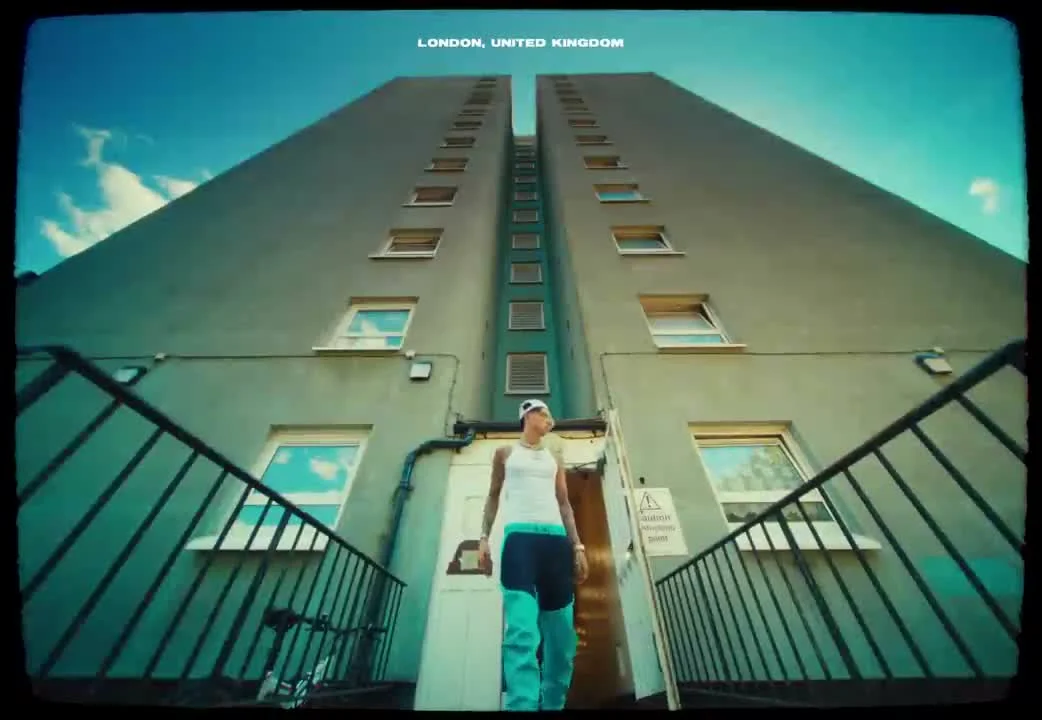
A Central Cee Doja AI video is a recast performance clip: your photo takes the lead in a sequence built around the song’s street-video look. The real creative choice is who appears where. Give viewers one face to recognize immediately, then make any extra person a deliberate cameo rather than filling every open slot.
The lead is the punchline
The joke lands when the first recognizable face shows up in a setting where nobody expects them. A roommate who usually stays off camera, the friend who swears they can’t dance, or your own painfully serious profile photo: any of those has a readable contrast with a performance video. Randomly adding eight people gives the viewer homework. You have seconds, not a seating chart.
On Trendai’s Central Cee Doja template, image one takes the main role; you can supply up to seven more references for people in the background. That is a useful casting constraint, not a challenge to use all eight. Start with one person. Watch the preview before deciding if another face would actually make the bit better. The template says unassigned supporting people remain from the source clip, so leaving a slot empty is a real editorial decision.
Choose a lead photo where the face is clear, the outfit is visible and the person isn’t buried behind a phone. Treat the outfit as part of the joke. A suit can turn the video into an office-group-chat reveal. A school portrait might give the clip a deliberately awkward throwback feel. Avoid making a claim that the actual artist appeared with your friend; frame it as an AI edit.
Cast a cameo only when the relationship matters
A second familiar face has a job: change what the first face means. Put a sibling into a background role and the clip becomes a family in-joke. Put your bandmate there and it becomes a handoff between collaborators. If the viewer needs a paragraph to understand why the second person is present, leave them out.
Order matters here. The template’s character notes say supporting images are assigned in order of first appearance, which means a person uploaded late in your lineup might show up at a moment that makes no sense for the story you meant to tell. Don’t upload your most important surprise as image eight and assume the cut will save it for the finale. Instead, think about which person viewers should notice first. Show your draft to the people pictured before posting, especially if the bit depends on an embarrassing old photo.
This isn’t the same creative problem as the Raindance role-casting guide, where the relationship between multiple roles carries the scene. Here one lead has to sell the first beat. Everyone else is optional. A close friend who will recognize the joke is a better audience than a giant cast nobody can identify on a small screen.
Build the post around a reveal, not an explanation
The template page lists a 15-second output. That length leaves little room for a written setup. Try a short opening overlay that creates a question, such as ‘when the quiet one joins the video.’ Then let the face do the work. Keep the overlay out of the face and don’t stack another line over every cut.
Think about the thumbnail before you upload. Pause on the first frame where the lead looks like themselves rather than a blur between movements. On your phone, shrink that frame until it’s about the size of a feed tile. Can you still tell who the joke is about? If not, a cleaner reference photo will help more than another caption rewrite.
The post caption can supply context the clip doesn’t have: ‘He said he’d never be in a music video.’ That’s enough. Don’t identify the AI performance as an official Central Cee collaboration. The template explicitly describes it as independent and not endorsed by the artist. If you want the joke to travel beyond your own group chat, name the relationship in the caption rather than assuming strangers know everyone in frame.
Keep platform audio and disclosure separate from the gag
A soundtrack in a generated file does not settle every platform’s music permissions. If you upload to another app, check the audio options and rights available there rather than assuming an export grants a cross-platform license. YouTube’s Shorts instructions describe adding music or sounds inside its own creation flow. That is a practical reason to review the final upload in the platform editor before you post.
TikTok has a dedicated help page about AI-generated content. Read the current disclosure options for the platform where you publish, particularly when a real person’s likeness is involved. A simple ‘AI edit’ in the caption also stops the clip from being mistaken for footage of your friend actually performing. Ask permission before using somebody else’s photo; a public profile image isn’t a blank check.
Ready to test the casting? Open the Central Cee Doja AI video template, start with the one person who makes the first frame funny, and keep the extra character slots empty until you have a reason to fill them. Preview the result with the sound on before you decide which frame belongs on the cover.